
Salesforce requirements for Documill Leap
Documill Leap Salesforce app works with the following Salesforce editions:
-
Professional
-
Enterprise
-
Unlimited
-
Developer
Install Documill Leap from AppExchange
1. Make sure that you are logged in to Salesforce AppExchange.
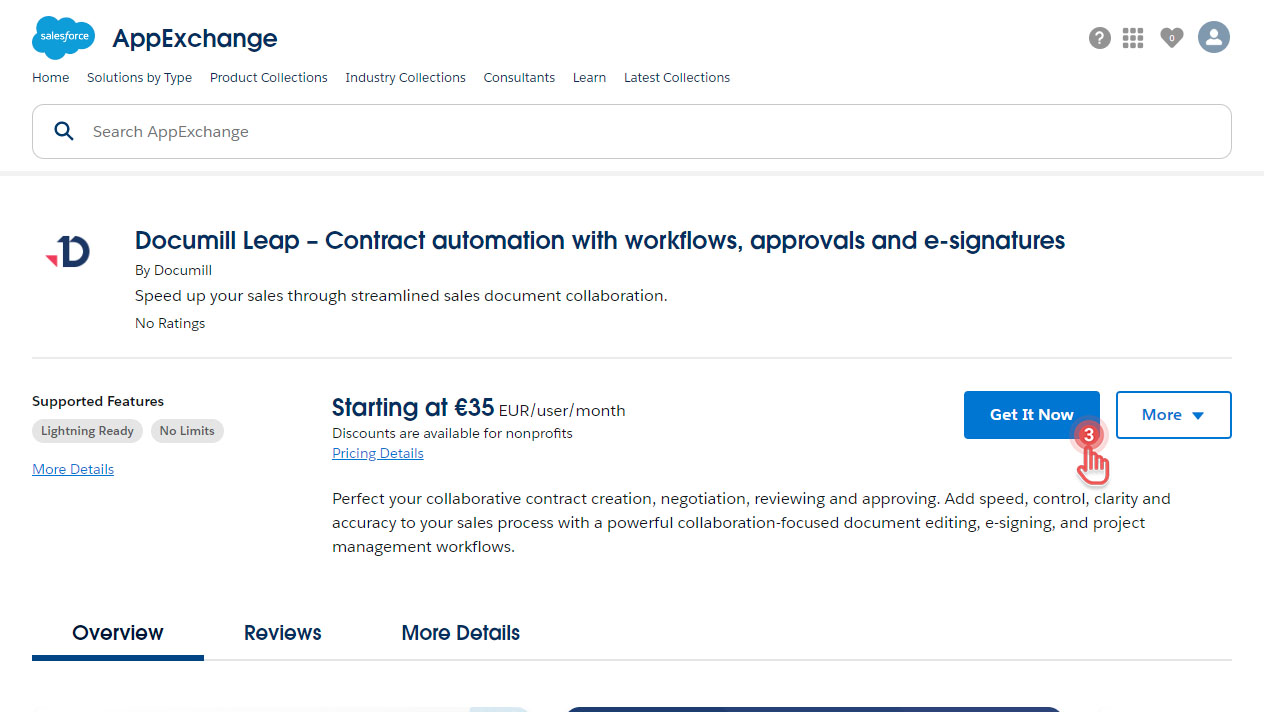
2. Go to Documill Leap listing in Salesforce AppExchange:
https://appexchange.salesforce.com/listingDetail?listingId=a0N4V00000FgsIeUAJ
3. Click [Get it now] button
Preview
4. Select which environment you would like to install Documill Leap.
Preview
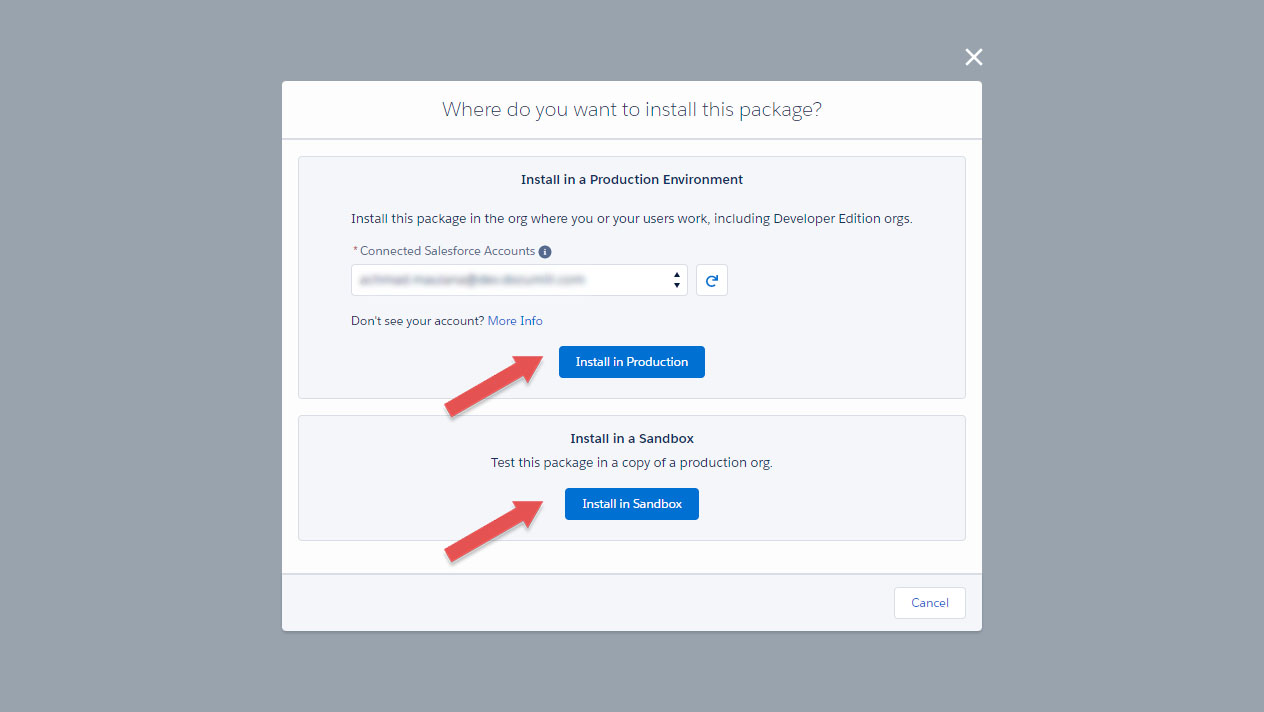
If this is the first time you use Documill Leap, or if you are testing out Documill Leap, we recommend you to install it in a Sandbox environment first.
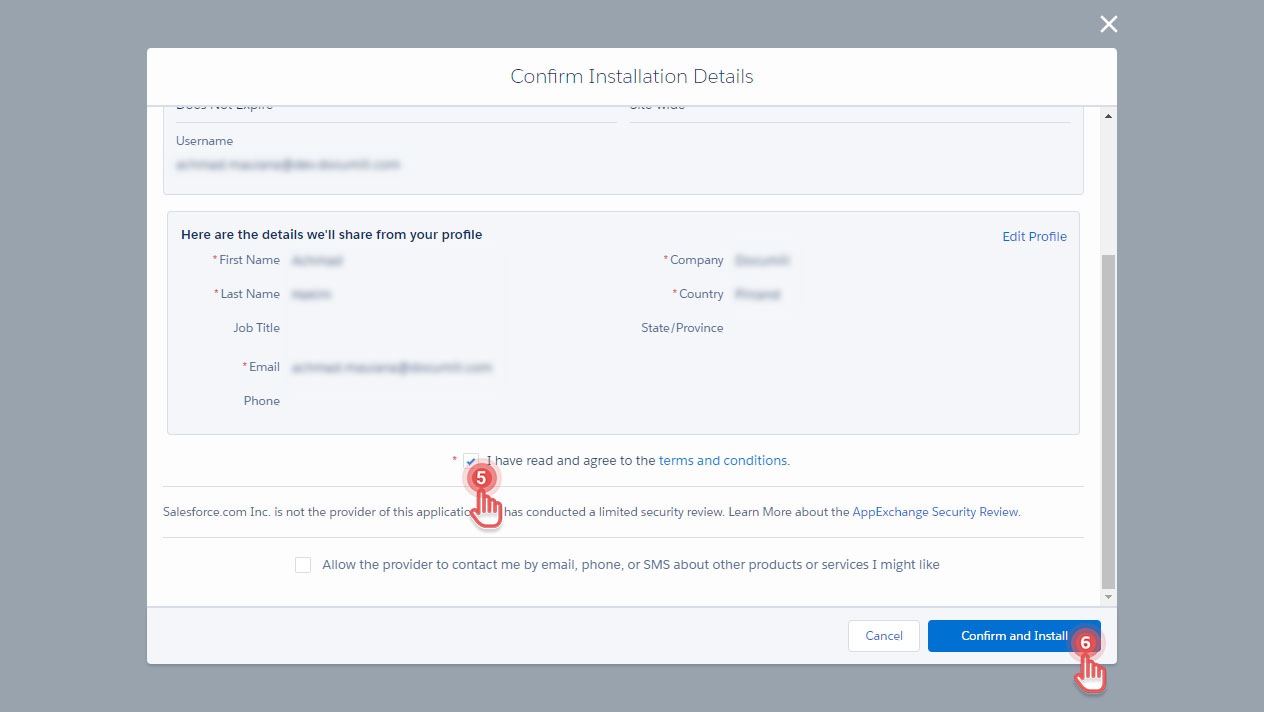
5. Agree to the terms and conditions.
6. Click [Confirm and Install] button.
Preview
7. You may be asked to log in to your Salesforce environment that you chose.
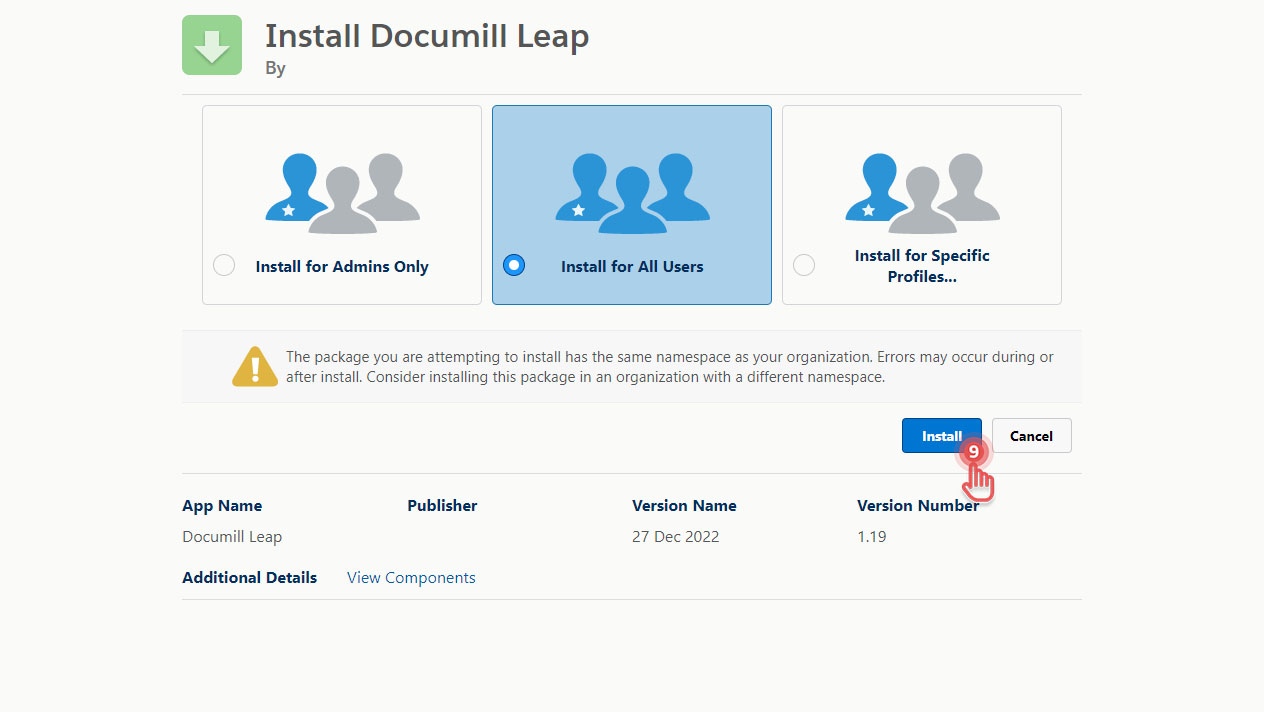
8. Choose who can use Documill Leap Salesforce app.
9. Click [Install] button.
Preview
Great! You have just installed Documill Leap Salesforce app.
Next
After the installation is complete, you can continue by performing the initial setup: Initial setup .