
Available to Organization Admin.
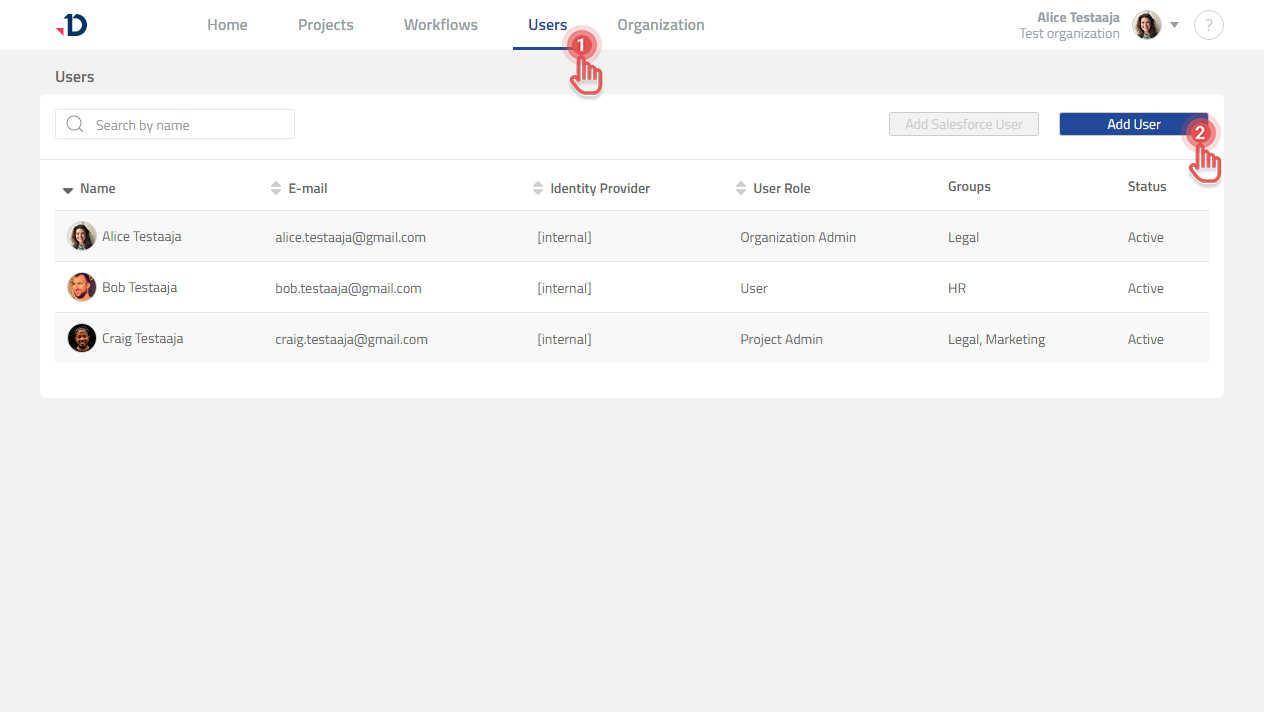
You can add Users to your Organization by sending them invitations:
1. Go to Users page.
2. Click [Add User] button.
Preview
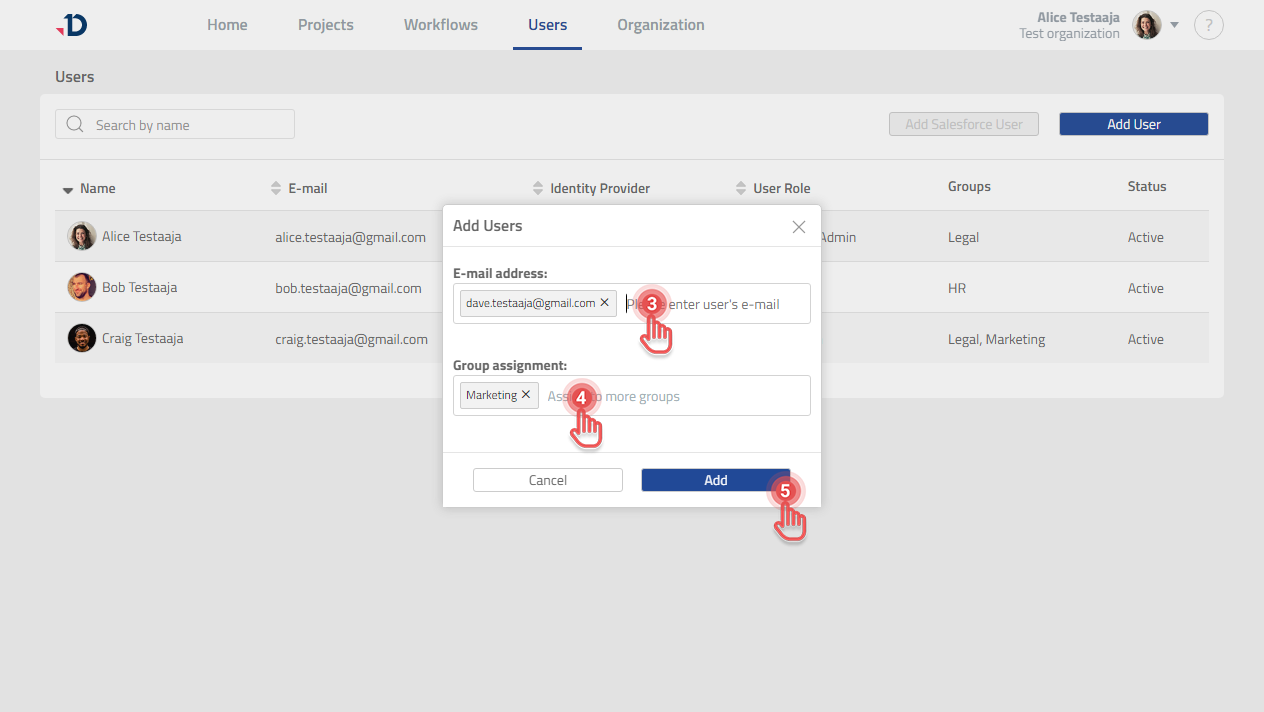
3. In the Add User dialog, type the User’s e-mail address.
4. Select the Group assignment for the new User.
5. Click [Add] button.
Preview
-
You can add multiple e-mail addresses at once.
-
Group assignment is mandatory.
-
When a new User is added, its status will be Invitation Pending.