
Available to Organization Admin.
To send files of completed Projects to Google Drive:
1. Go to Organization page.
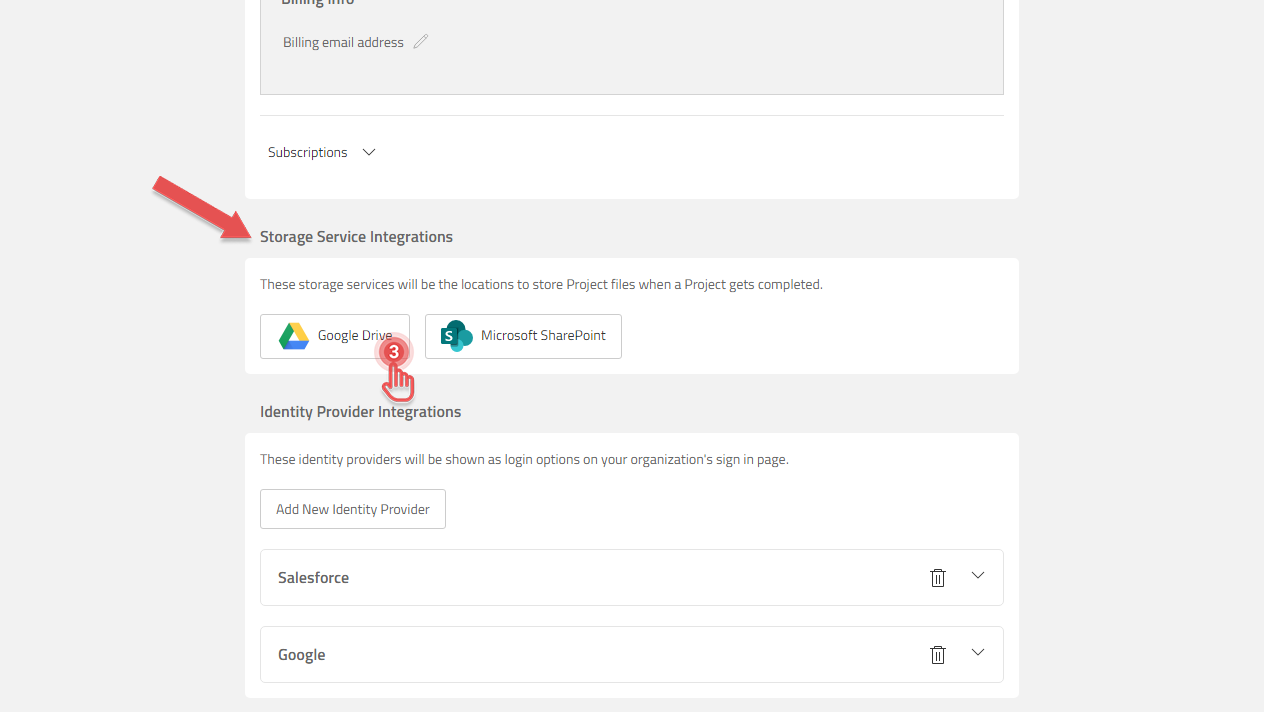
2. Scroll to Storage Service Integrations panel.
3. Click [Google Drive] button.
Preview
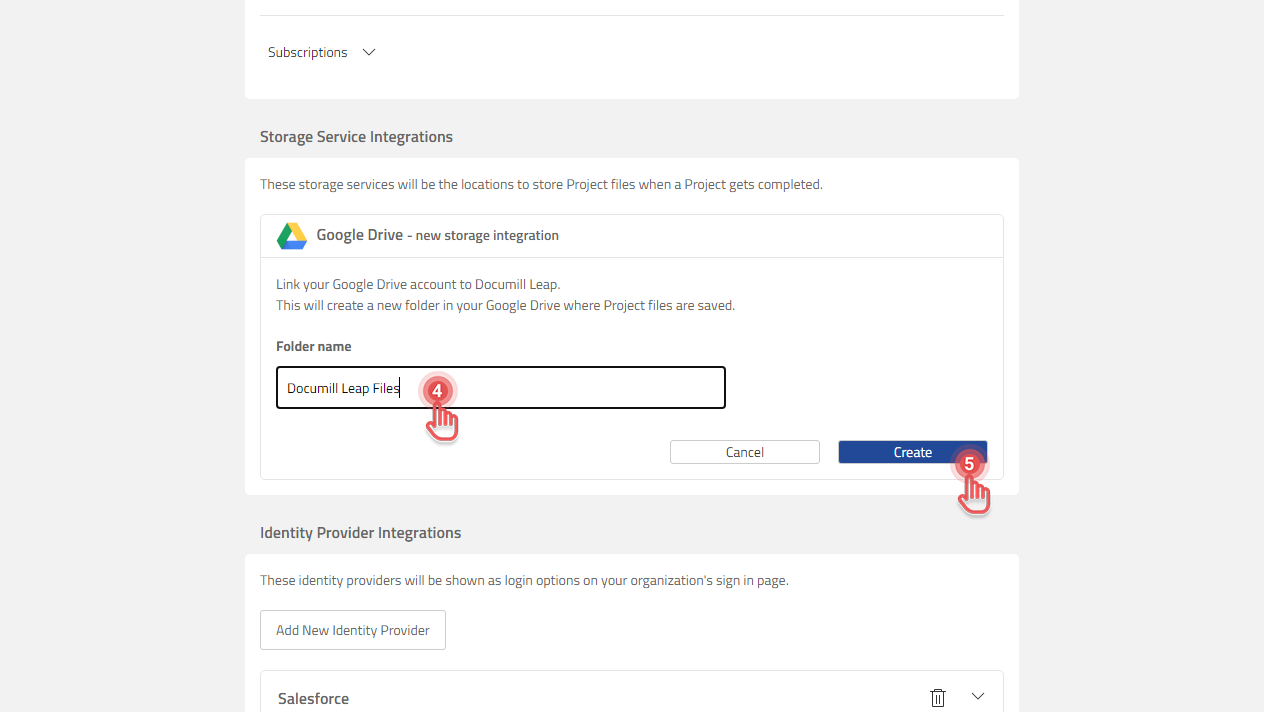
4. Give a name to the folder where the files will be stored.
5. Click [Create] button.
Preview
6. In the confirmation dialog, click [Continue] button.
7. In the pop-up dialog, follow the instruction to sign-in to your Google Account.
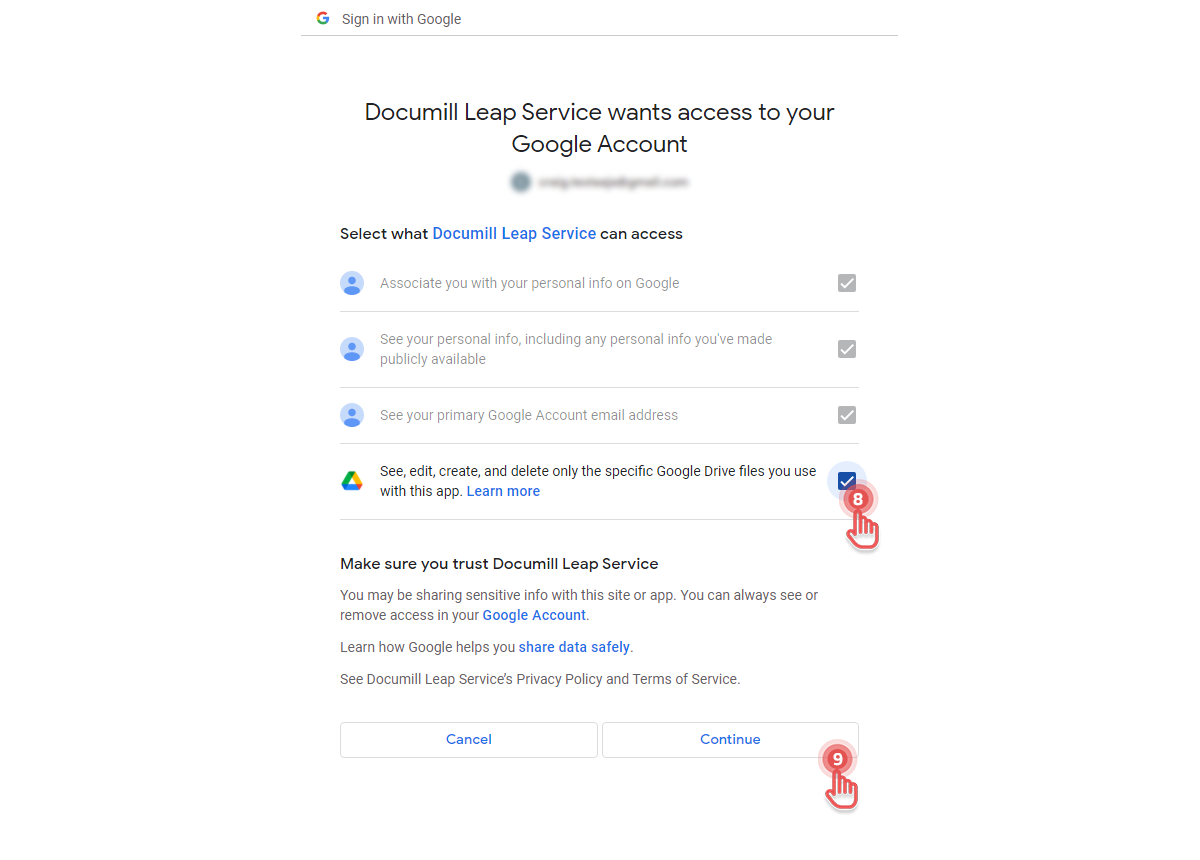
8. Allow access to see, edit, create, and delete specific Google Drive files.
9. Click [Continue] button.
Preview
10. The Storage Service Integration with Google Drive should now be ready.