
Available to Organization Admin.
Delete a Group
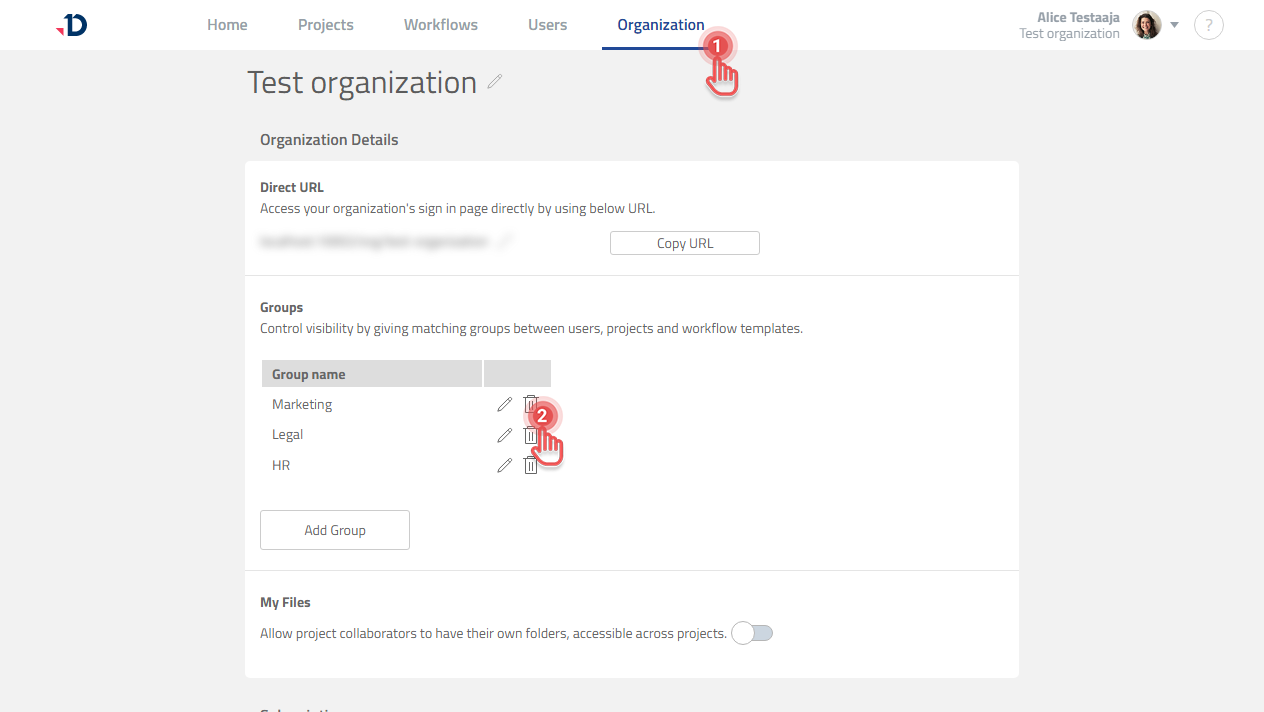
1. Go to Organization page.
2. Under Groups section, click [Trash] icon of the Group you wish to delete.
Preview
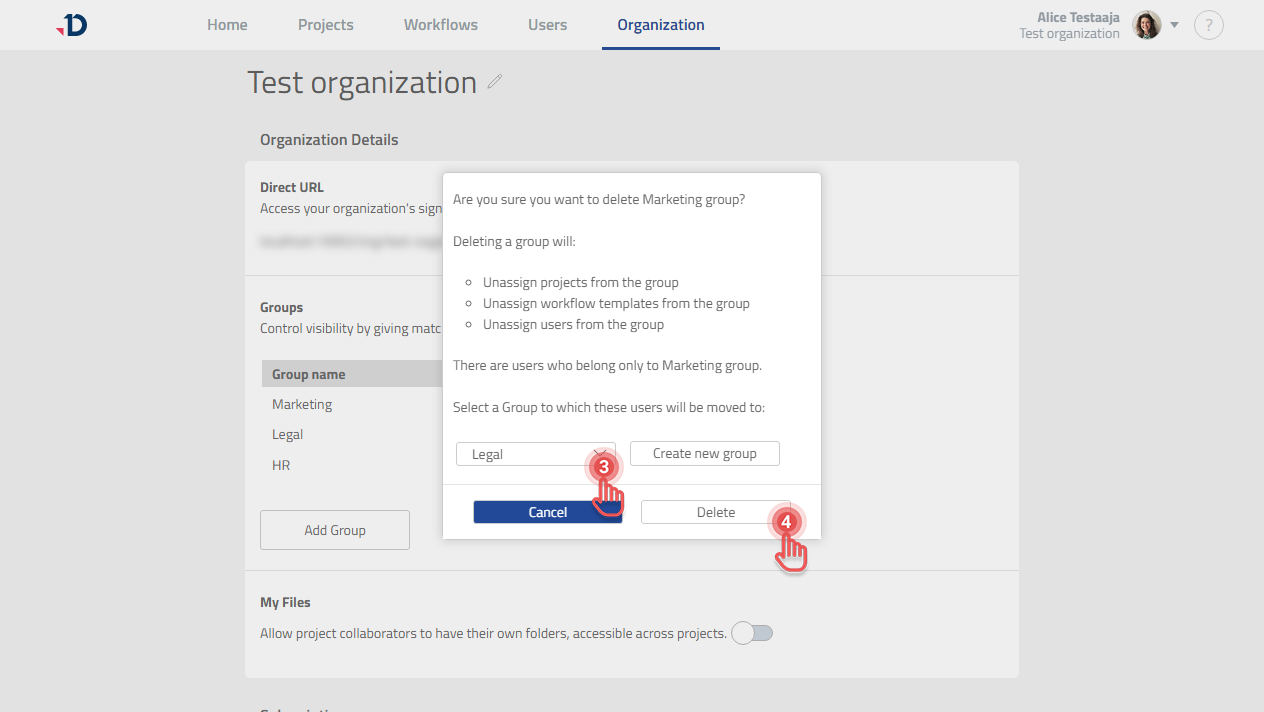
3. If there are Users who belong only to the Group you wish to delete, you will need to reassign them to another Group.
4. Click [Delete] button in the confirmation dialog.
Preview
What will happen to User
|
Group assignment |
What will happen |
|---|---|
|
User that belongs to one Group |
The User will have to be reassigned to another Group. |
|
User that belongs to multiple Groups |
The User stays assigned to the remaining Groups. |
What will happen to the Project
When a Group is deleted, the Projects that belong to the Group will become Private and they do not belong to any Group.