
Some tasks may require additional Files. For example, during editing, the editor may need auxiliary Files (e.g. images to put into a document, other materials). To accomplish this, the necessary Files can be added directly inside a Step.
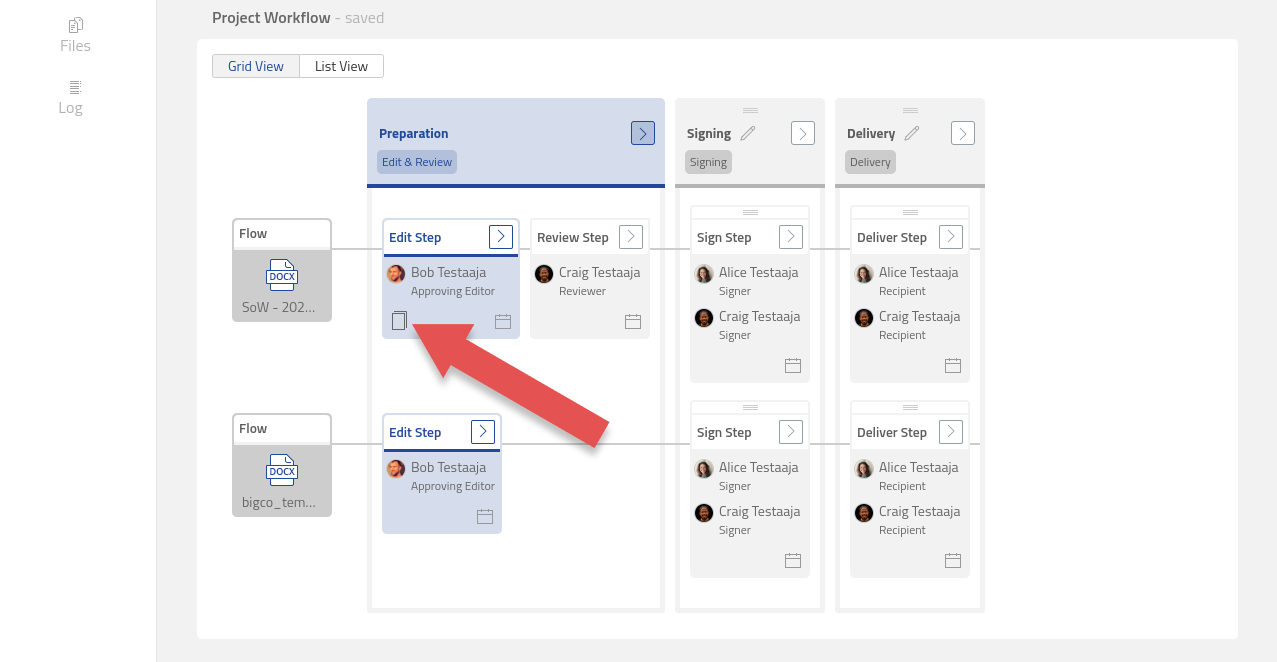
The same Files can be attached to one or more Steps. When a Step contains extra Files an icon is shown on the bottom left corner of the Step.
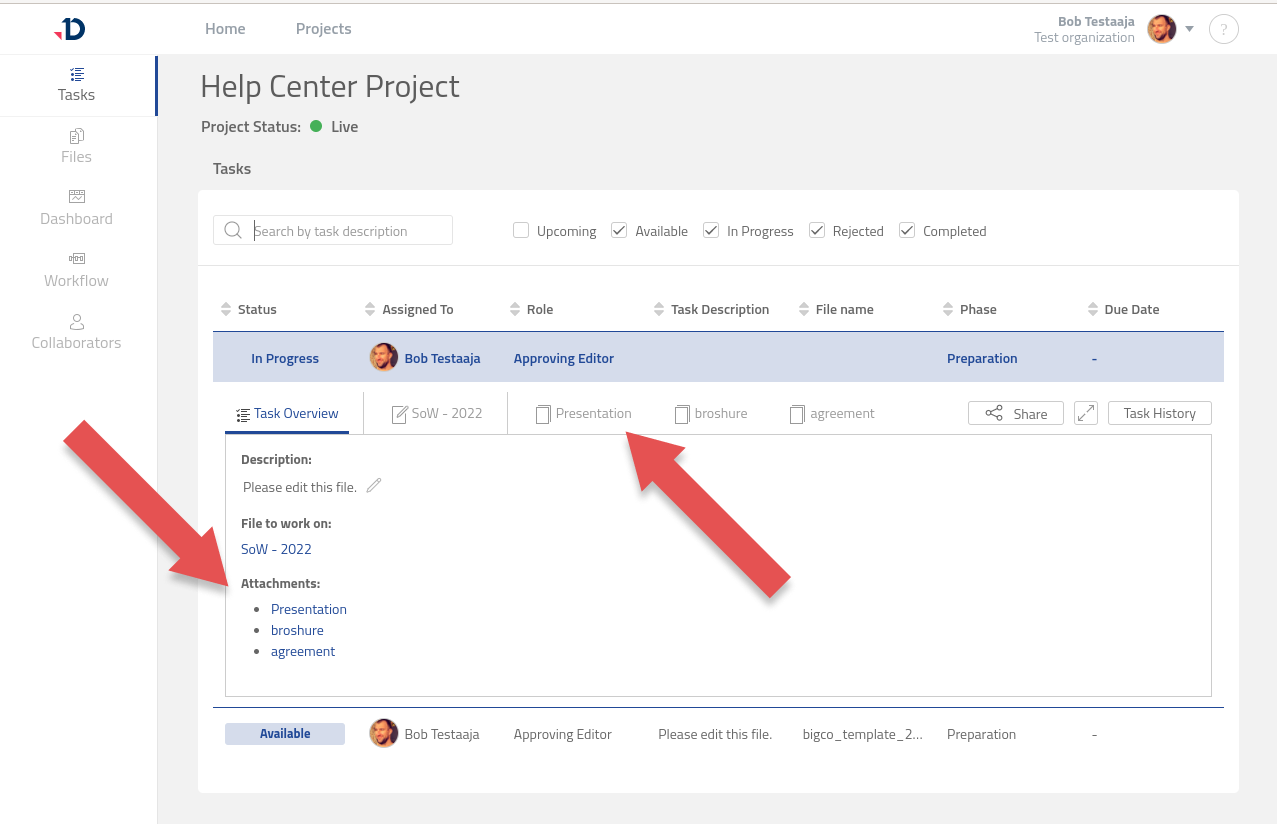
All extra Files attached to the Step are also displayed inside the Task. Thus, when editing or signing a document, the Collaborator can read them at any time without having to search for them in the Project Files folder.
Learn more about how to attach Extra Files to a Step here at Manage Step Attachment.