
After your project went Live, you can monitor how it is progressing and make minor adjustments when needed.
Open Project Overview screen
Project Overview screen is the place to see the latest status of your project.
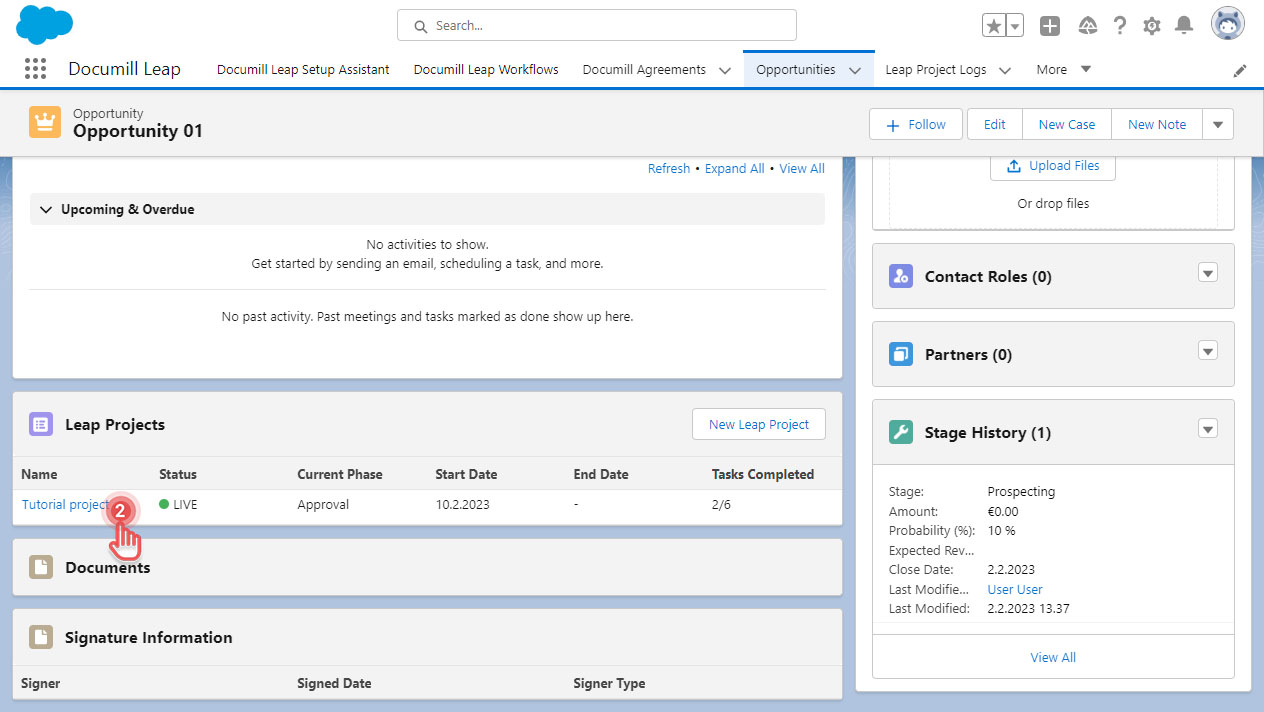
1. Go to Salesforce Record where the project was created.
2. Click your project name.
Preview
3. In Project Overview screen, you can see:
-
How far the project has progressed.
-
Who currently needs to work on their task.
-
Who are involved in your project.
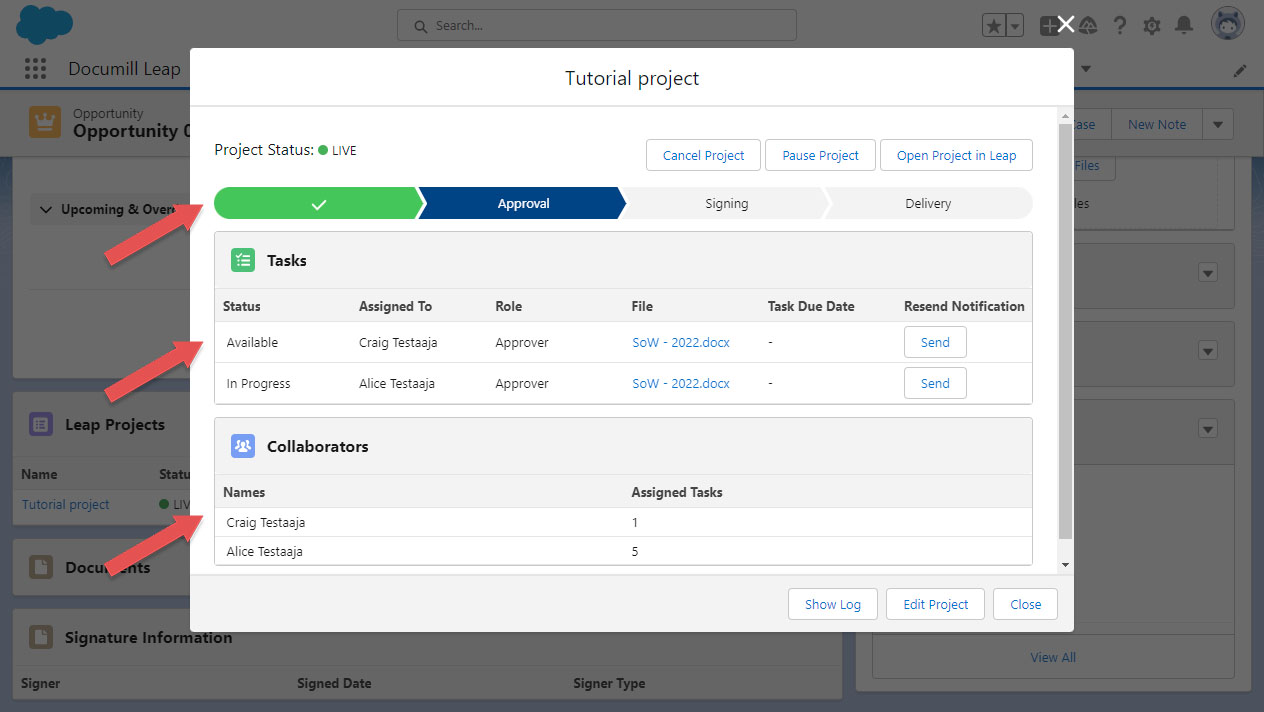
Additionally, you can also perform below actions from Project Overview screen:
-
Manage Collaborators by clicking [Edit Project] button.