
Available to Organization Admin.
To temporarily disallow people to sign-in using their account from another Identity Provider that you have configured:
1. Go to Organization Page.
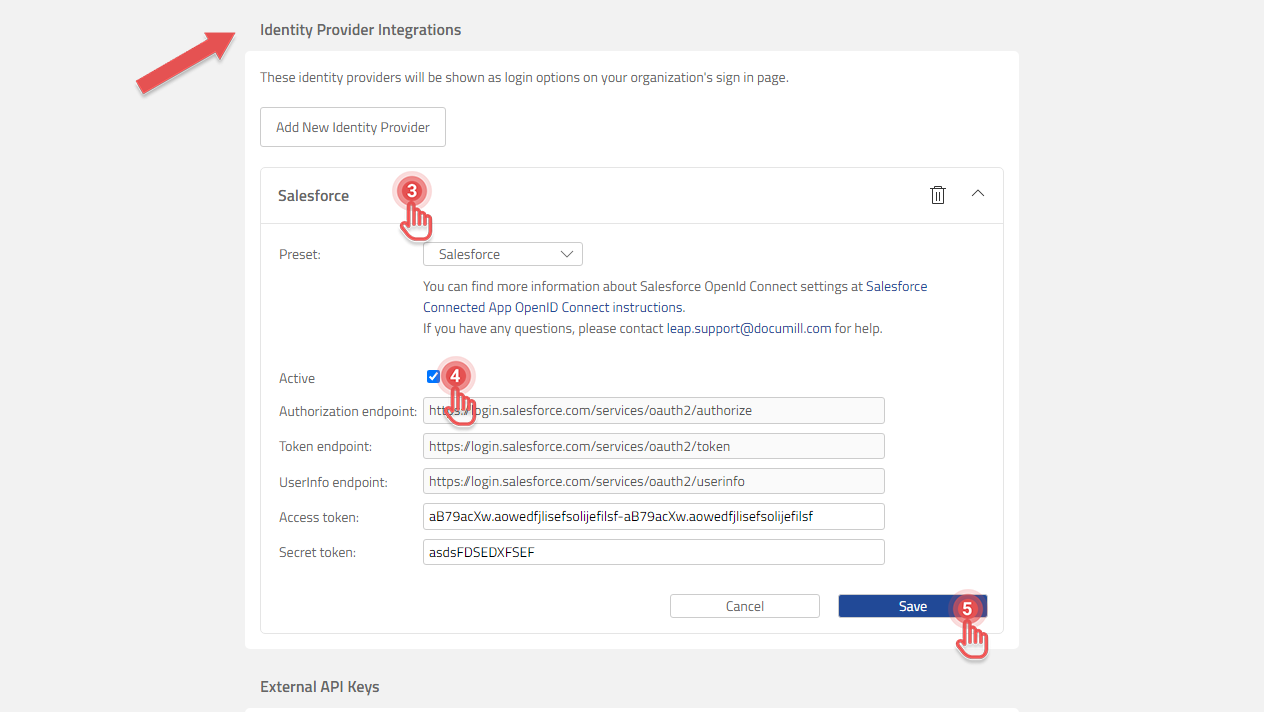
2. Scroll to Identity Provider Integration panel.
3. Click the Identity Provider that you wish to disable.
4. Uncheck [Active] checkbox.
5. Click [Save] button.
Preview
6. In the confirmation dialog, click [Deactivate] button.