
Available to Manager and Administrator.
Workflow Templates are downloaded as ZIP files. You can upload them again later, into the same or another organization (see Upload Workflow Templates ).
You can download a Workflow Template in the following ways:
-
From Workflows list
-
From inside a Workflow Template
From Workflows list
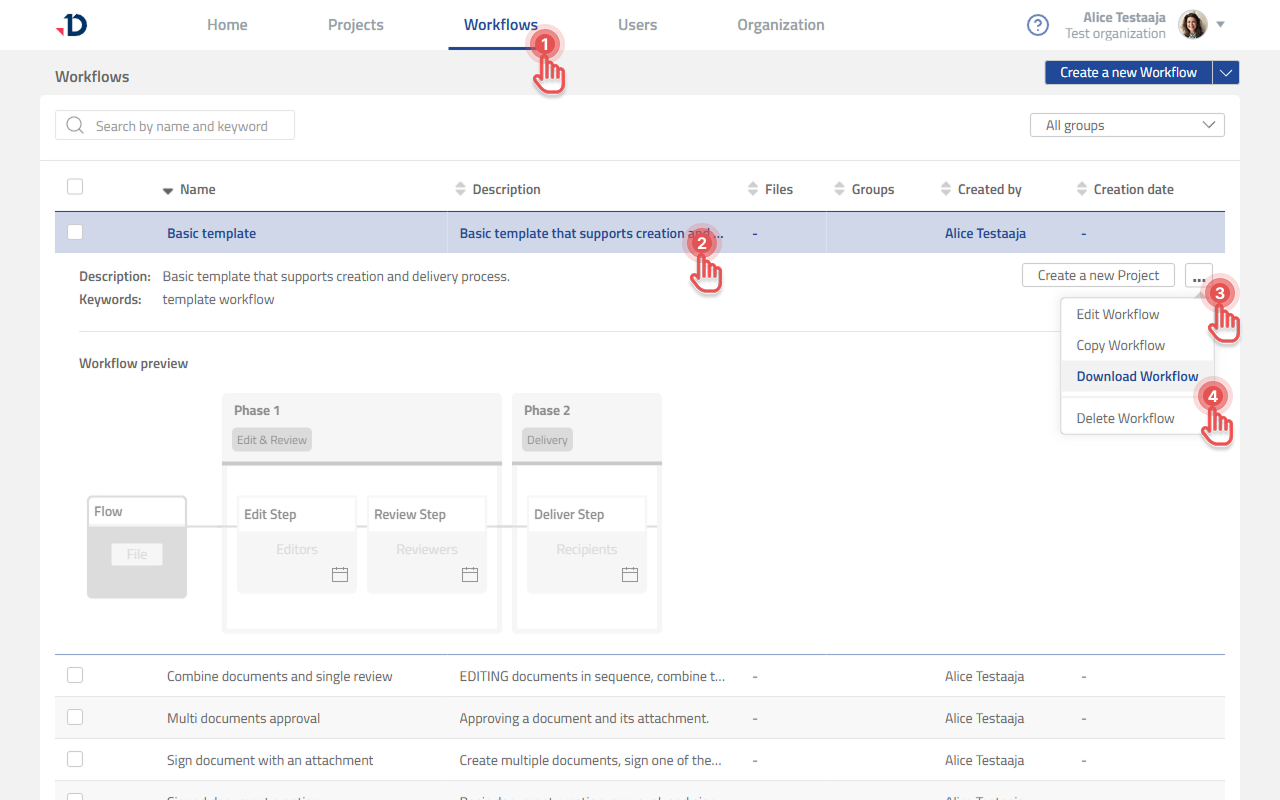
Download a Workflow Template from Workflows page
-
Go to the Workflows page.
-
Expand the Workflow Template that you want to download.
-
Click […] button.
-
Select [Download Workflow] option.
Download multiple Workflow Templates from Workflows page
-
Go to the Workflows page.
-
Select the checkboxes of the Workflow Templates that you want to download.
-
Click [Download] icon button.
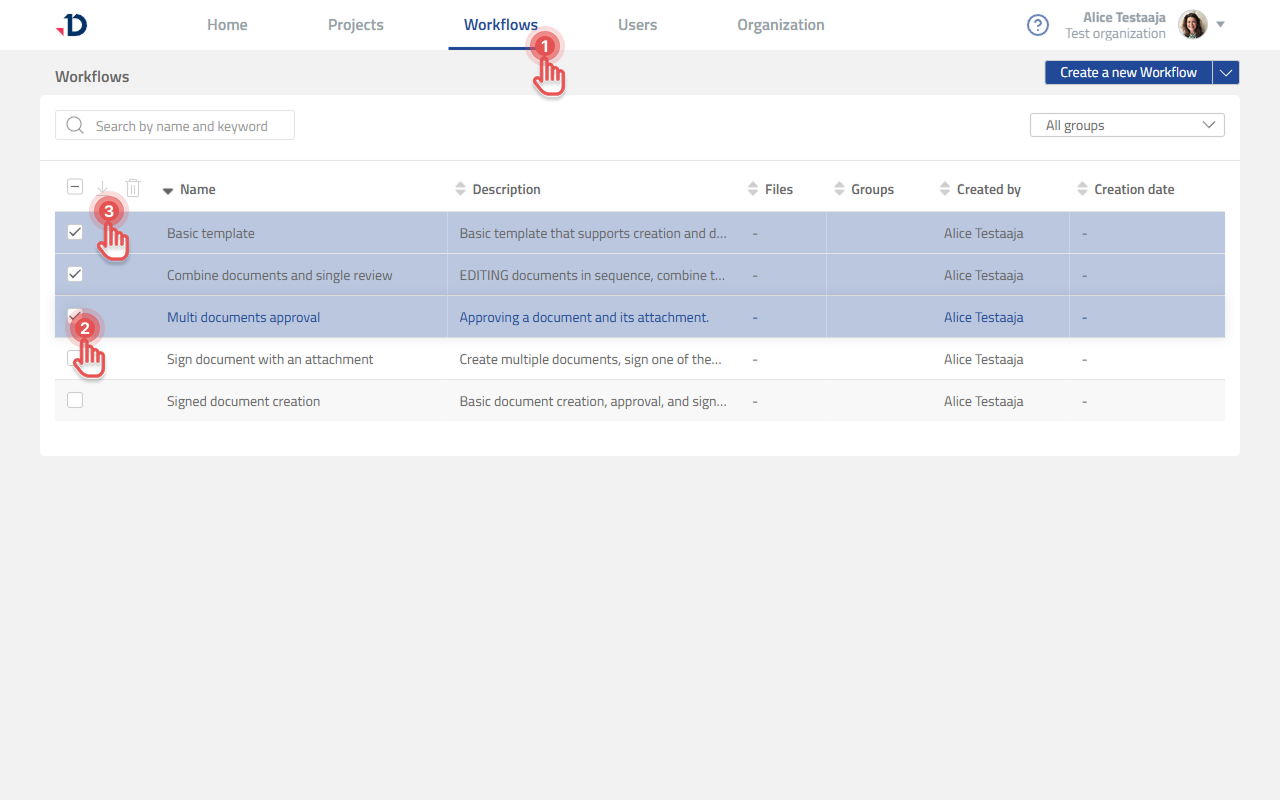
Selected Workflow Templates are downloaded into one ZIP file.
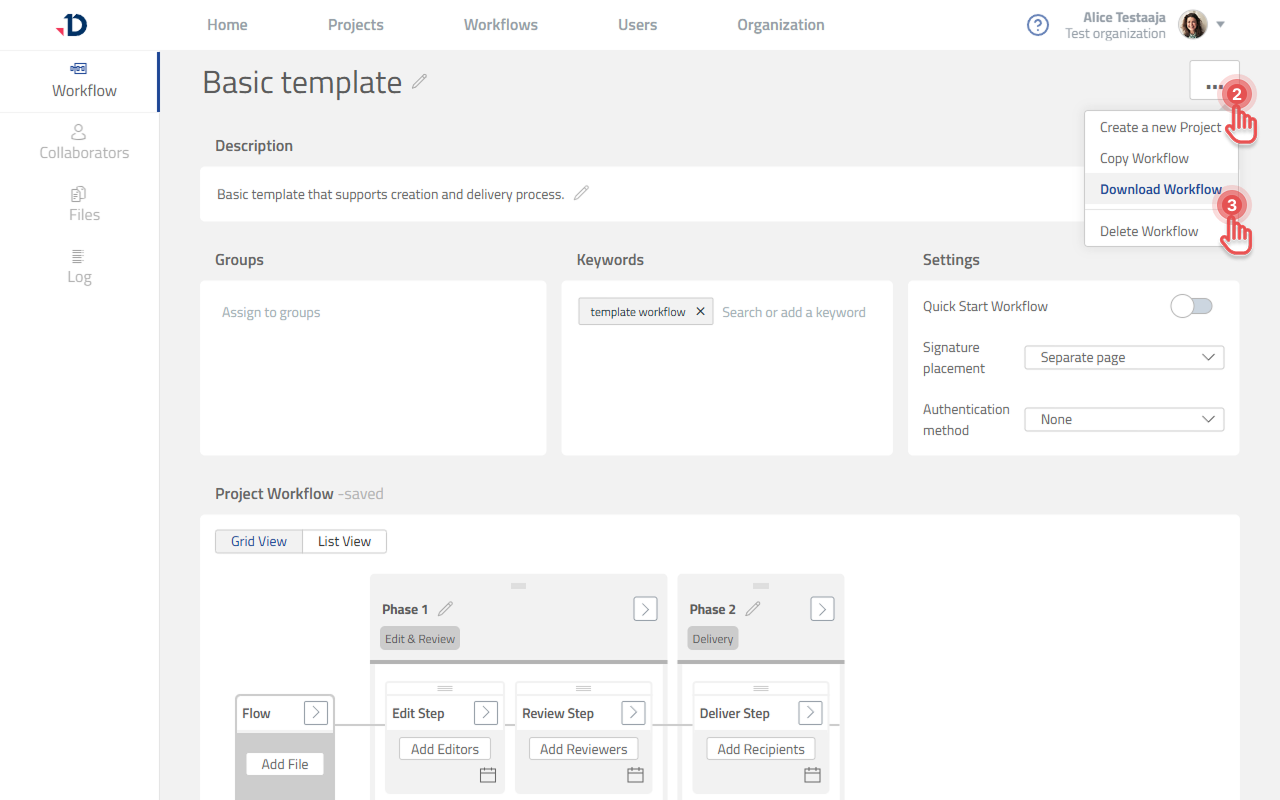
From inside a Workflow Template
-
First, Edit a Workflow Template
-
Click […] button.
-
Click [Download Workflow]
What’s included in a downloaded Workflow Template
A downloaded Workflow Template includes:
-
Name
-
Description
-
Groups
-
Keywords
-
Settings
-
Workflow structure
-
Attached documents
-
Assigned collaborators