
Available to Manager and Administrator.
You can upload Workflow Templates that were previously downloaded from Documill Leap, as ZIP files (see Download Workflow Templates).
Upload a Workflow Template
-
Go to Workflows page.
-
Click the chevron [v] button next to [Create a new Workflow].
-
Click [Upload Workflows] option.
-
Select the ZIP file(s) of the previously downloaded Workflow Templates.
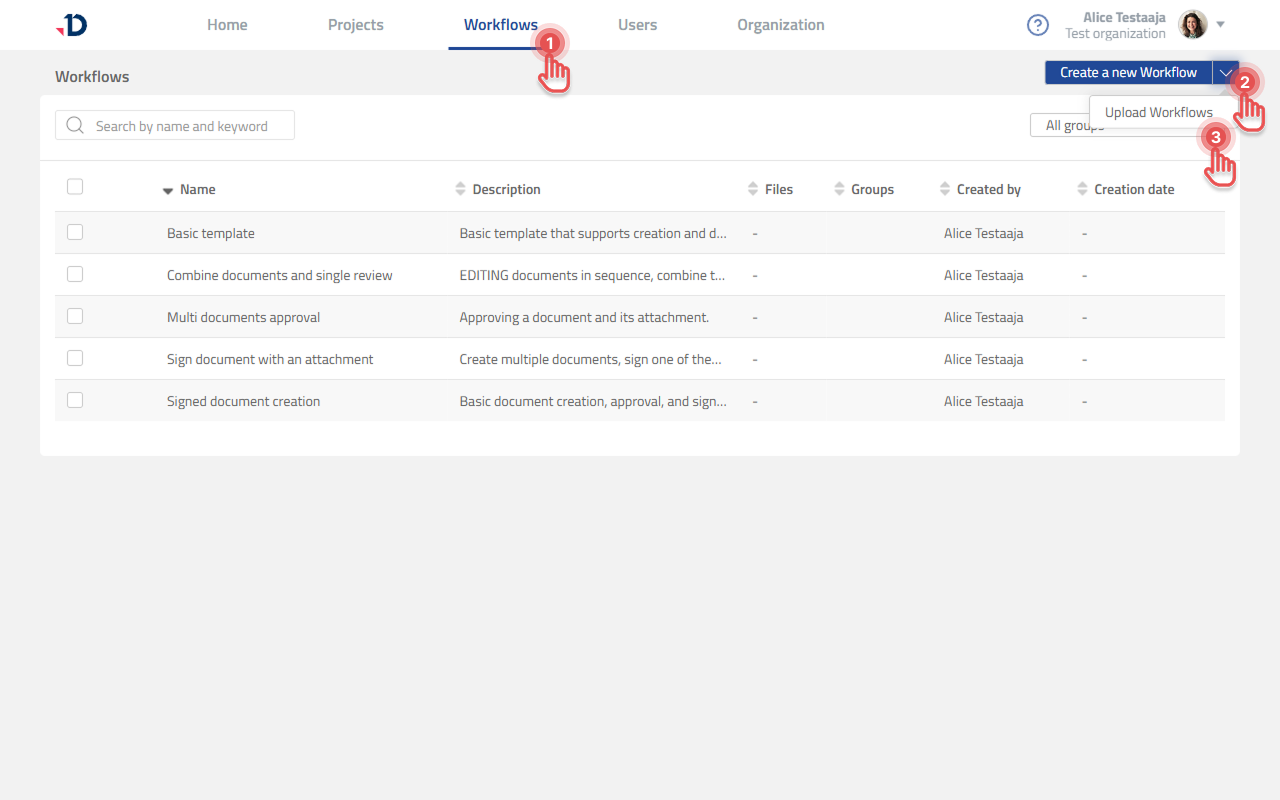
The uploaded Workflow Templates appear in the Workflows list.
What happens to an uploaded Workflow Template
-
Name conflicts: Documill Leap allows Workflow Templates to share a name. If a Workflow Template with the same name already exists, the uploaded one is added alongside it and keeps its original name.
-
Groups: Groups are matched by name and applied to the uploaded Workflow Template.
-
Assigned collaborators: Collaborators are matched by email and assigned to their steps.
-
Attached documents: Always carried over.