
There are two ways to create a new Documill Agreement record for an agreement:
-
From Leap Project component once the project is completed.
-
From Documill Agreements object.
From Leap Project component
1. Open the Salesforce Record where the Leap Project was prepared.
2. Open the completed Leap Project.
Preview
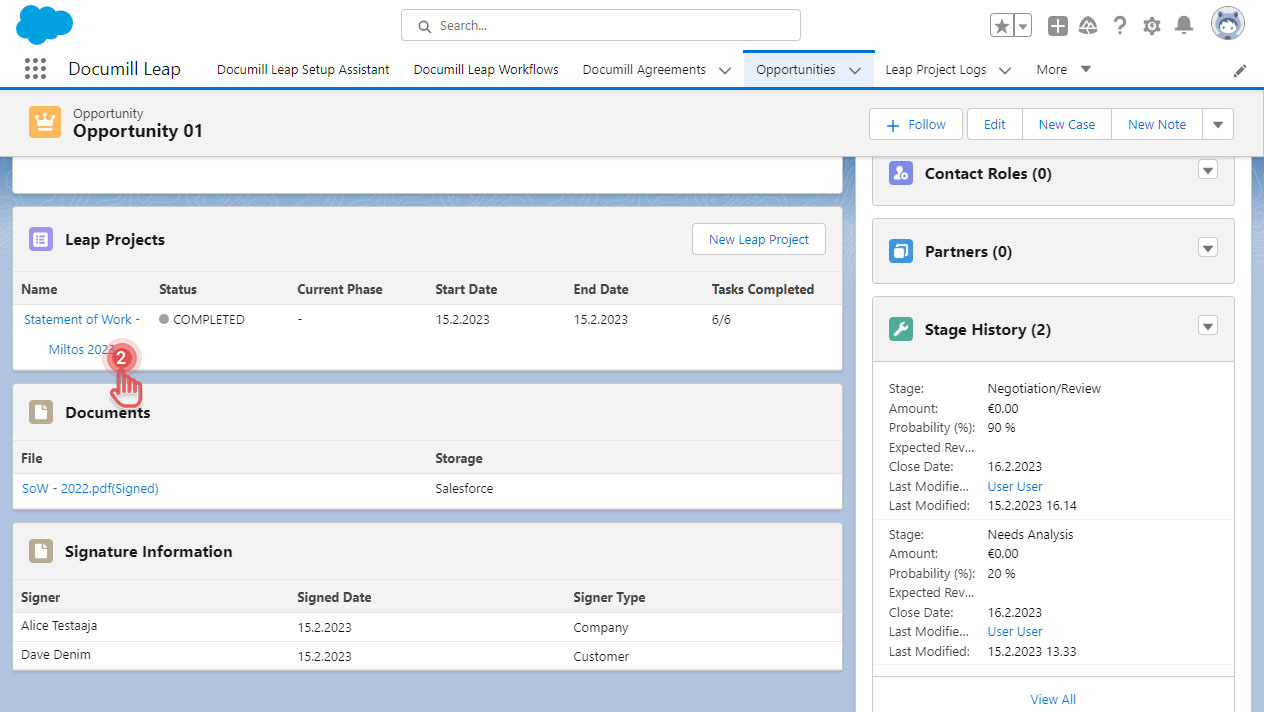
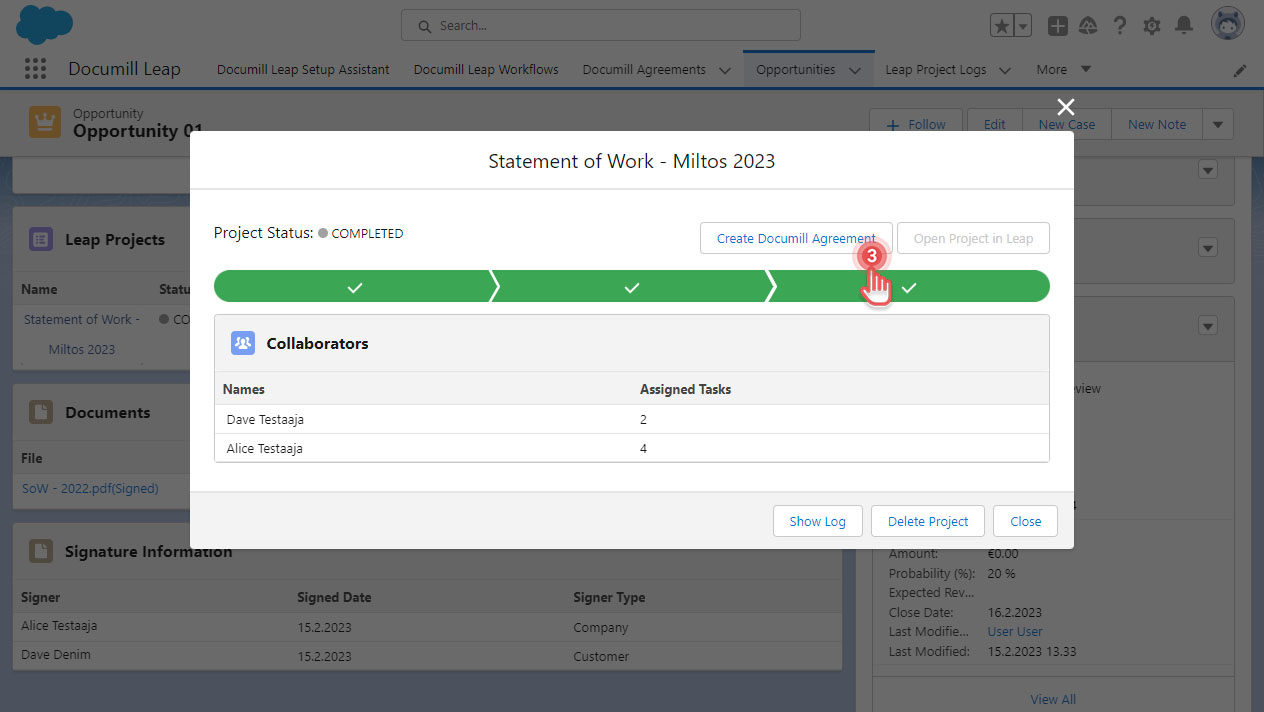
3. Click [Create Documill Agreement] button.
Preview
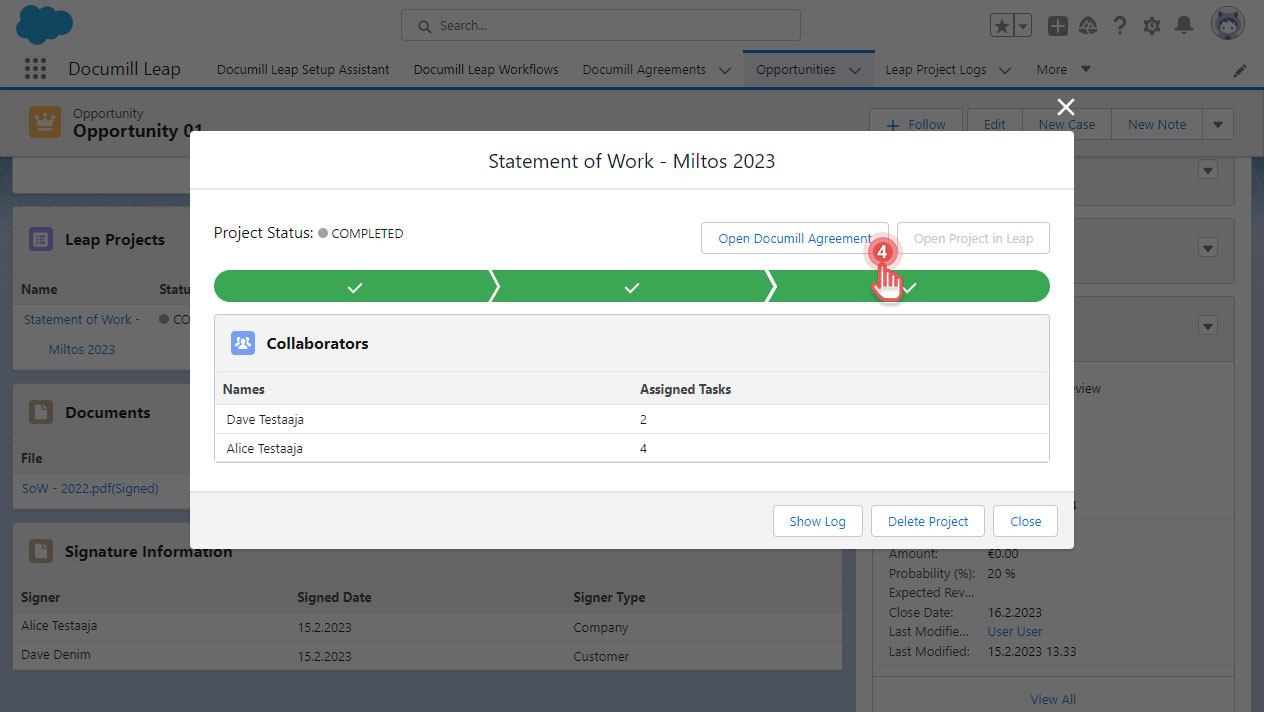
4. To see the new Documill Agreement, click [Open Documill Agreement] button.
Preview
-
You can create a Documill Agreement if the Salesforce Record has Account information.
-
You can only create one Documill Agreement from a completed Leap Project.
From Documill Agreement object
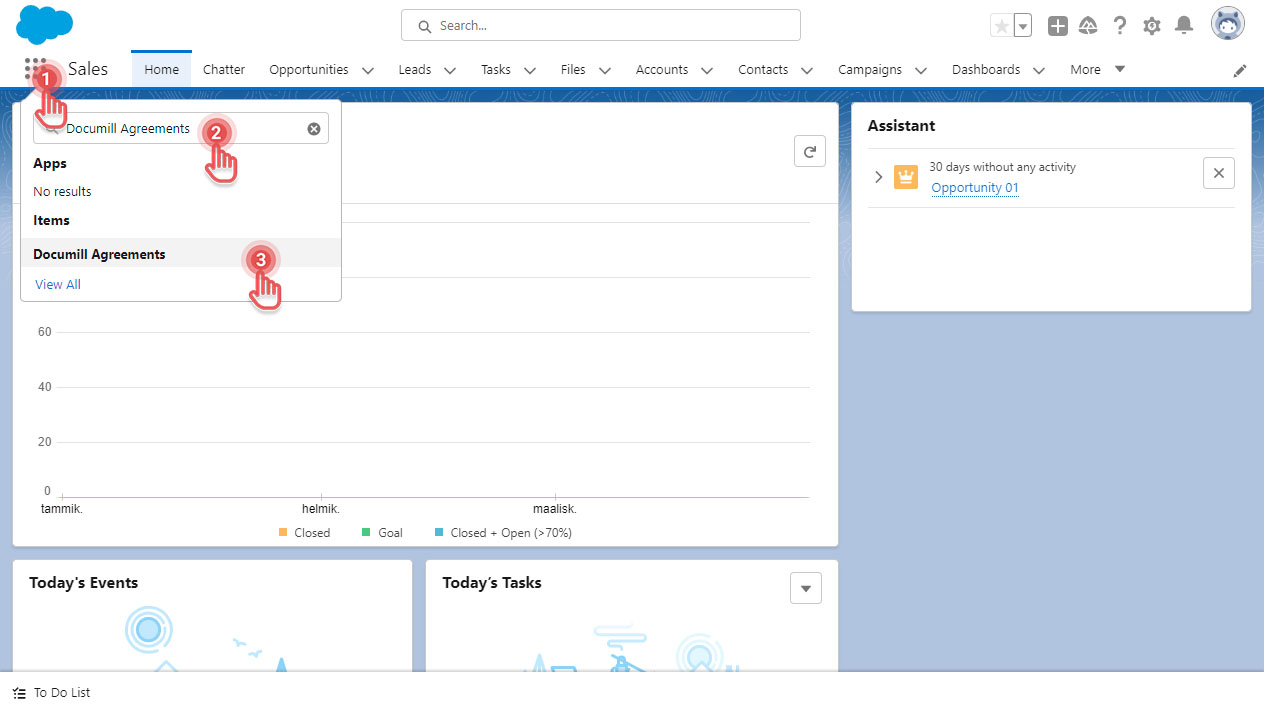
1. In Salesforce, click [App Launcher] button.
2. Search for “Documill Agreements”.
3. Click [Documill Agreements] item.
Preview
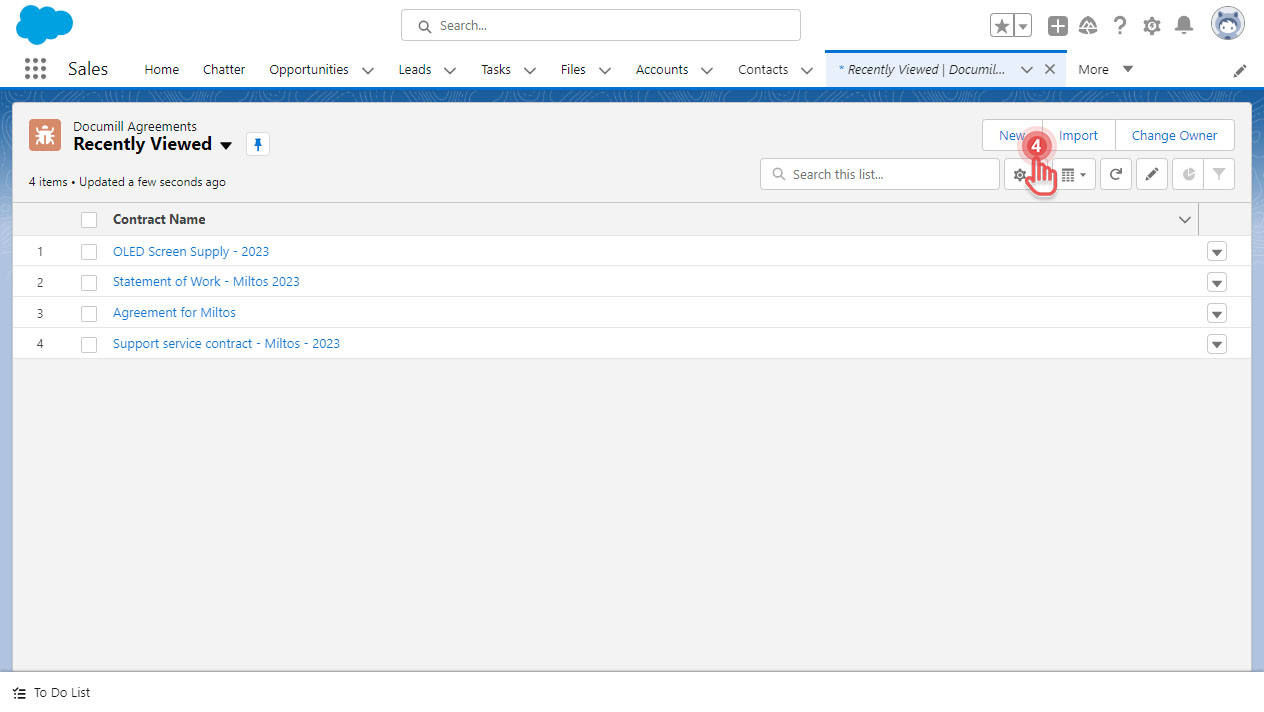
4. Click [New] button on the top right corner.
Preview
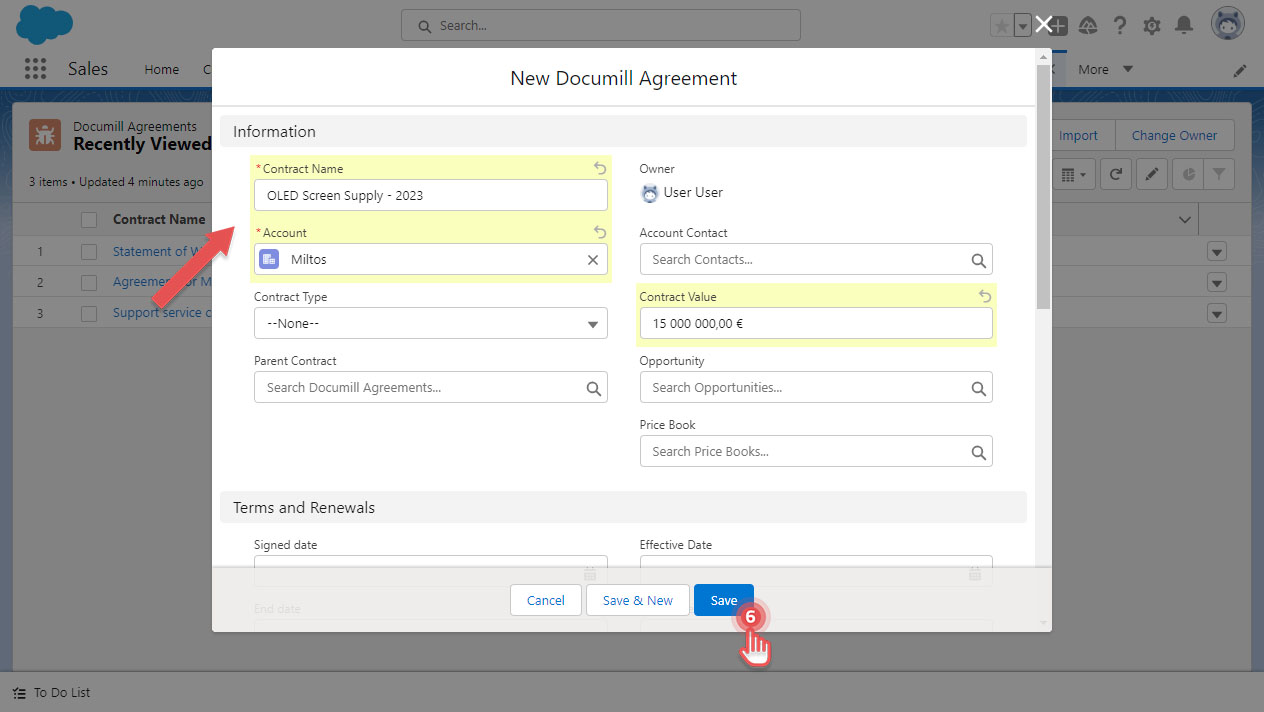
5. Fill in the necessary fields.
6. Click [Save] button.
Preview
You have created a new Documill Agreement record. From here, you can prepare the agreement document by creating a new Leap Project: Create a Leap Project .