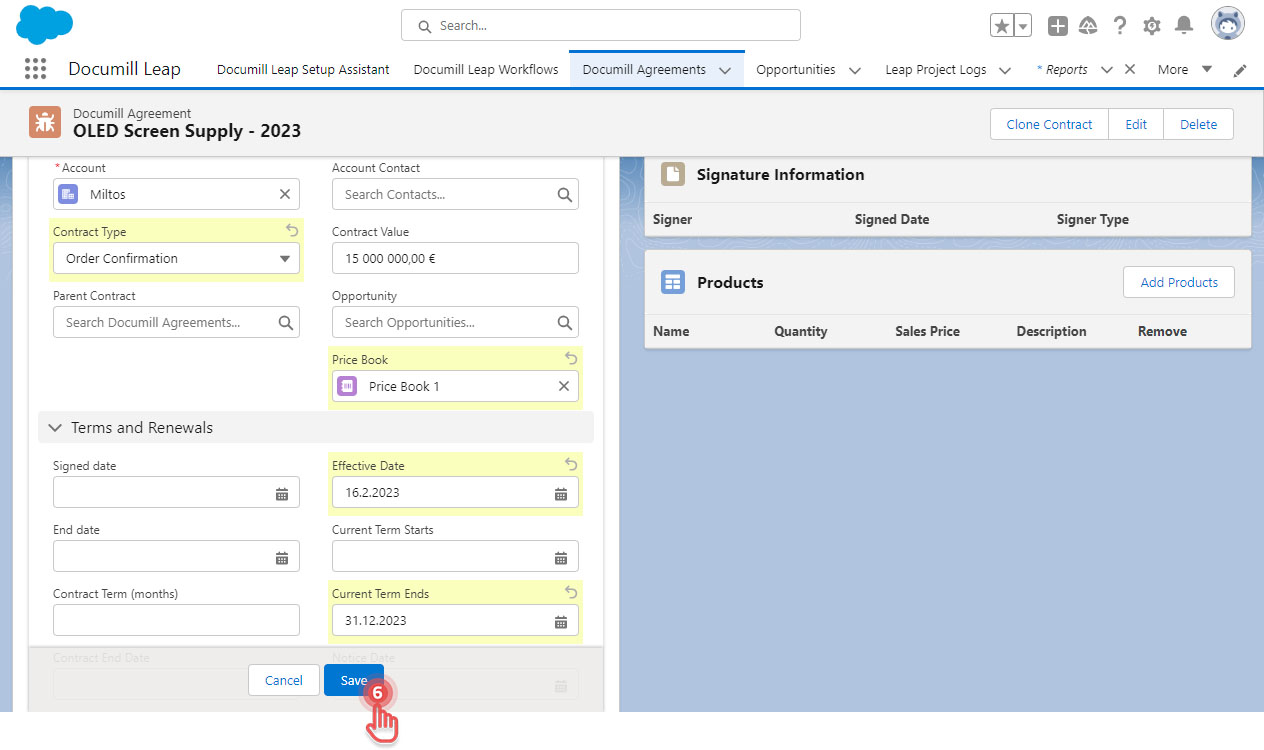
You can modify a Documill Agreement by opening it from Documill Agreements tab.
1. In Salesforce, click [App Launcher] button.
2. Search for “Documill Agreements”.
3. Click [Documill Agreements] item.
Preview
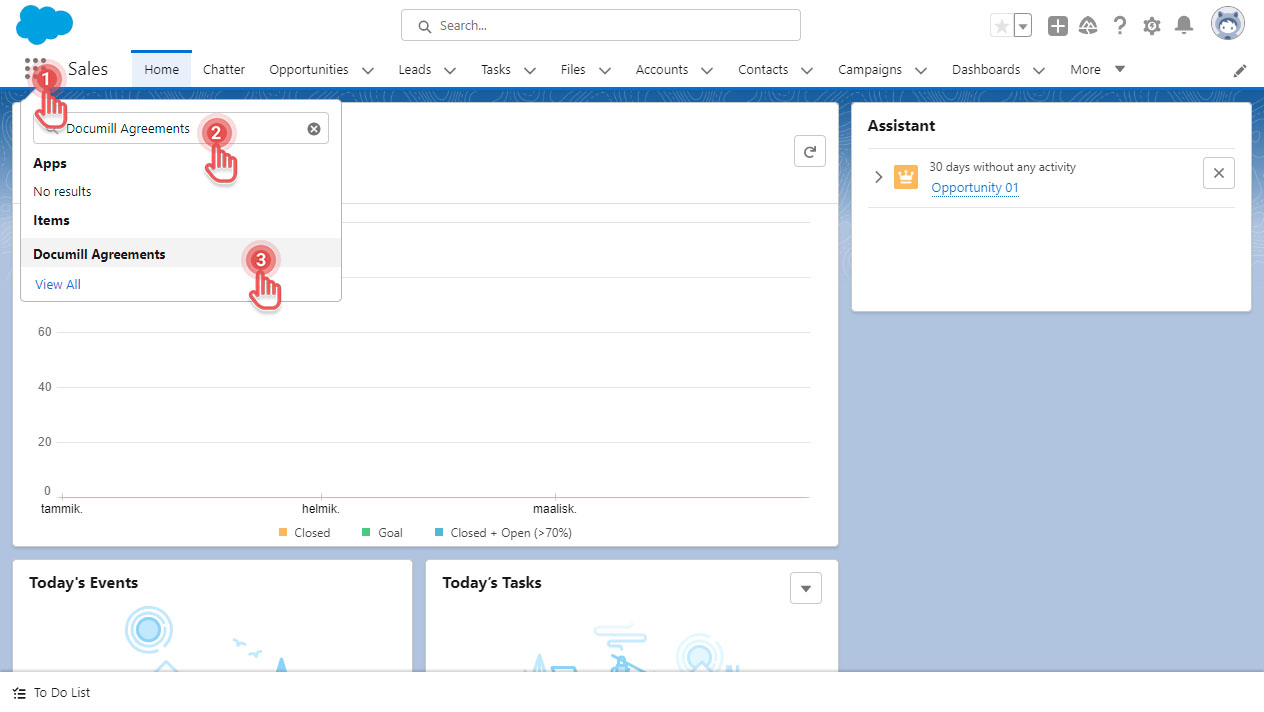
4. Click on the Documill Agreement to open it.
5. Click on one of the [🖉] icons. This will start the editing mode.
Preview
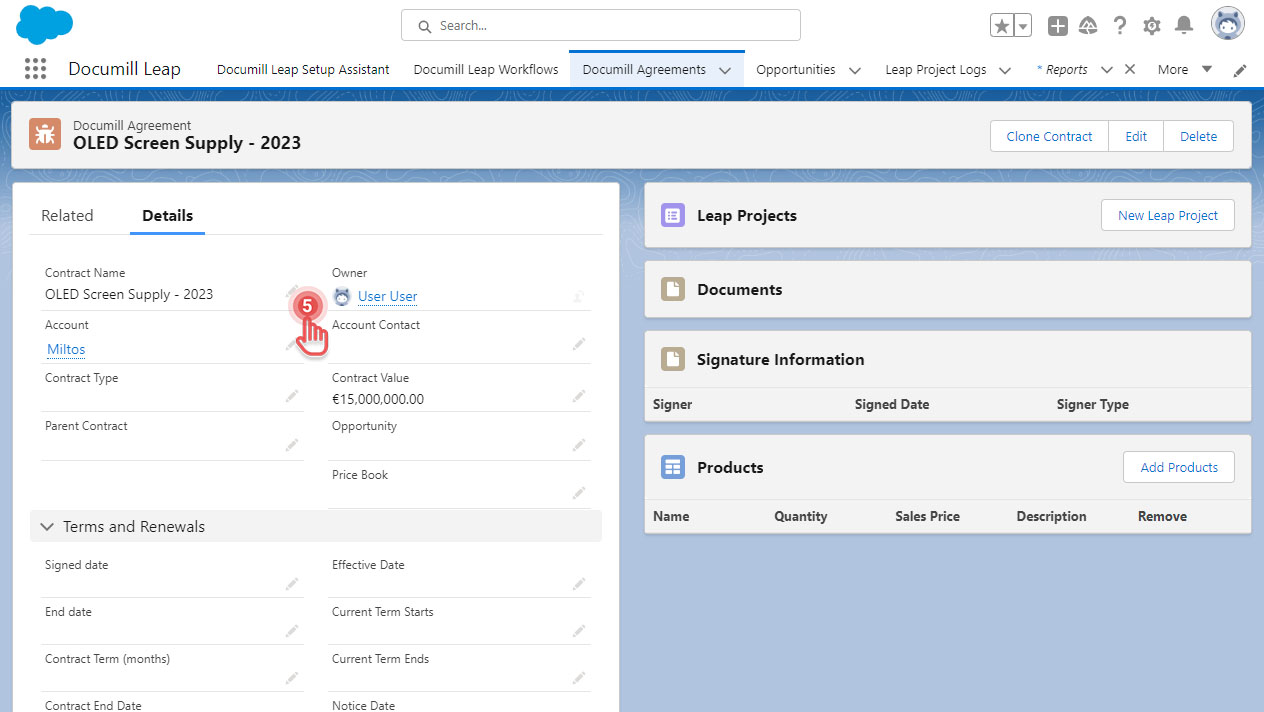
6. Once you are done making modifications, click [Save] button.
Preview