
When an Organization Admin has added you to an Organization, you will receive an invitation email to complete your registration.
New User
If you don’t have a User Account in Leap:
1. Click [New User] button from the invitation email.
Preview

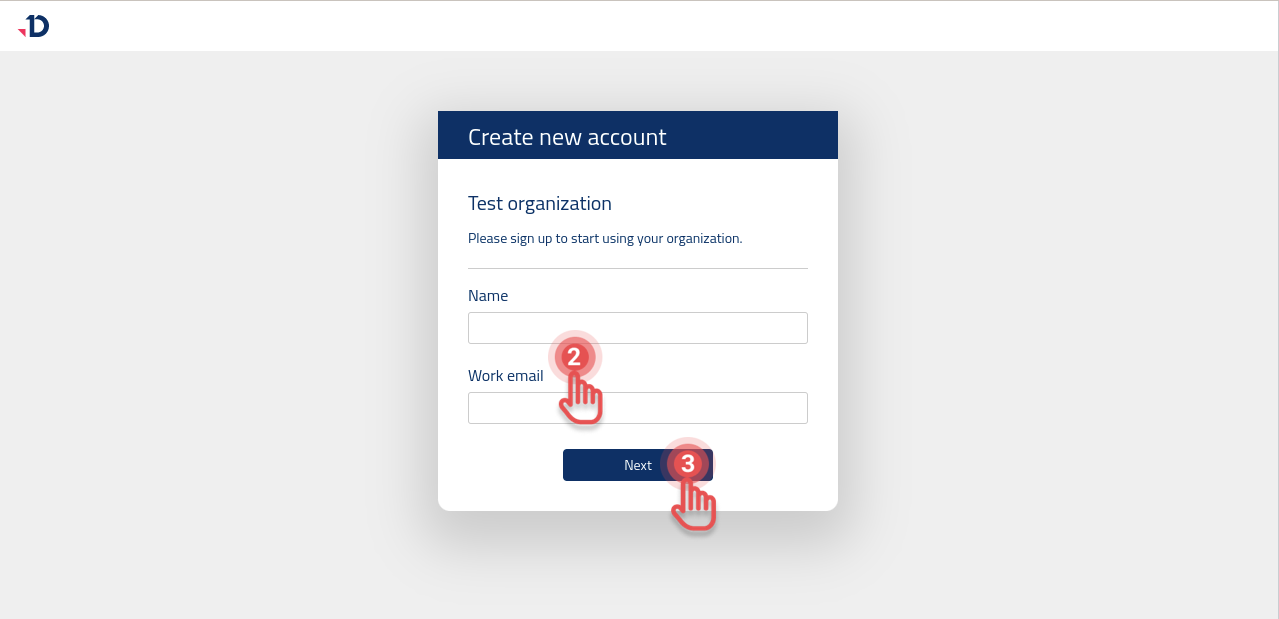
2. Enter your Name and Work email.
3. Click [Next] button.
Preview
4. Open your email inbox.
5. Click [Activate Account] button from the registration email.
Preview

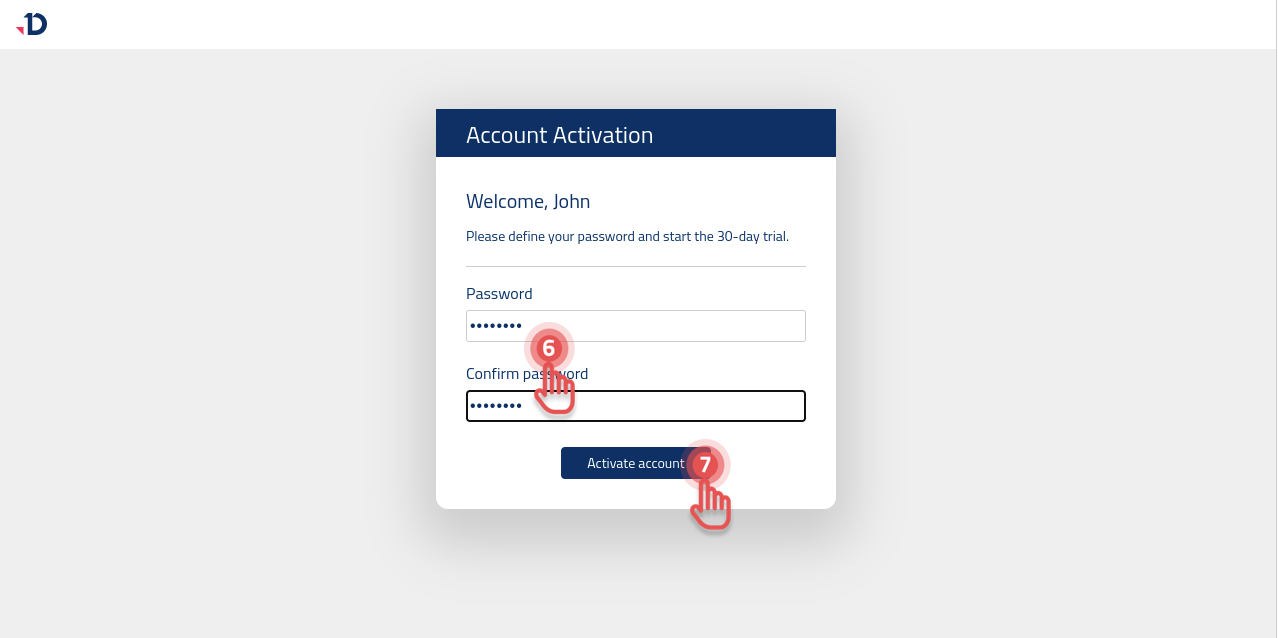
6. Define a password and repeat it in [Confirm password] field.
7. Click [Activate Account] button.
Preview
If the entered email address is registered with Leap, you will receive an email notification to reset your password.
You can open the invitation email again and click [Sign in] button, if you remember your password.
Leap User
If you already have a User Account in Leap:
1. Click [Sign in] button from the invitation email.
Preview

2. Apply the credentials you use to log in to other organizations in [Sign in] form.