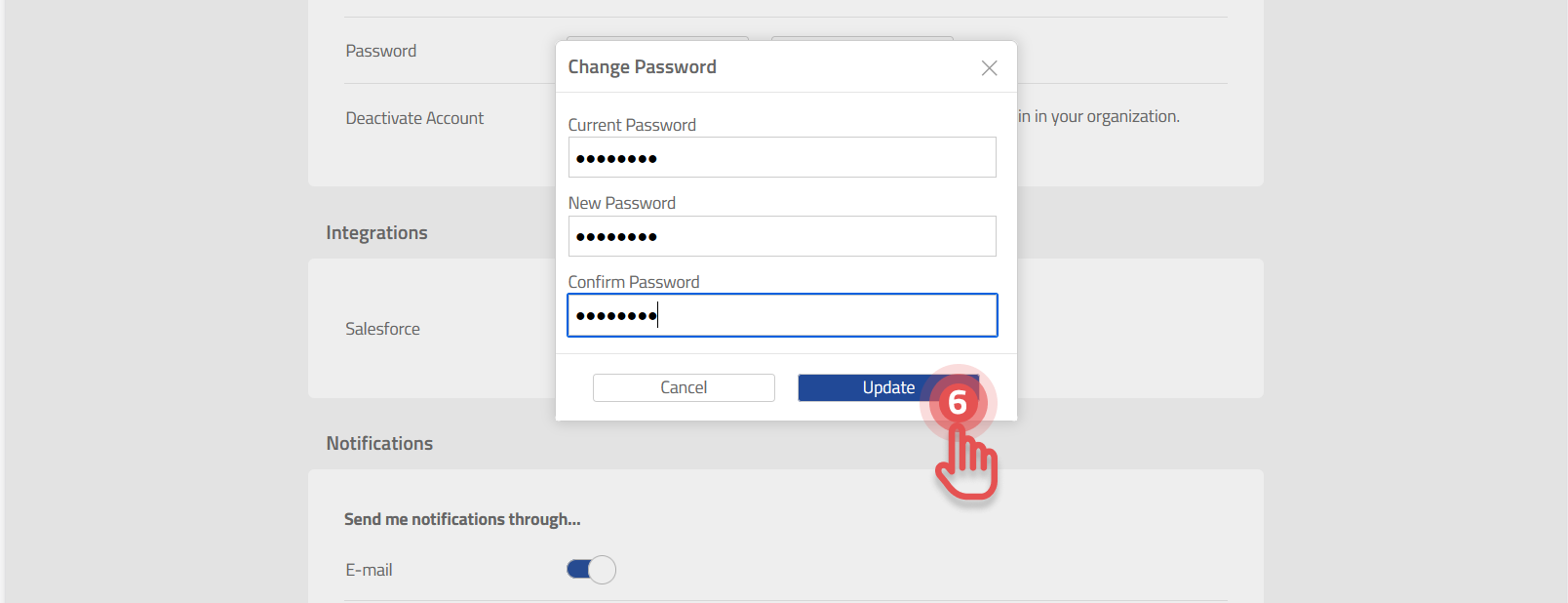
The new password applies to all your accounts in the organizations where you are registered.
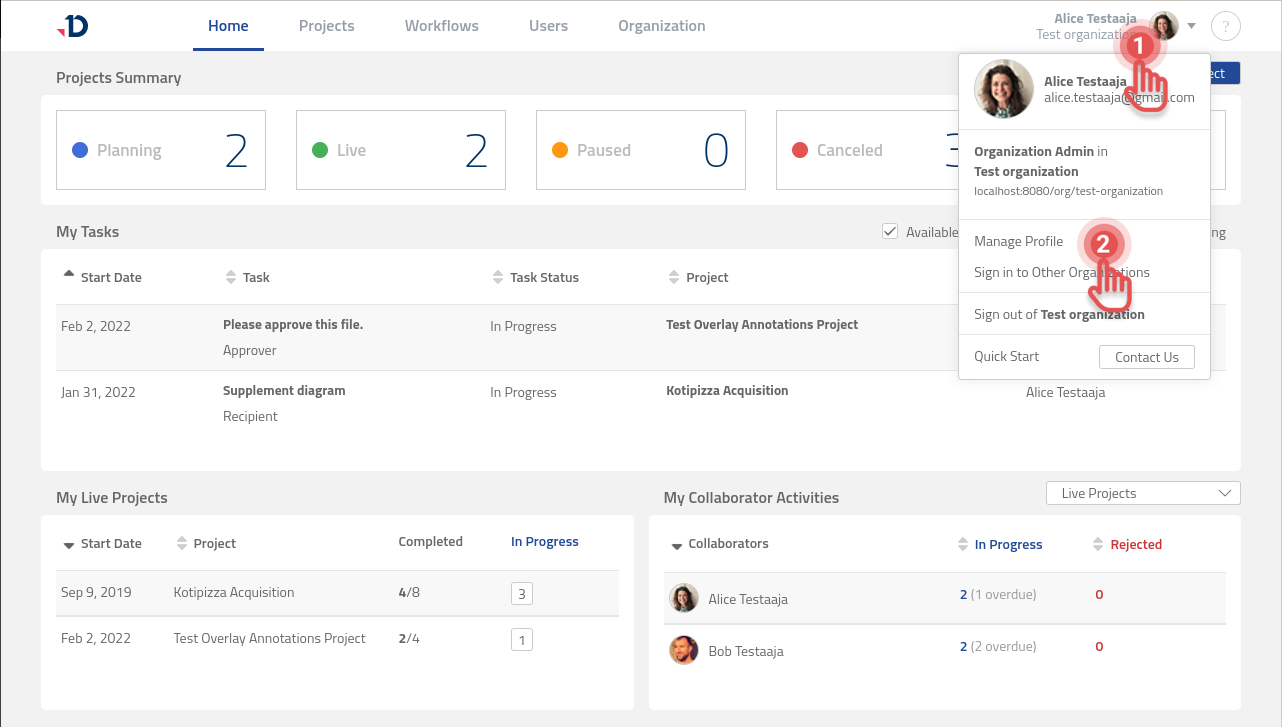
To change your password:
1. Click on your Profile Information to open User Profile menu.
2. Select [Manage profile] option.
Preview
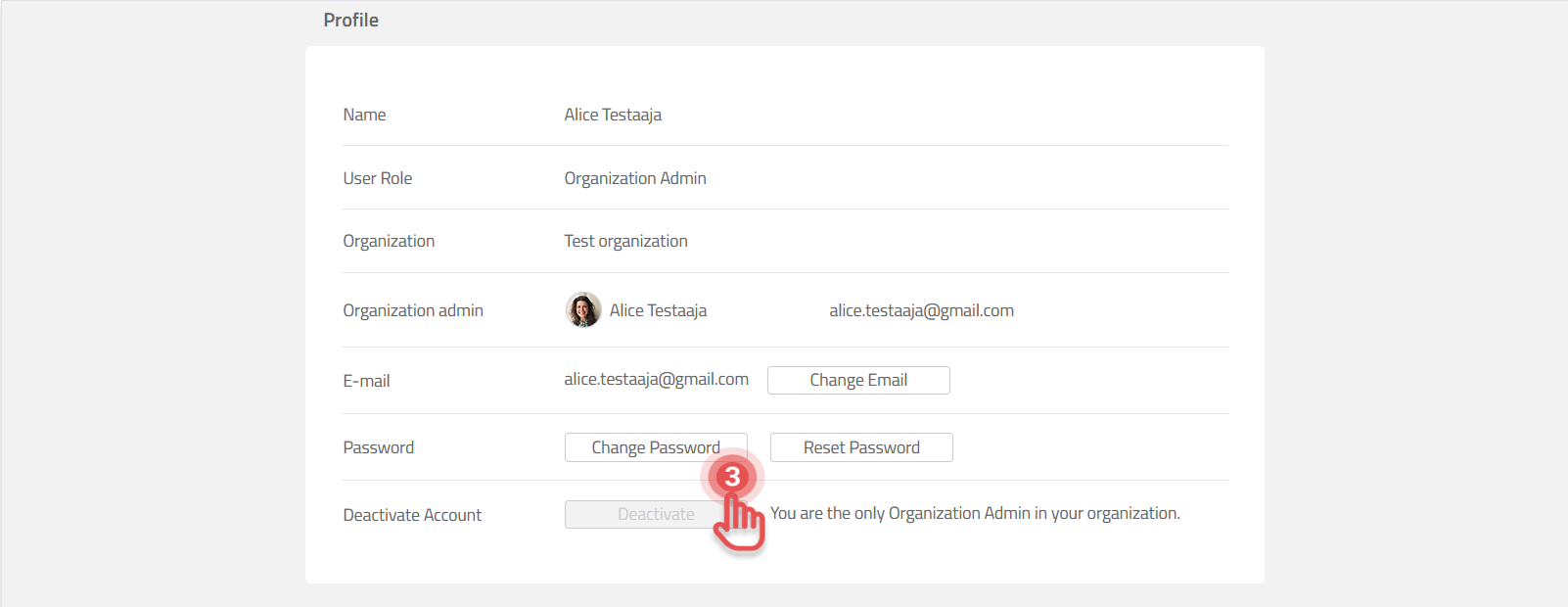
3. Click [Change password] button.
Preview
4. Enter your current password.
5. Write a new password and repeat it in [Confirm Password] field.
6. Click [Update] button.
Preview