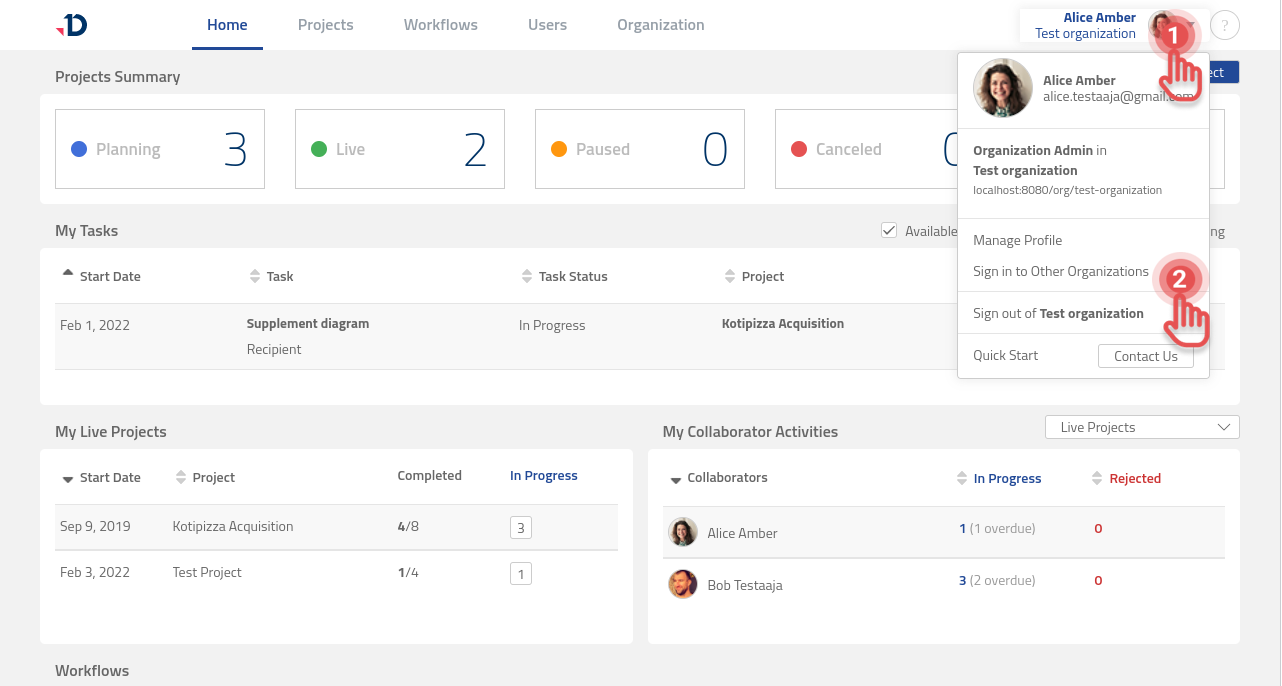
If you have accounts in multiple organizations, you can Sign in to another Organization and switch between accounts without signing out of the current organization.
Sign in to Other Organization
1. Open User profile menu.
2. Select [Sign in to Other Organizations] option.
Preview
3. Select another organization from [Choose Account to Sign in] dialog box.
Preview
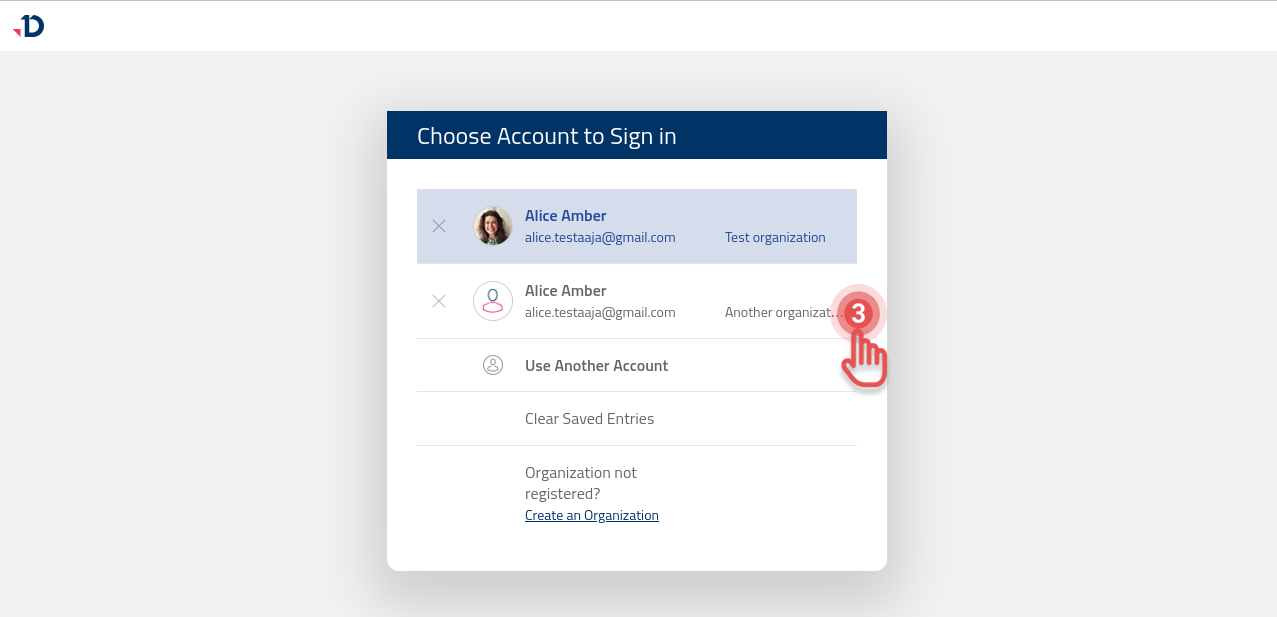
4. Click [Use Another Account] if there is no other organization's account in the list.
5. Sign in using your credentials.
Switch Organization
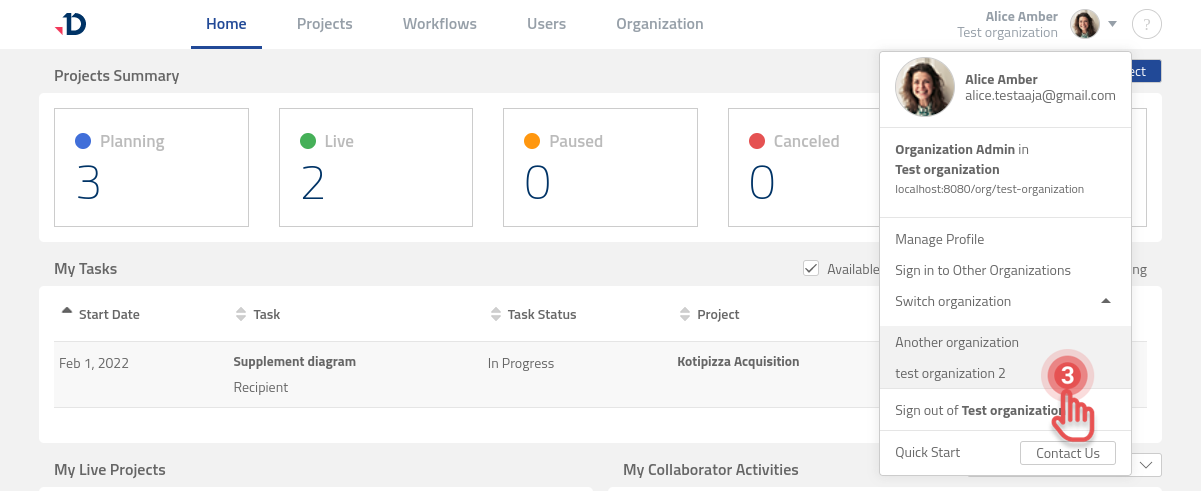
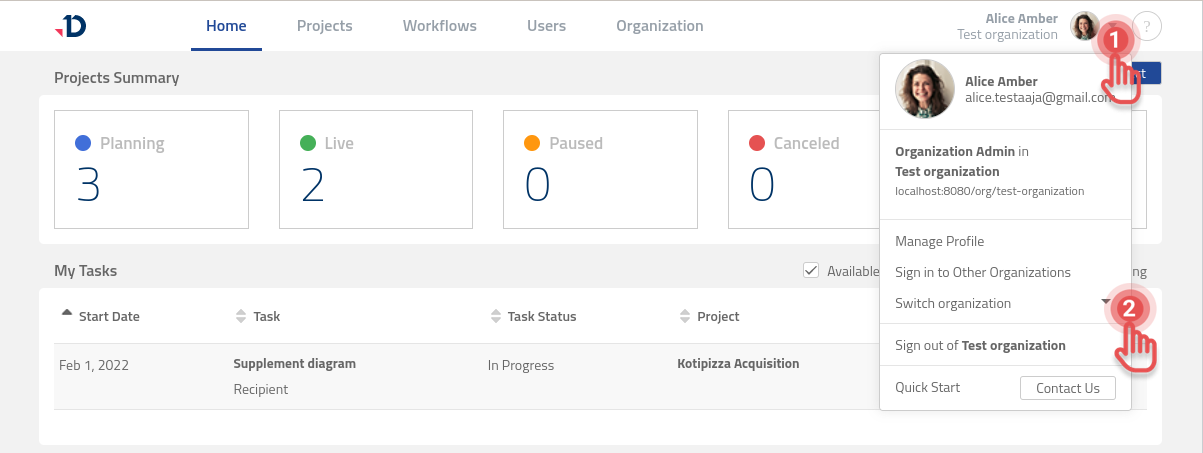
You can easily switch between organizations in Leap if you are signed in to more than one organization:
1. Open User profile menu.
2. Toggle [Switch organization] option.
Preview
3. Select an organization from the list.
Preview