
-
Available to Project Owner
-
The project status should be Live or Paused
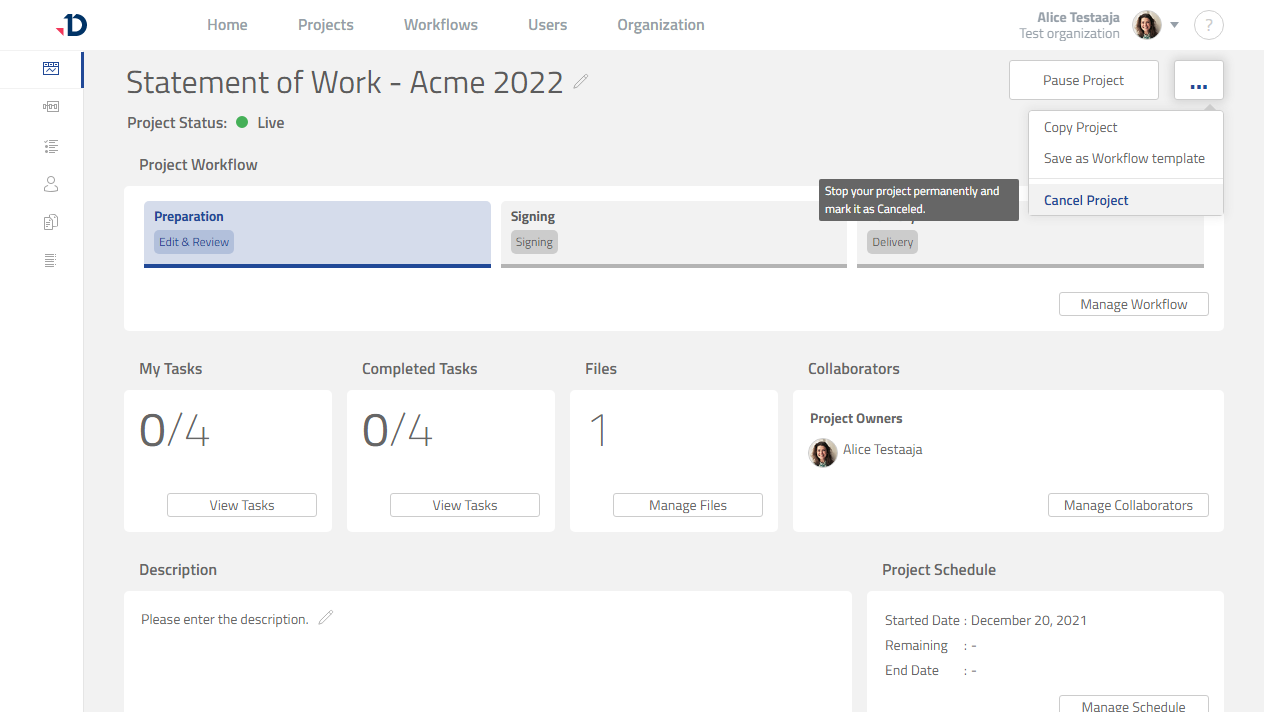
When a project needs to be stopped permanently, the project can be canceled:
1. Open the project.
2. Click […] button.
3. Click [Cancel Project] option.
Preview
4. Click [Yes] in the confirmation dialog.
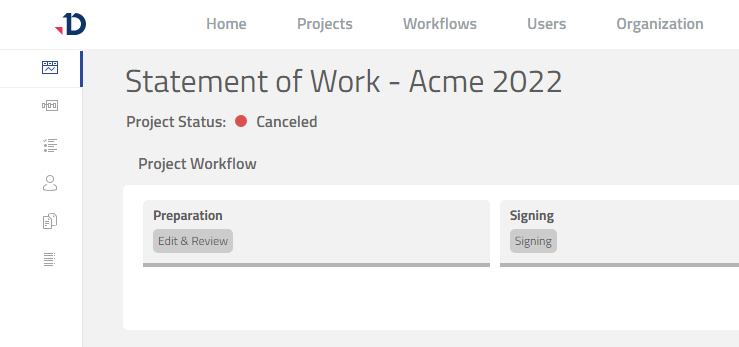
5. The project is now canceled as indicated with the Canceled status.
Preview
Canceled projects cannot be resumed.
If you need to work on a canceled project, one option is to Copy a Project .