
Available to Organization Admin.
Leap appends a signature page to every signed document. It records who signed, when, and the identifiers that make the signature verifiable. You control its layout, which fields appear, and whether it carries an image in the header.
Open the Signature Page Template editor
-
Go to the Organization page.
-
Scroll to the Branding section.
-
In the Signature Page Template panel, click Customize.
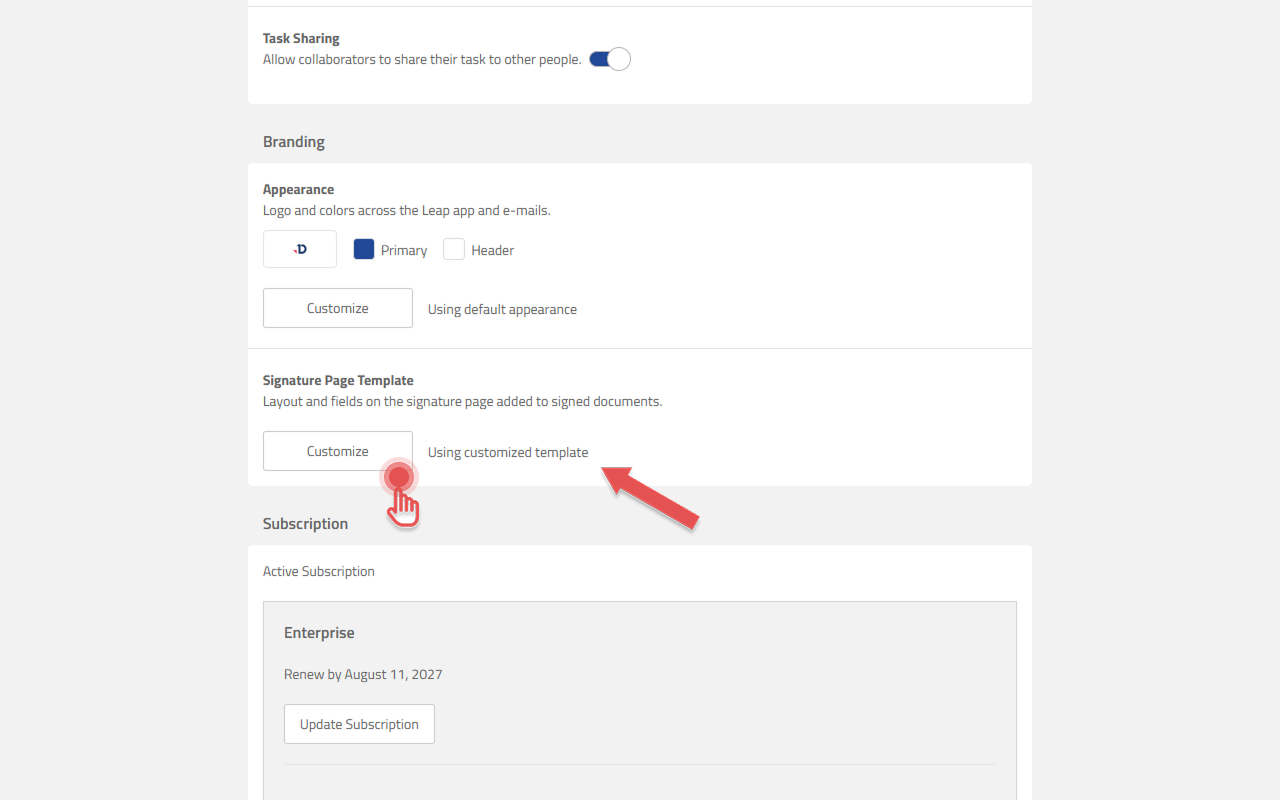
The text beside the button reads Using default template or Using customized template.
What you can configure
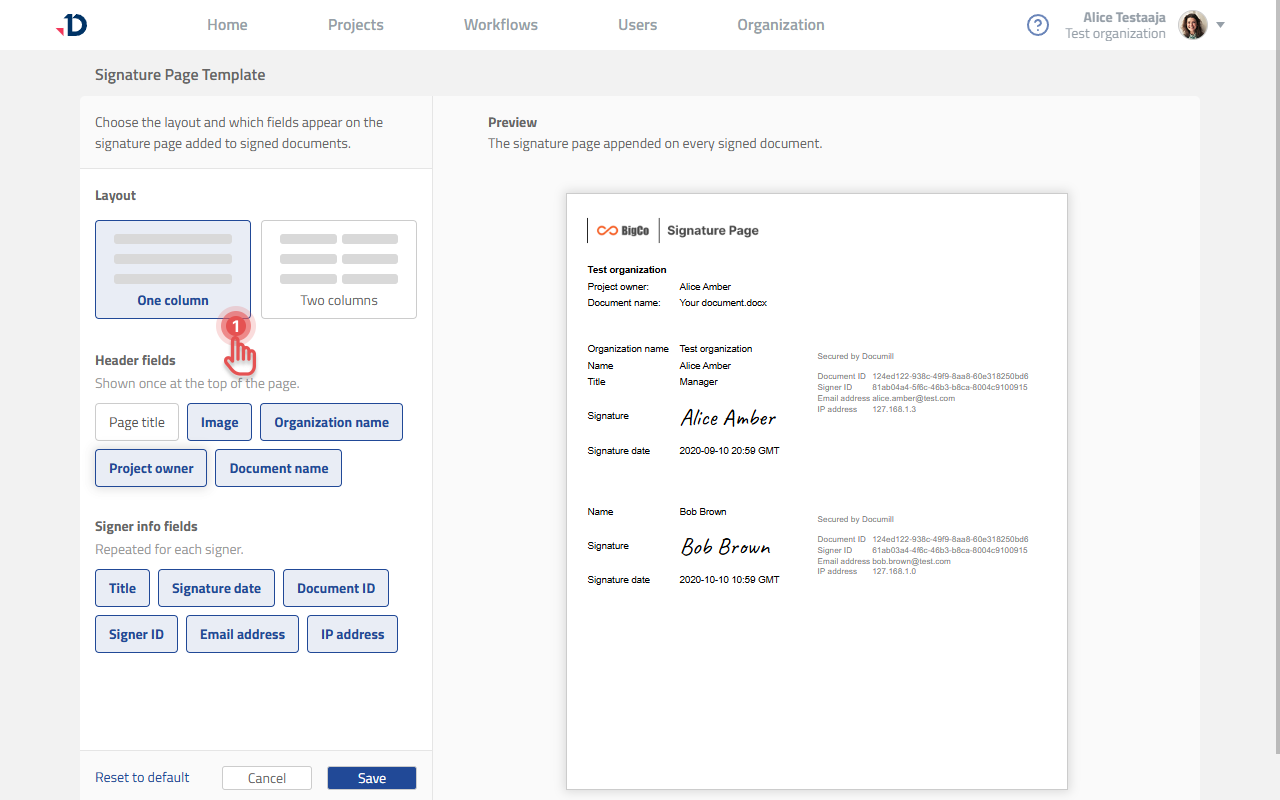
Settings are on the left and a live preview of the signature page is on the right, so you can see the effect of every change before saving.
-
Layout — one column or two columns.
-
Header fields — shown once at the top of the page, optionally including your own image.
-
Signer info fields — repeated for each signer.
The signature page is configured independently of Appearance. It does not use the Appearance logo or the brand colors.