
Available to Organization Admin.
Every notification e-mail Leap sends carries a footer with your organization details. You control three fields there: a tagline, an e-mail address and a phone number.
Edit the footer details
-
Go to the Organization page and scroll to Branding.
-
In the Appearance panel, click Customize.
-
Under E-mail details, edit Tagline, E-mail address and Phone number.
-
Click Save.
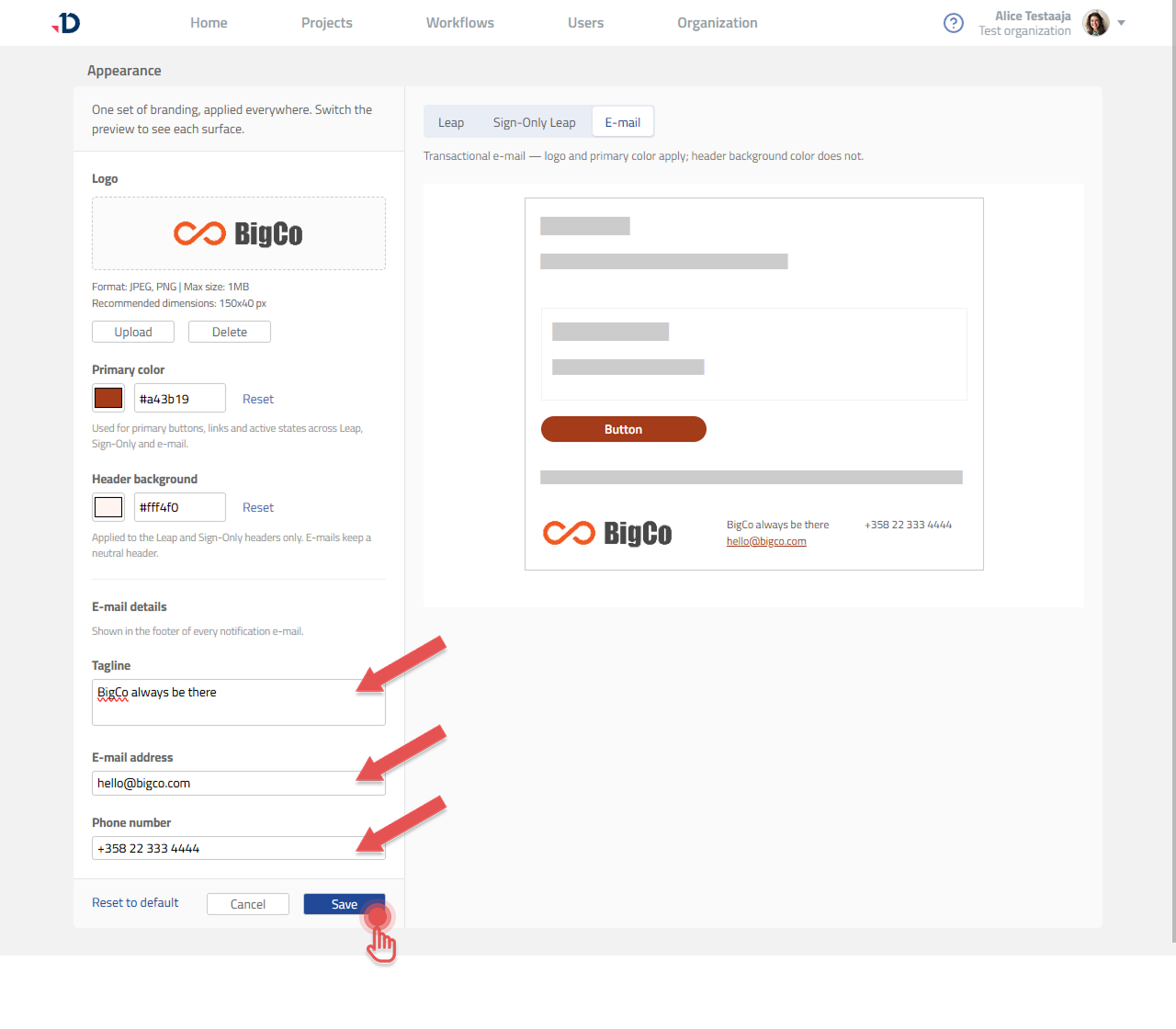
Use the E-mail preview tab to see the rendered footer as recipients will.
What else appears in the footer
The logo in the footer comes from the shared Logo setting, not from this section (see Adding Your Organization Logo). The primary color applies to buttons and links in the e-mail body.
The Header background color does not apply to e-mail. Notification e-mails always keep a neutral header so they render predictably across mail clients.
When changes take effect
The new details appear on e-mails sent after you save. Messages already sent are unchanged.