
Available to Organization Admin.
Your logo appears in the Leap header, in the Sign-Only header, and in the footer of every notification e-mail. It is one image used in all three places — you upload it once.
Upload a logo
-
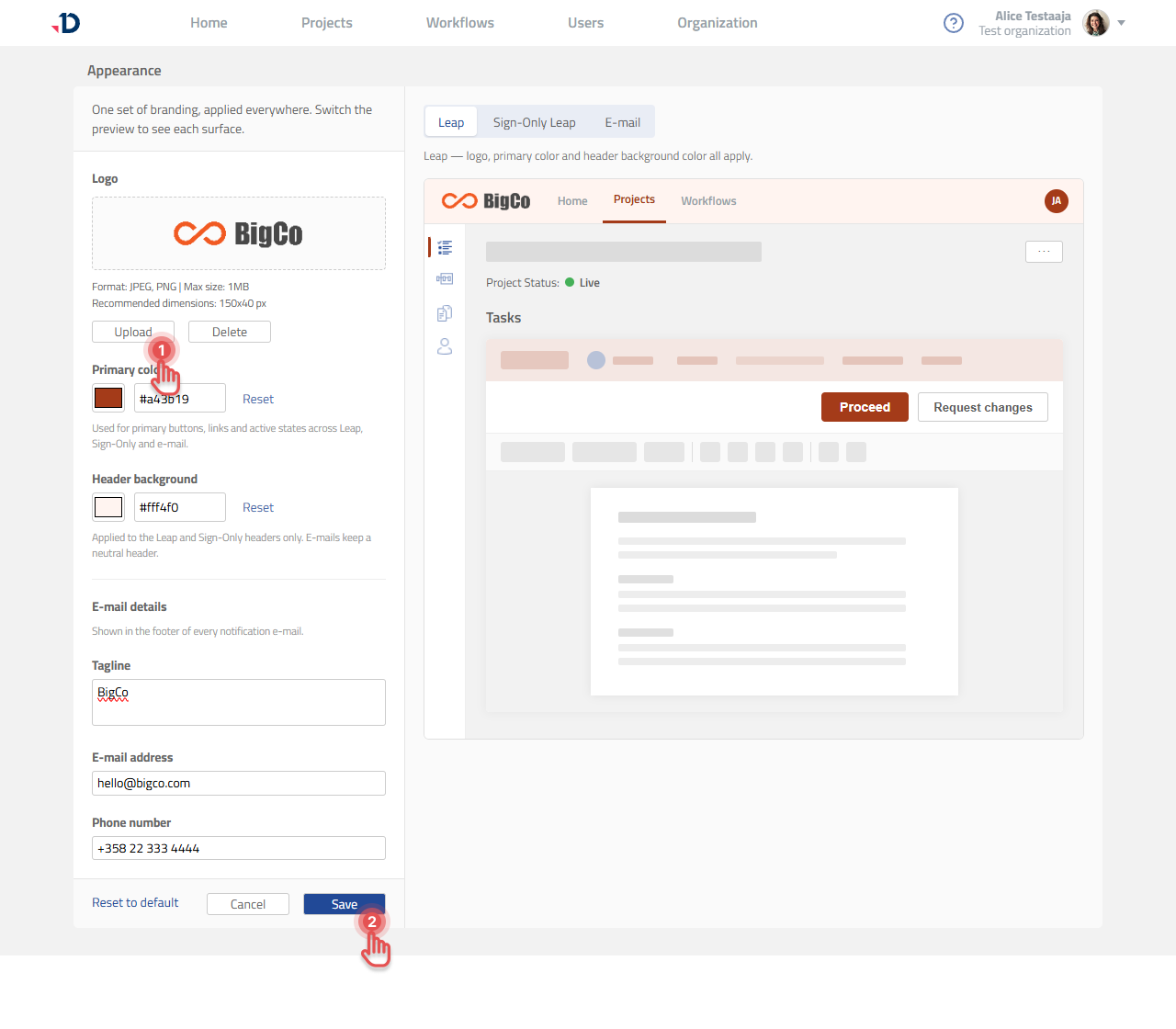
Go to the Organization page and scroll to Branding.
-
In the Appearance panel, click Customize.
-
Under Logo, click Upload and choose your file.
-
Click Save.
File requirements
-
JPEG or PNG
-
Maximum size 1 MB
-
Recommended dimensions 150 × 40 px
A few practical points: a horizontal version of your logo suits the space better than a square or stacked one, a transparent PNG sits more cleanly on whatever header background color you choose, and because the logo renders small you should check that any tagline inside it is still legible.
Replace or remove the logo
To replace it, click Upload again and choose a different file. To remove it, click Delete and the field returns to Documill default in use and the Documill logo comes back.
-
Changes appear in the app as soon as you save.
-
For e-mails, the new logo appears on messages sent after you save. e-mails already sent are unchanged.
See also
The image on the signature page is a separate upload and is not affected by this setting. See Editing the Signature Page Template.