Available to Salesforce Admin.
The first step when setting up Documill Leap Salesforce app is to connect it to your Leap Organization:
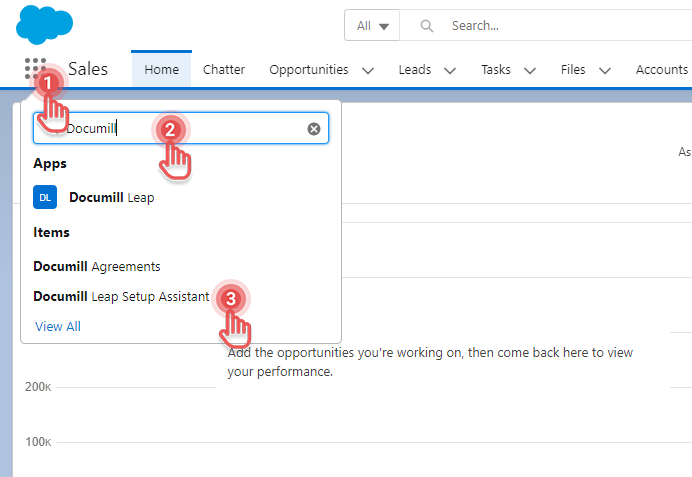
1. In Salesforce, go to App Launcher.
2. Search for “Documill Leap Setup Assistant”.
3. Click “Documill Leap Setup Assistant” to open it.
Preview...
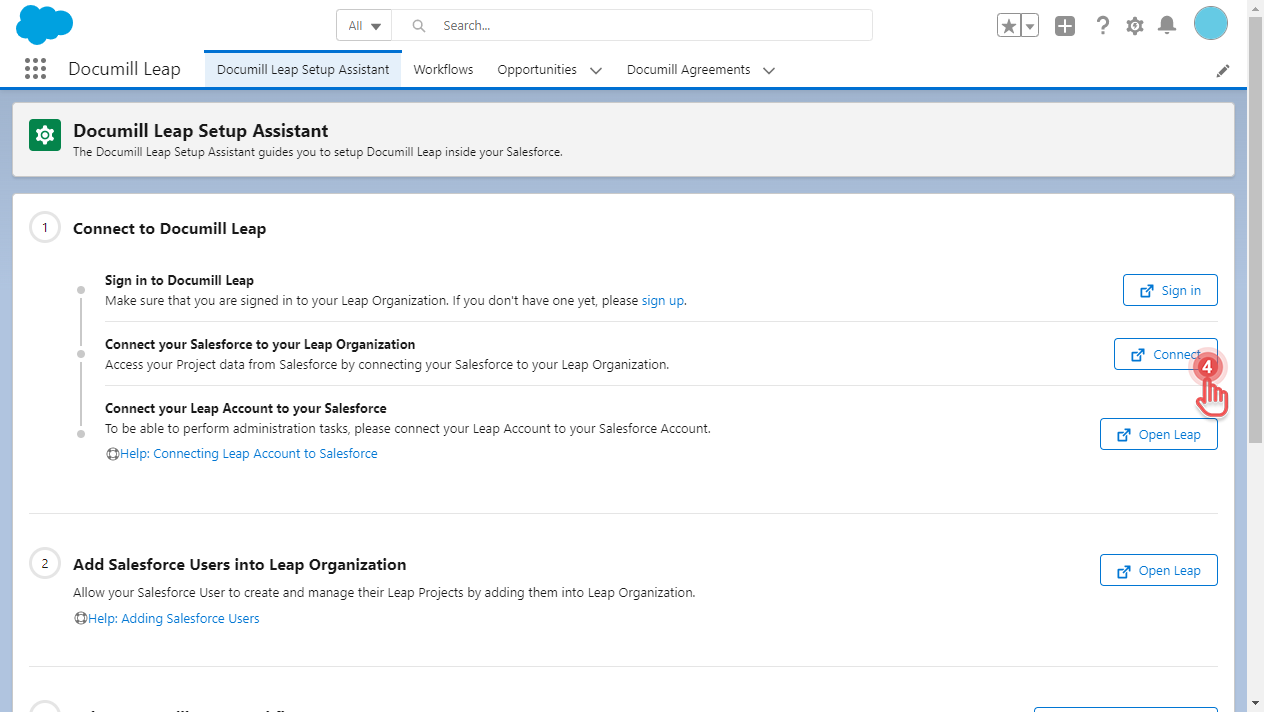
4. Click [Connect] to start the process.
Preview...
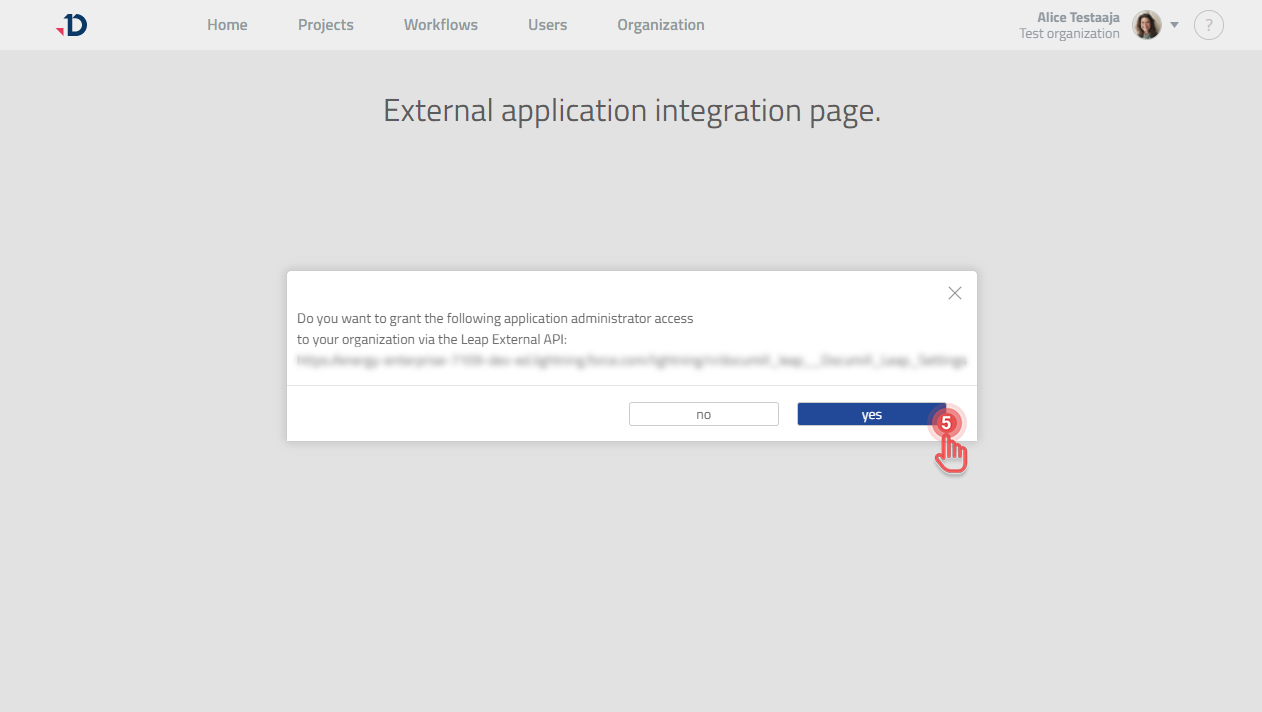
5. Under Documill Leap's external application integration page, click [Yes] button.
Preview...
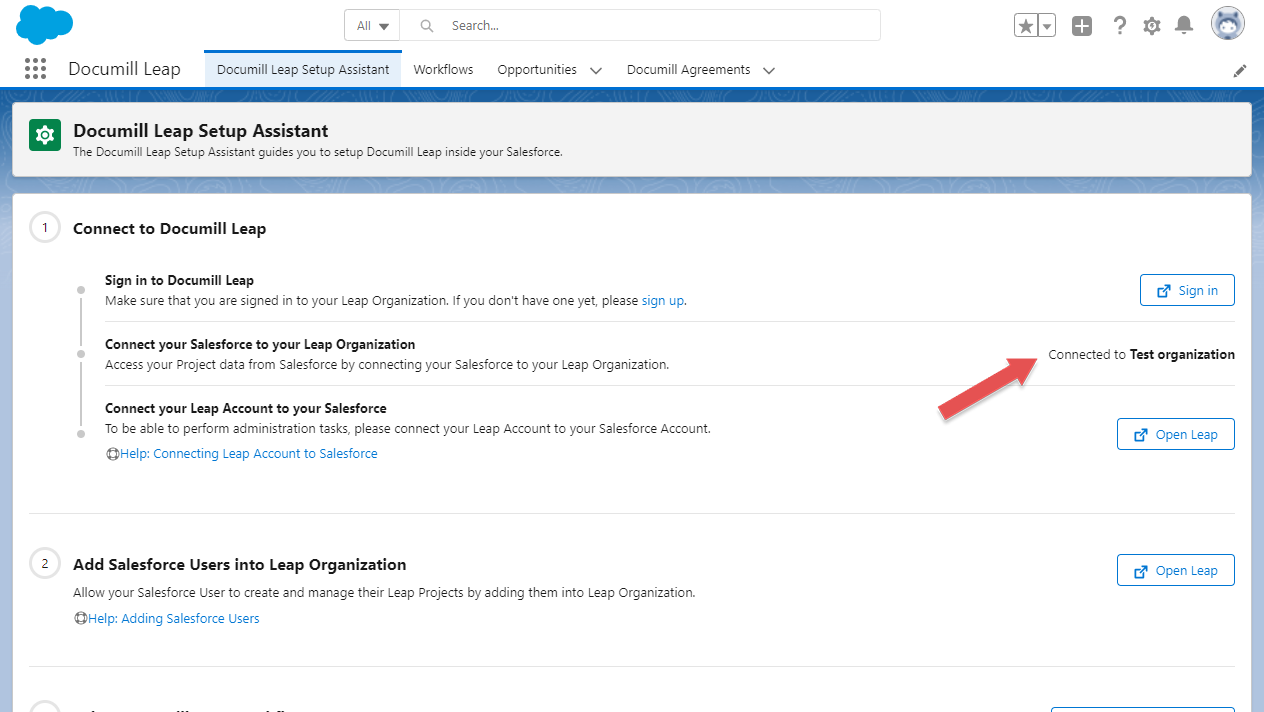
6. Documill Leap Setup Assistant now indicates that Documill Leap Salesforce app is connected to your Leap Organization.
Preview...