
Available to Salesforce Admin.
To allow Salesforce Users to create and manage Leap Projects, a Salesforce Admin needs to add Documill Leap custom component to the relevant record page layouts.
Out of the box, you can use Documill Leap custom components in the record page layout of below Salesforce Objects:
-
Account
-
Contract
-
Opportunity
-
Order
-
Documill Agreement
If the Salesforce Object you want to use is not listed, you need to define a Custom Account Map first: Configuring Custom Account Map
As an example, this page explains about how to add Documill Leap Projects component into the Opportunity record page layout:
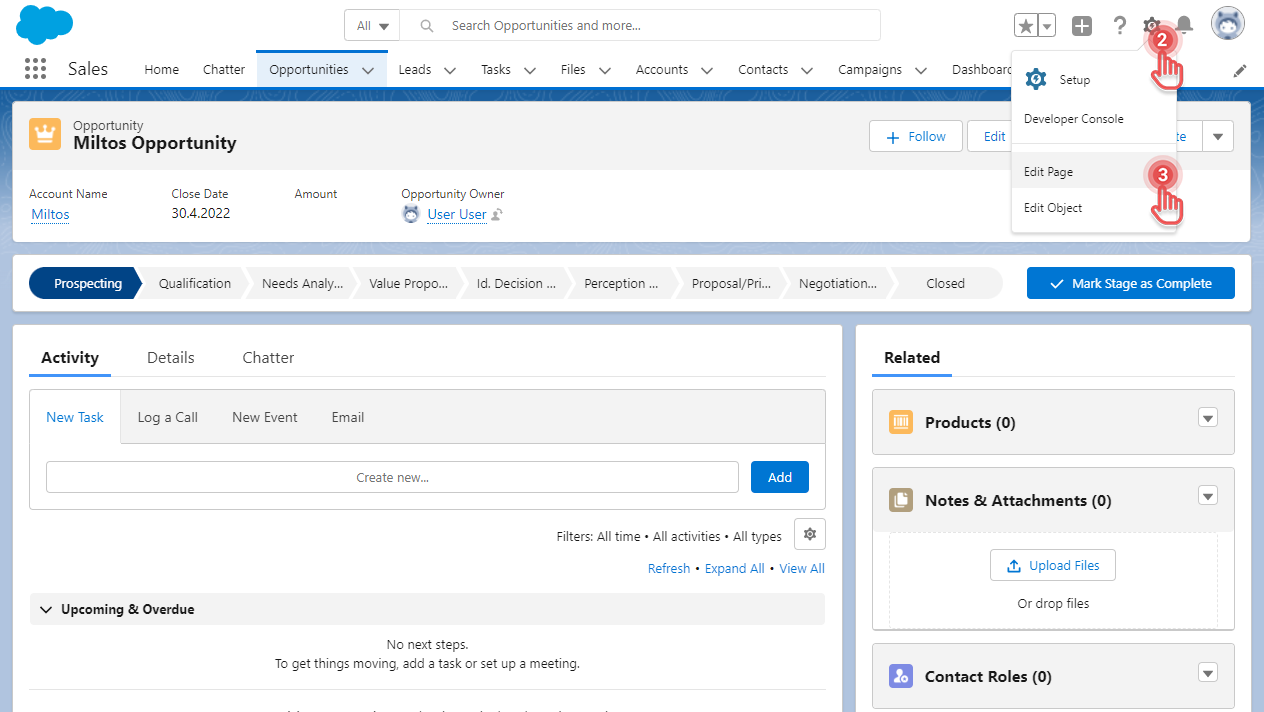
1. Open an Opportunity record.
2. Click [⚙] button on the top right corner.
3. Click [Edit Page] option. This will open the Lightning App Builder.
Preview...
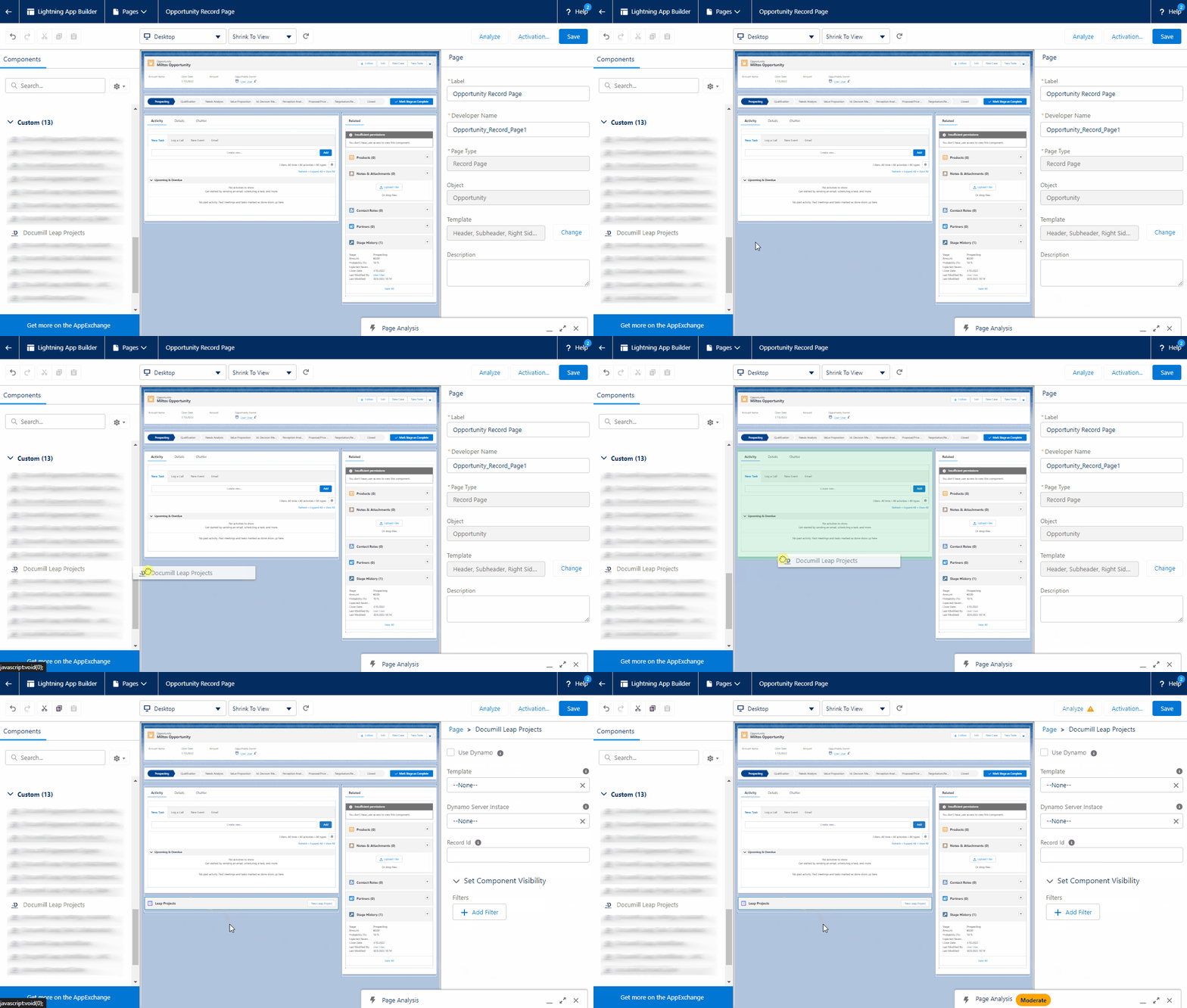
4. In the Components panel, scroll down to the Custom section.
5. Drag [Documill Leap Projects] component into the layout of the page.
Preview...
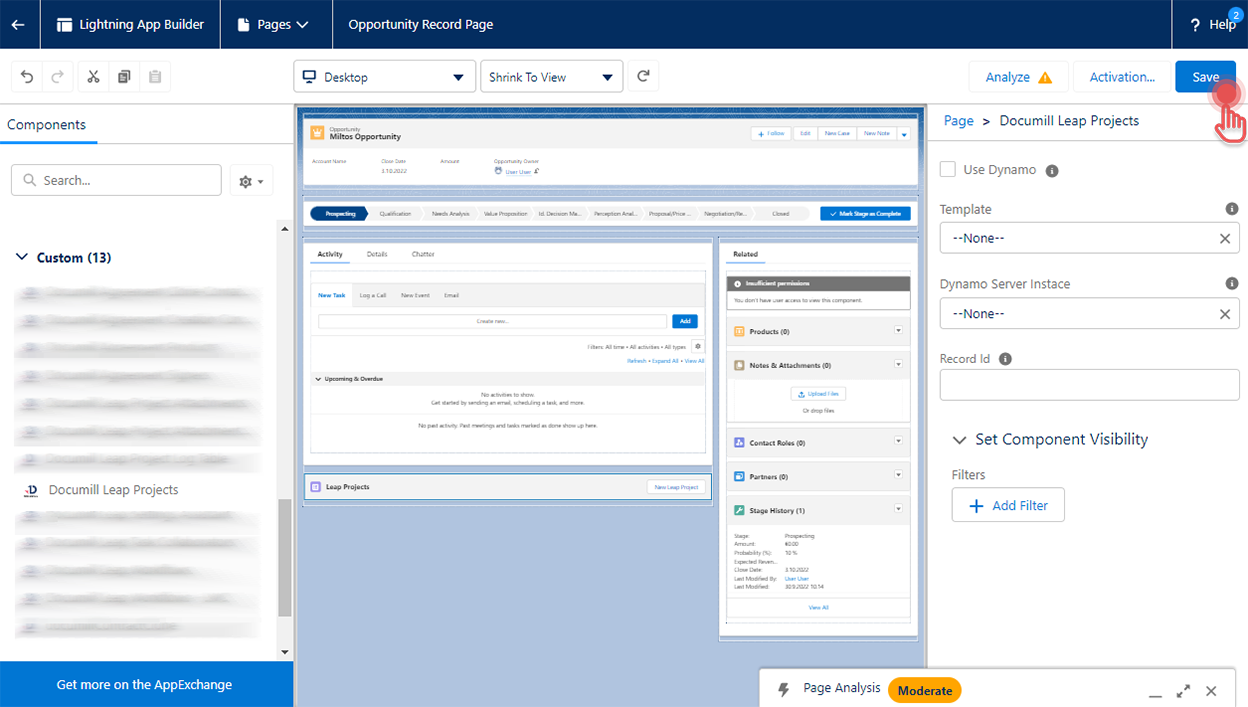
6. Click [Save] button on the top right corner.
Preview...
-
When saving, you may be asked to “Activate” the page. Please choose to do so.
-
We recommend to use below custom components:
-
Documill Leap Projects
-
Documill Agreement Signers
-
Documill Leap Project Attachments
-
-
For Documill Agreements, we also recommend adding:
-
Documill Agreement Products
-
-
Do not use custom components that contain "LWC" or “AURA” in their names.
These components are used by other components, but they shouldn't be used in page layout.