
Available to Salesforce Admin.
If you need to uninstall Documill Leap Salesforce app from your Salesforce organization:
1. Make sure to have removed Leap Project List component from page layouts.
To do so, please refer to: Removing Documill Leap Projects component from page layout
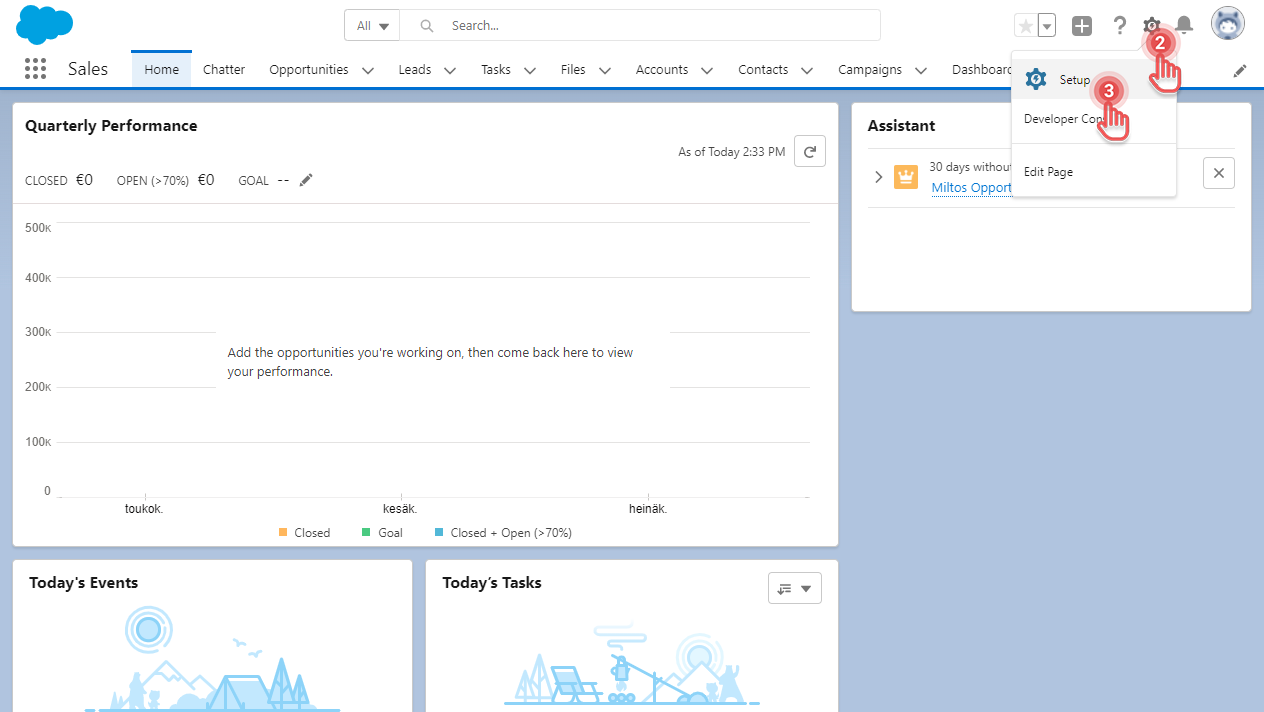
2. Click [⚙] button on the top right corner.
3. Click [Setup] option. This should open the Setup page in a new browser tab.
Preview...
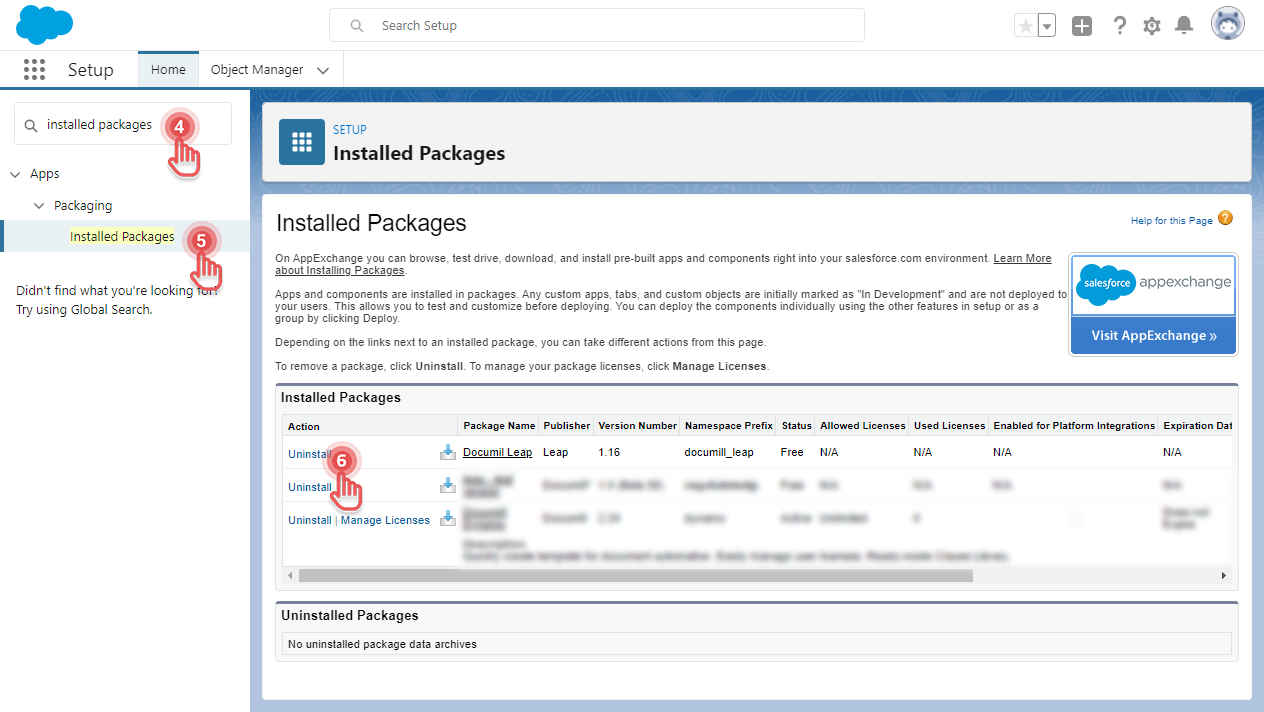
4. Click the search box and type “installed packages”.
5. Click [Installed Packages] item.
6. Look for a package with name “Documill Leap” and then click [Uninstall].
This will open the Uninstall Package page.
Preview...
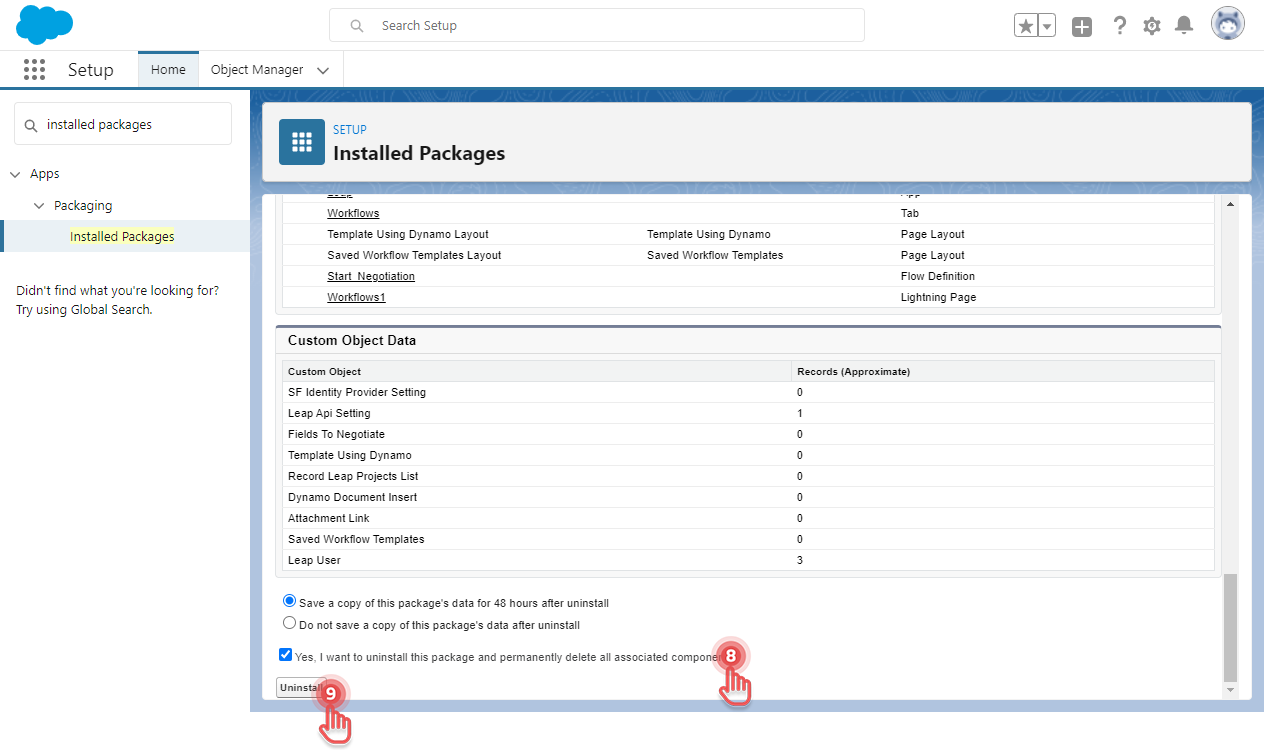
7. Scroll down to the bottom of the page.
8. Click the confirmation checkbox.
9. Click [Uninstall] button.
Preview...
Documill Leap Salesforce app is now uninstalled from your Salesforce organization.
You may need to remove Documill Leap app components from any Page Layouts where they were previously added. If this is required, clicking the [Uninstall] button will display a list of affected Page Layouts and components that need to be removed.