Available to Salesforce Admin.
During setup process or when uninstalling Leap for Salesforce, you may need to remove the Leap Projects component from a record page layout. As an example, this page explains how to remove Leap Projects components from the Opportunity record page layout:
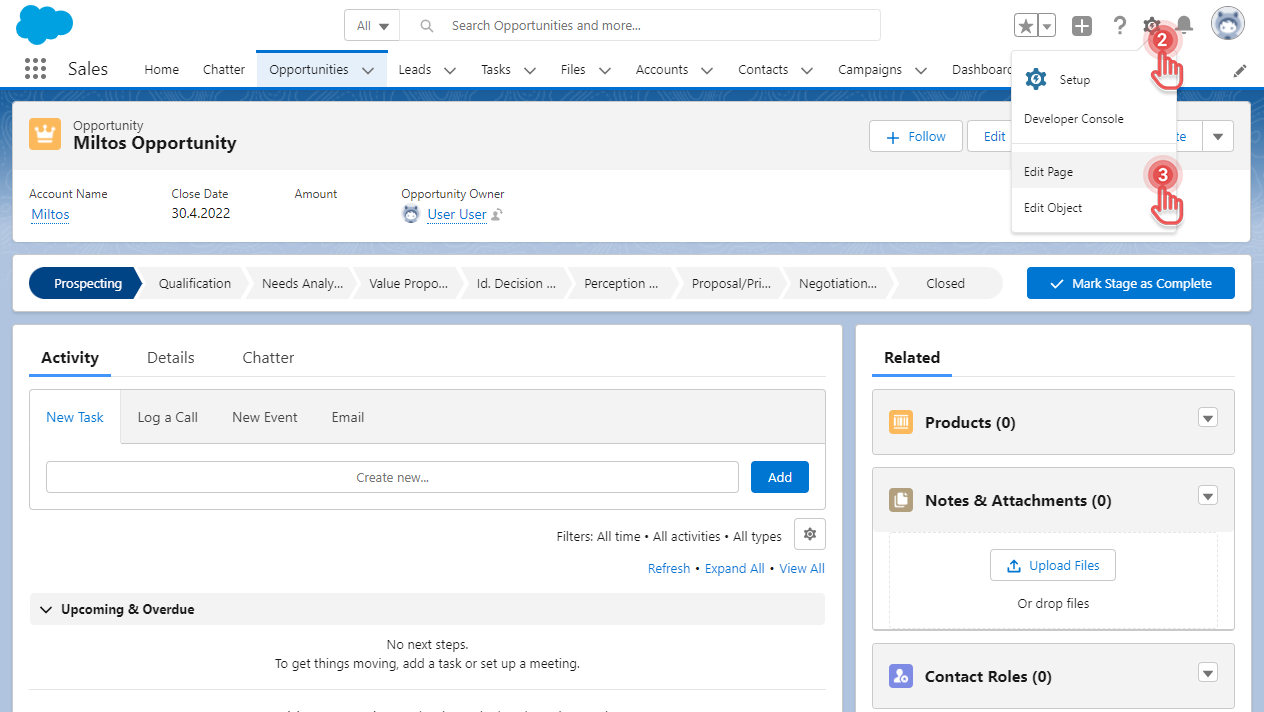
1. Open one of your Opportunity records.
2. Click [⚙] button on the top right corner.
3. Click [Edit Page] option. This will open the Lightning App Builder.
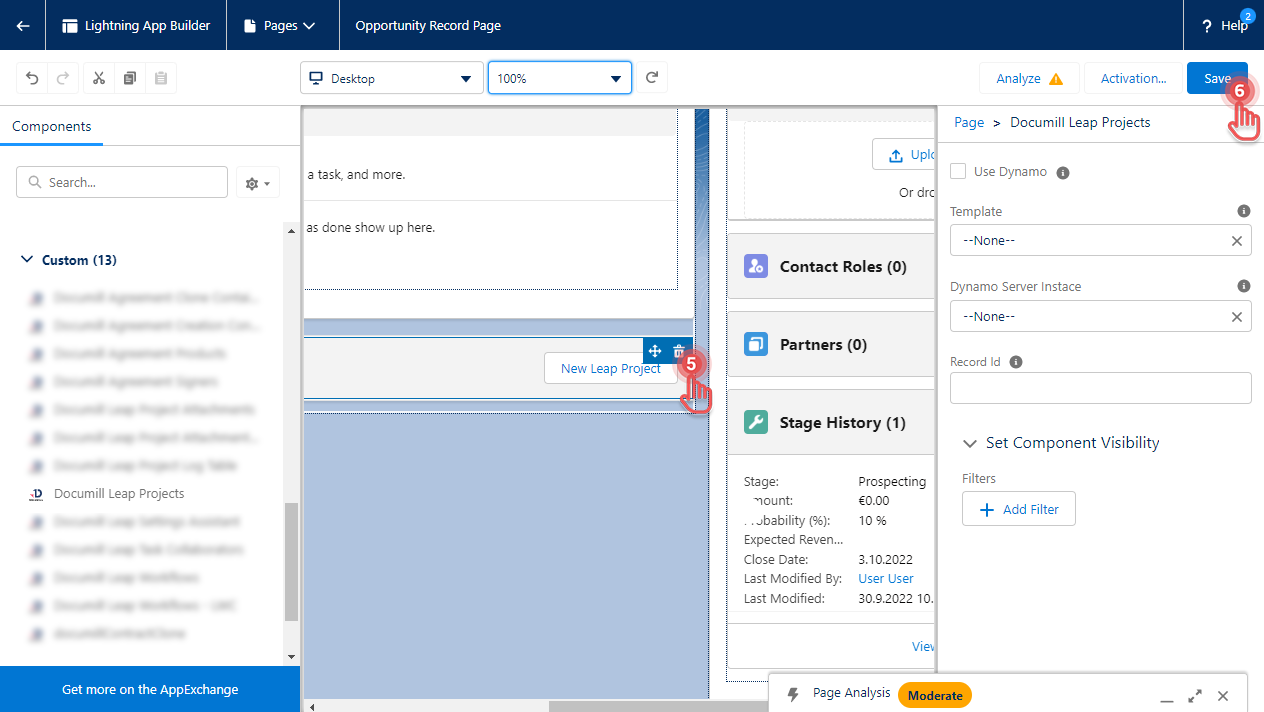
Preview...
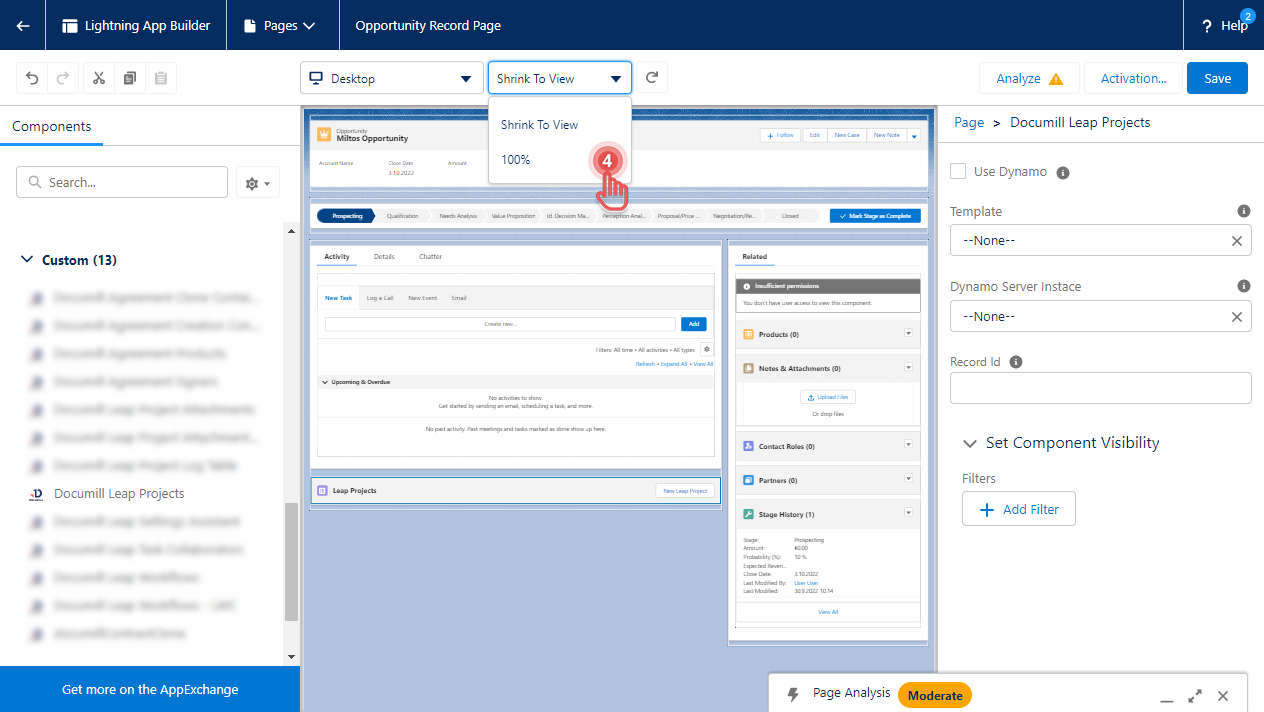
4. If needed, set the zoom level to 100%.
Preview...
5. Hover over the Leap Projects component and click [Trash] button.
6. Click [Save] button on the top right corner.
Preview...