
Available to Salesforce Admin.
Leap Workflow Templates can be prepared for different use cases, including the ones outside Salesforce use. As a Salesforce Admin, you have the ability to select Leap Workflow Templates that are relevant to your Salesforce use.
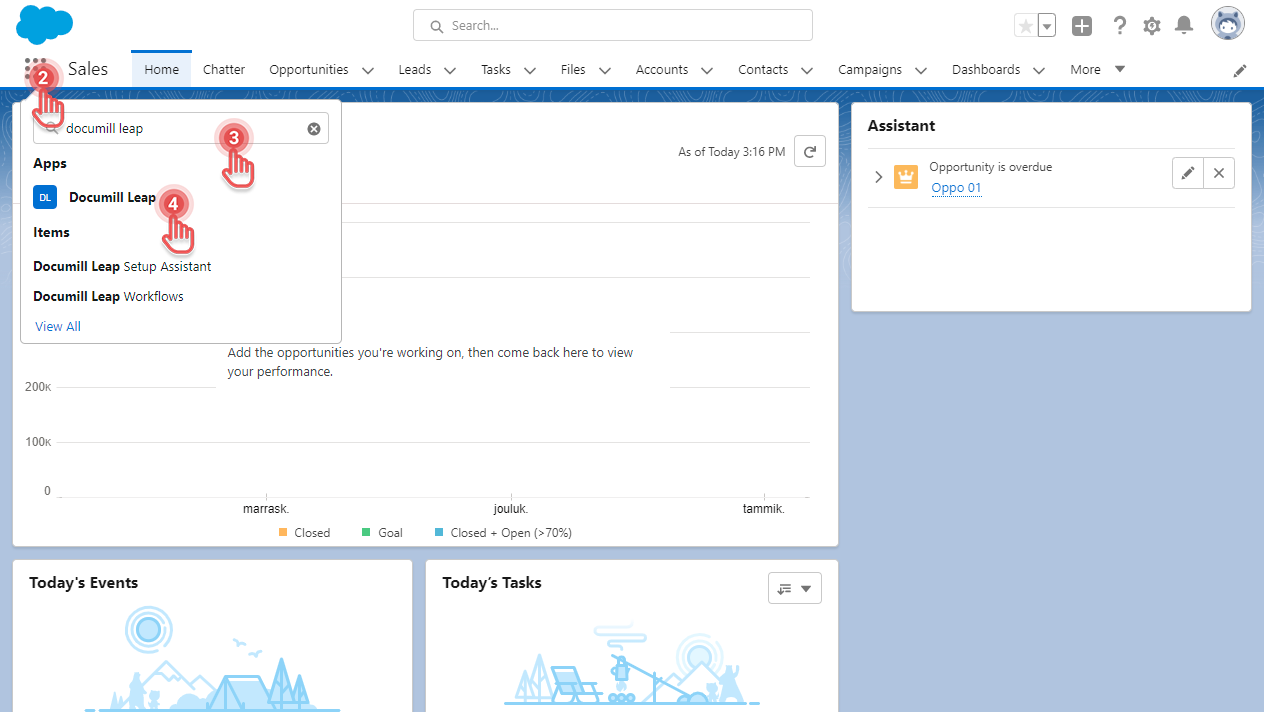
To select Leap Workflow Templates for your Salesforce organization, follow below instructions:
1. Open Salesforce.
2. Click [App Launcher] button.
3. Search for “Documill Leap”.
4. Click [Documill Leap] app.
Preview
5. Click [Documill Leap Workflows] tab
6. Select the Leap Workflow Templates that will be available in your Salesforce organization.
7. Click [Save] button.
Preview
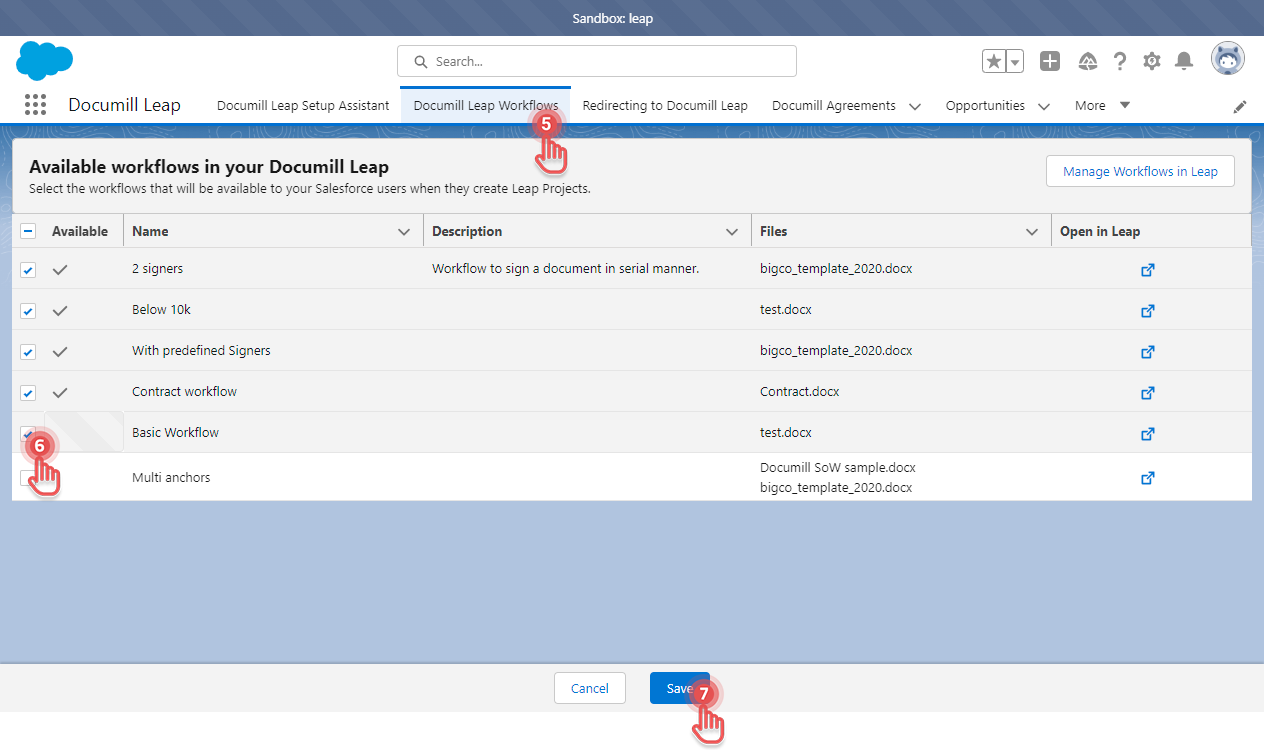
The selected Leap Workflow Templates are now available to be used in Documill Leap Salesforce app.
If your Leap Workflow Template is not visible, please make sure that the Leap Workflow Template has document attached to its Flow. This can be configured via Documill Leap Web app interface: Edit a Workflow Template > Add a File into Flow