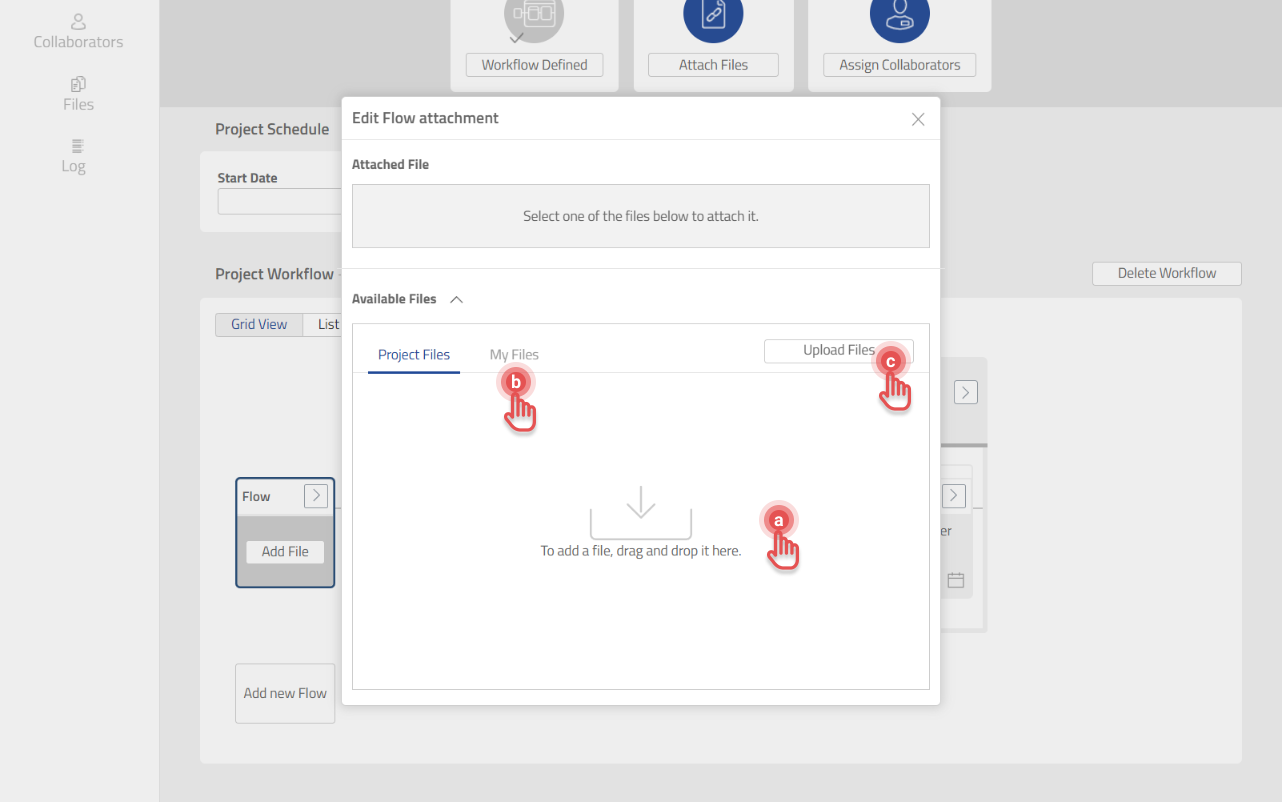
The File that needs to be worked on in a project can be added in the Flow box.
-
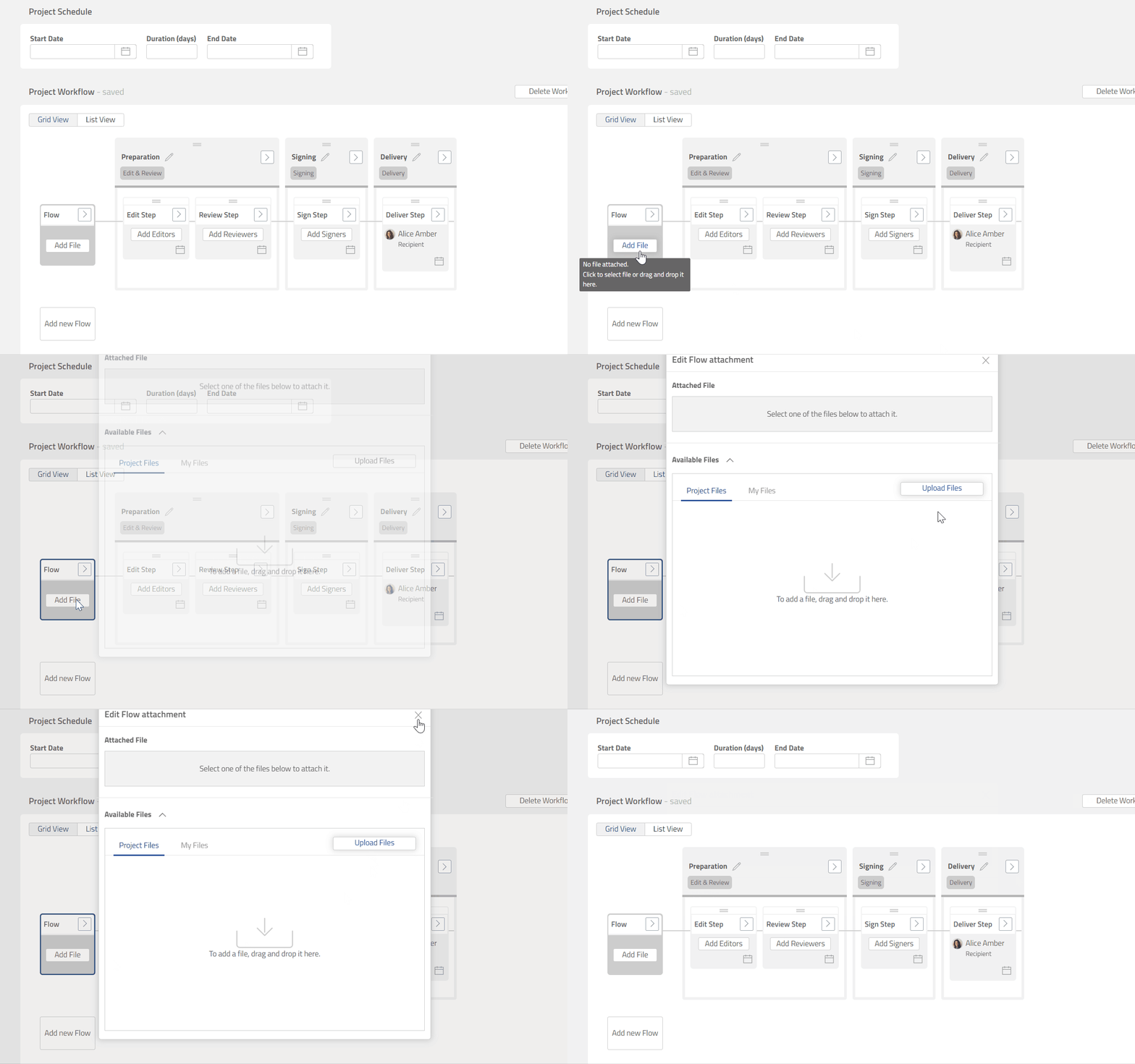
Click [Add File] to open Edit Flow attachment dialog.
Preview
2. Add a File in any of the three following ways:
a. Drag and drop File.
b. Select available File from My Files tab.
c. Click [Upload Files] button.
Preview