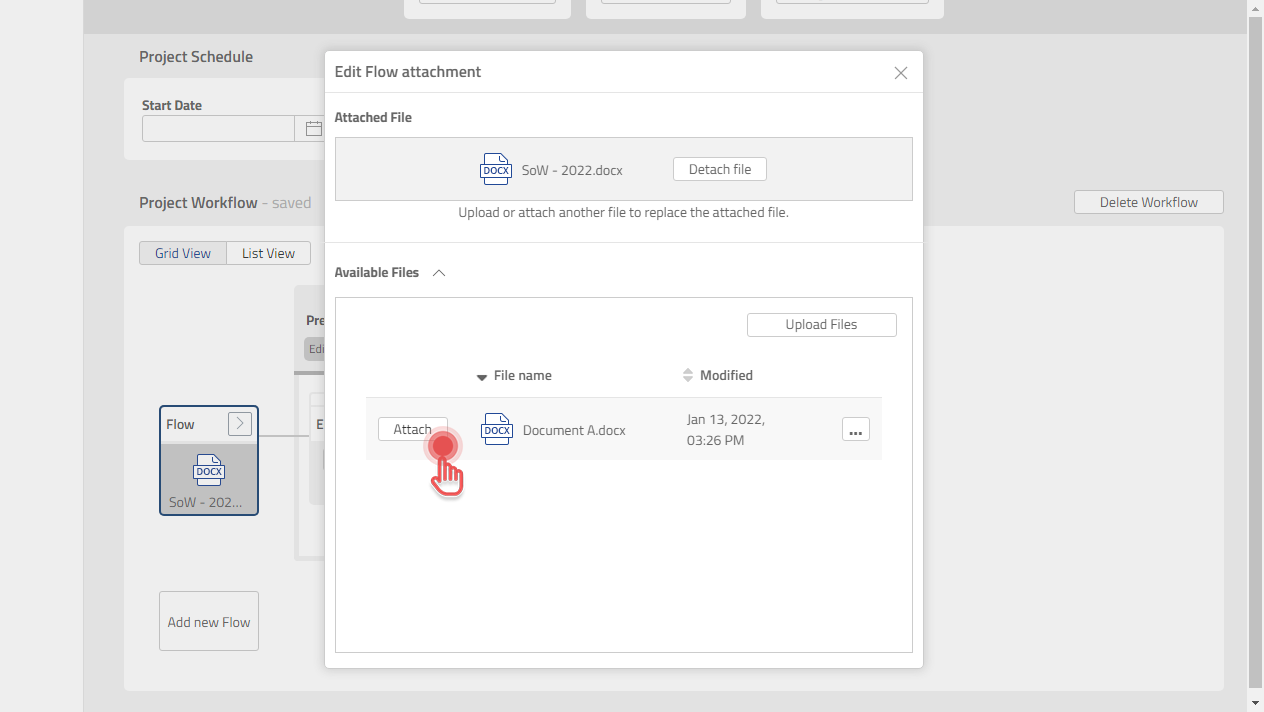
You can further edit a Flow for below use cases:
Attach a new File
-
Click [>] button on Flow box.
2. Click [Edit Flow].
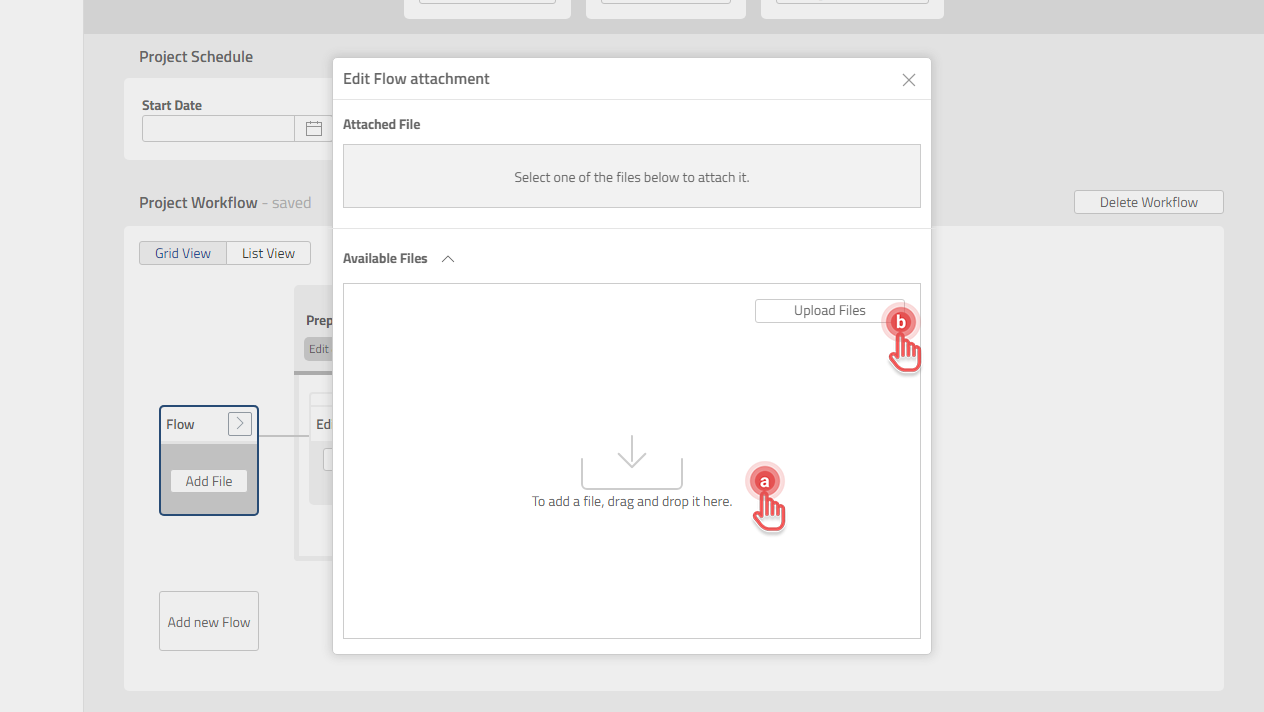
3. Upload the File in either of the two following ways:
a. Drag and drop File into Edit Flow attachment dialog.
b. Click [Upload Files] to upload a File from your computer.
Preview
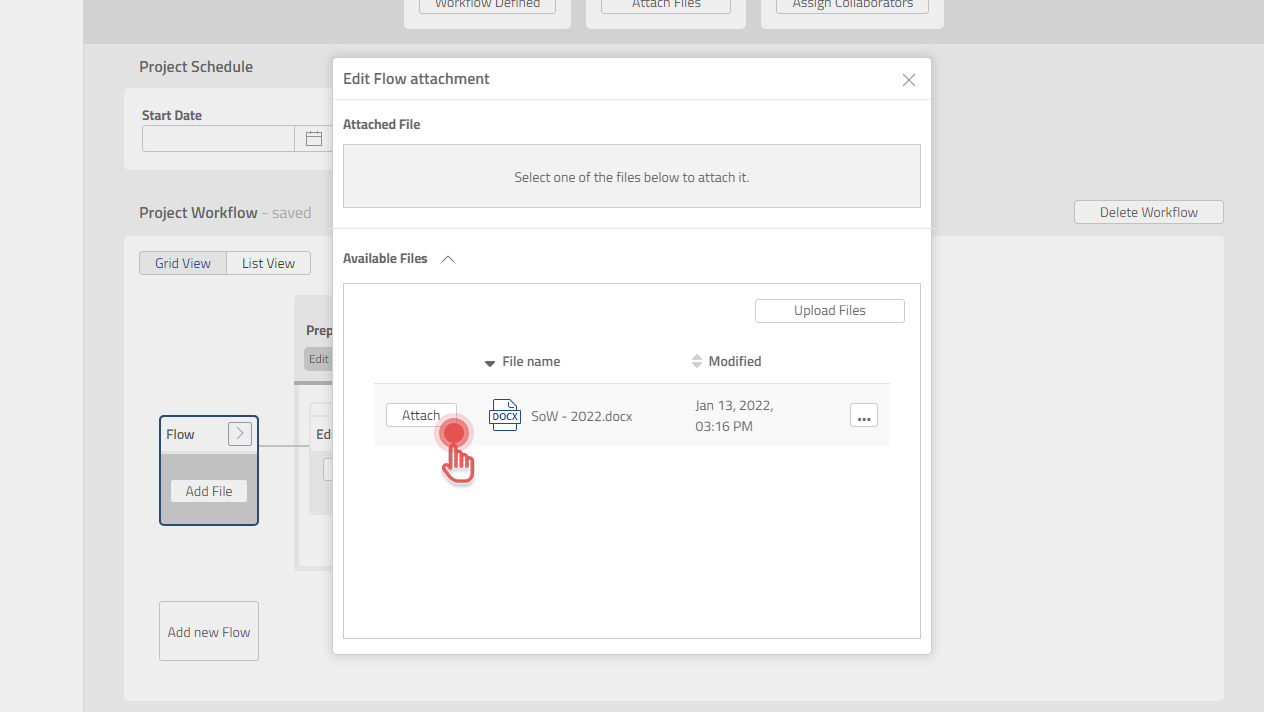
4. Click [Attach] button on the File you wish to attach.
Preview
Replace the attached File
1. Click [>] button on Flow box.
2. Click [Edit Flow].
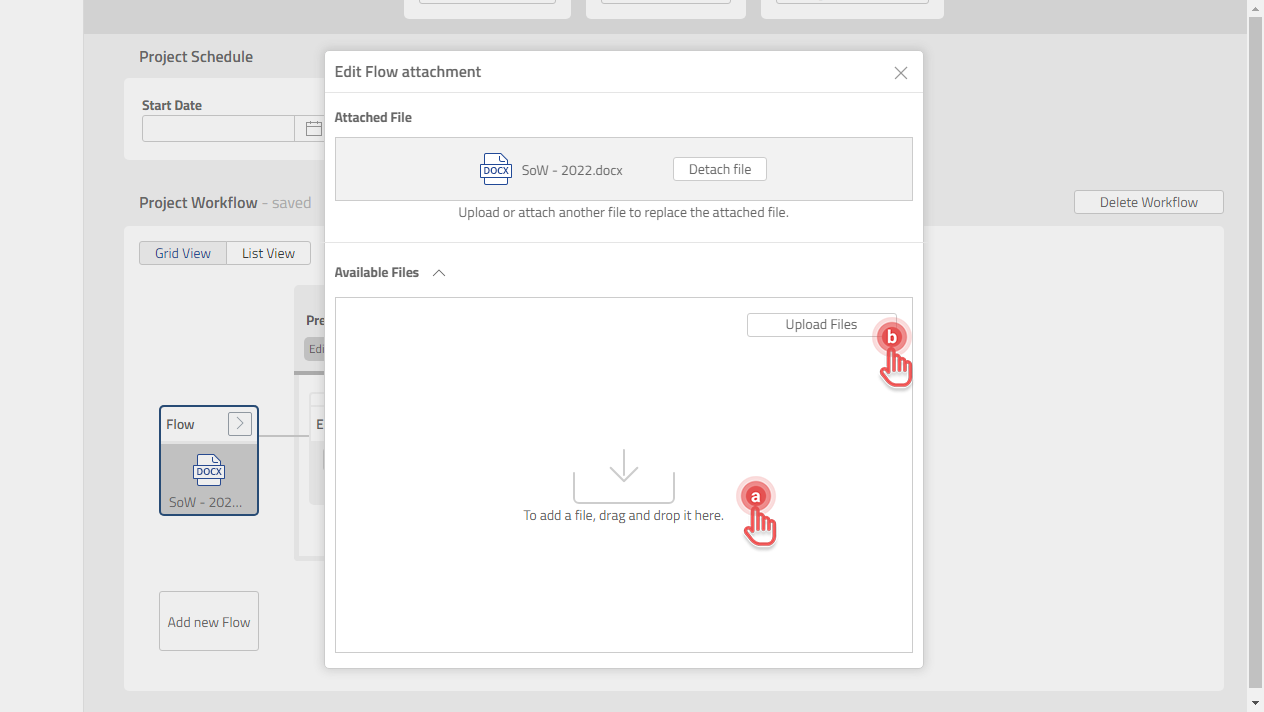
3. Upload the new File in either of the two following ways:
a. Drag and drop File into Edit Flow attachment dialog.
b. Click [Upload Files] to upload a File from your computer.
Preview
4. Click [Attach] button on the File you wish to replace the currently attached File.
Preview