As an Approving Editor, you have full control on the File inside your Task. You can modify the File and edit it until you complete the Task.
Working on a File
As an Approving Editor, you are able to do the following:
DOCX File
-
Modify the content using Text Editor.
-
Modify the content Using Microsoft Office application .
-
Toggle the Track Changes option.
View-only File formats
-
Preview the File.
-
Download the File and edit it in your computer.
-
Upload a New Version of the File.
Image File formats
-
Preview the Image.
-
Download the Image and edit it in your computer.
-
Upload a New Version of the Image.
Other File formats
-
Download the File and edit it in your computer.
-
Upload a New Version of the File.
Completing the task
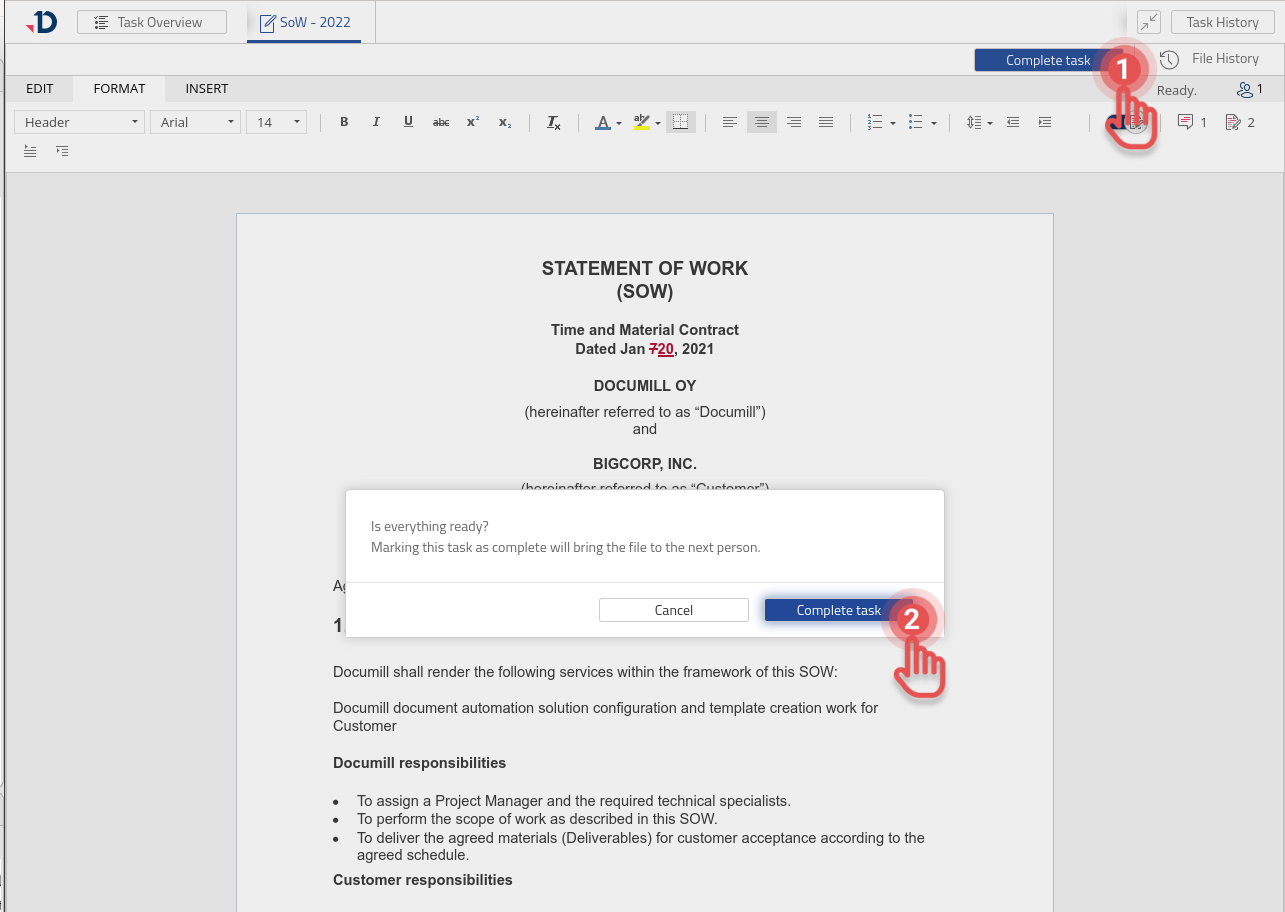
Once the editing has been completed, you can complete the Task as follows:
1. Click [Complete task] button.
2. Click [Complete task] in the confirmation dialog.
Preview