
Perform e-Identification
As a signer, you might be required to verify yourself using e-Identification.
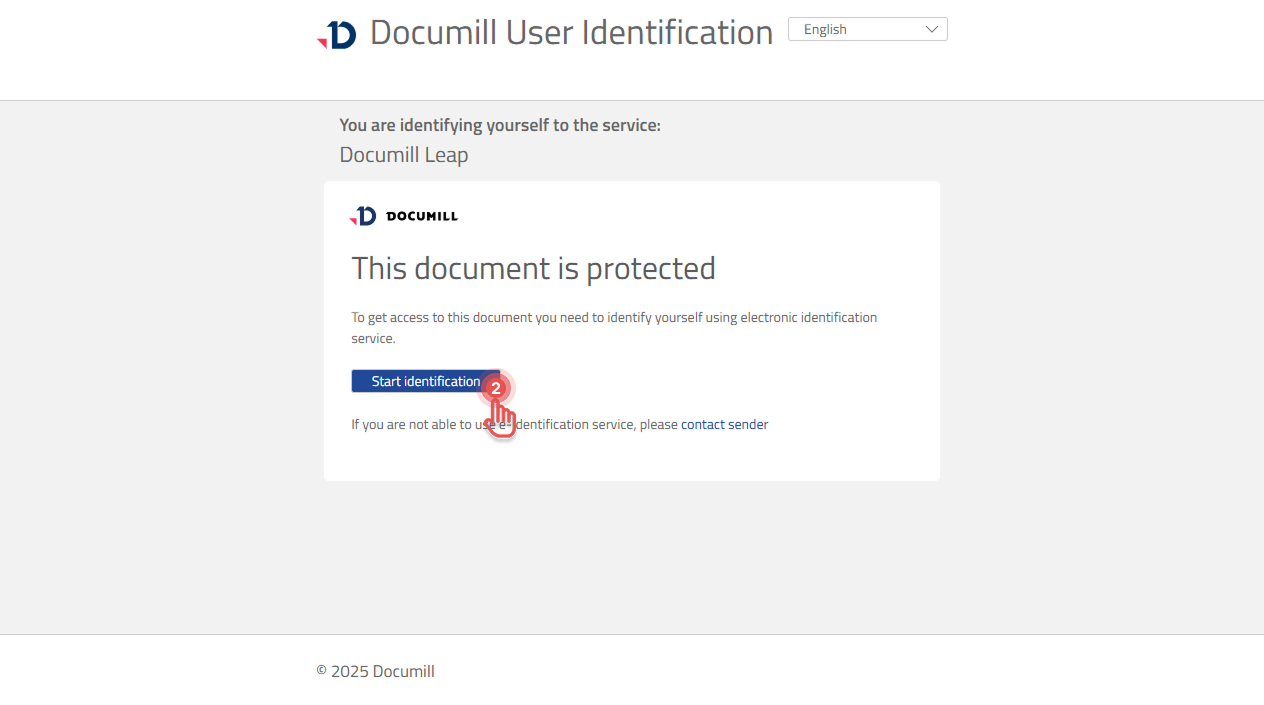
1. Open your Sign Task, you will be redirected to perform e-Identification.
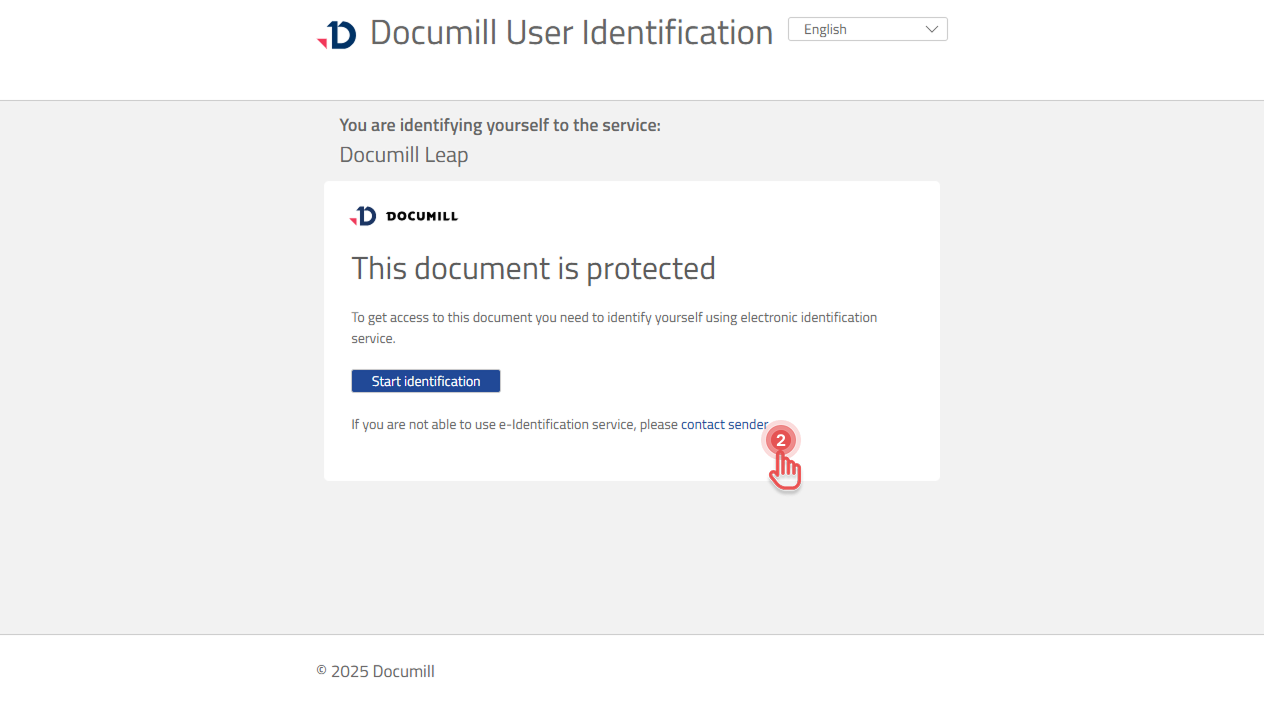
2. Click [Start identification] button.
Preview
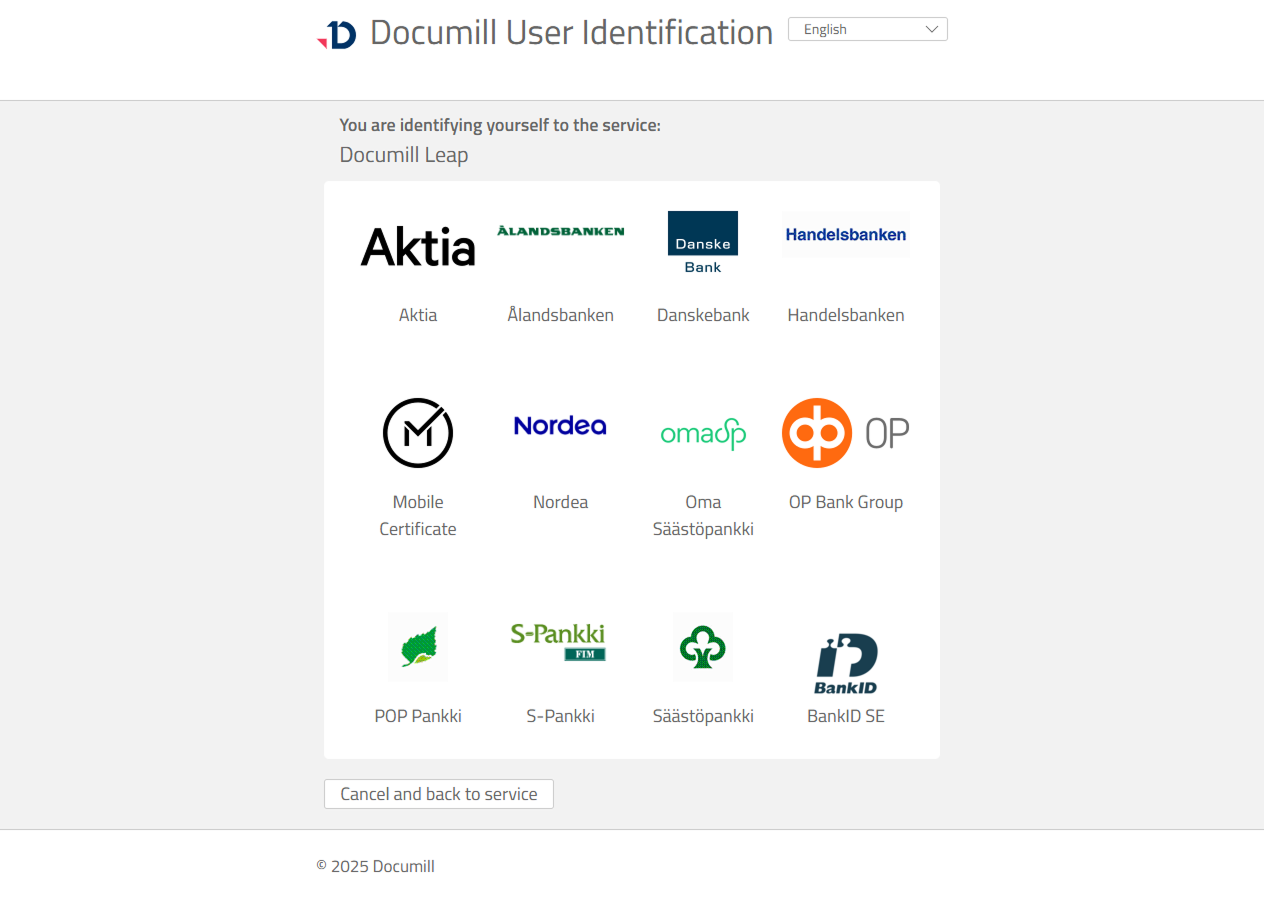
3. Choose your preferred identification service provider.
Preview
4. Follow the instructions provided by the identification service provider.
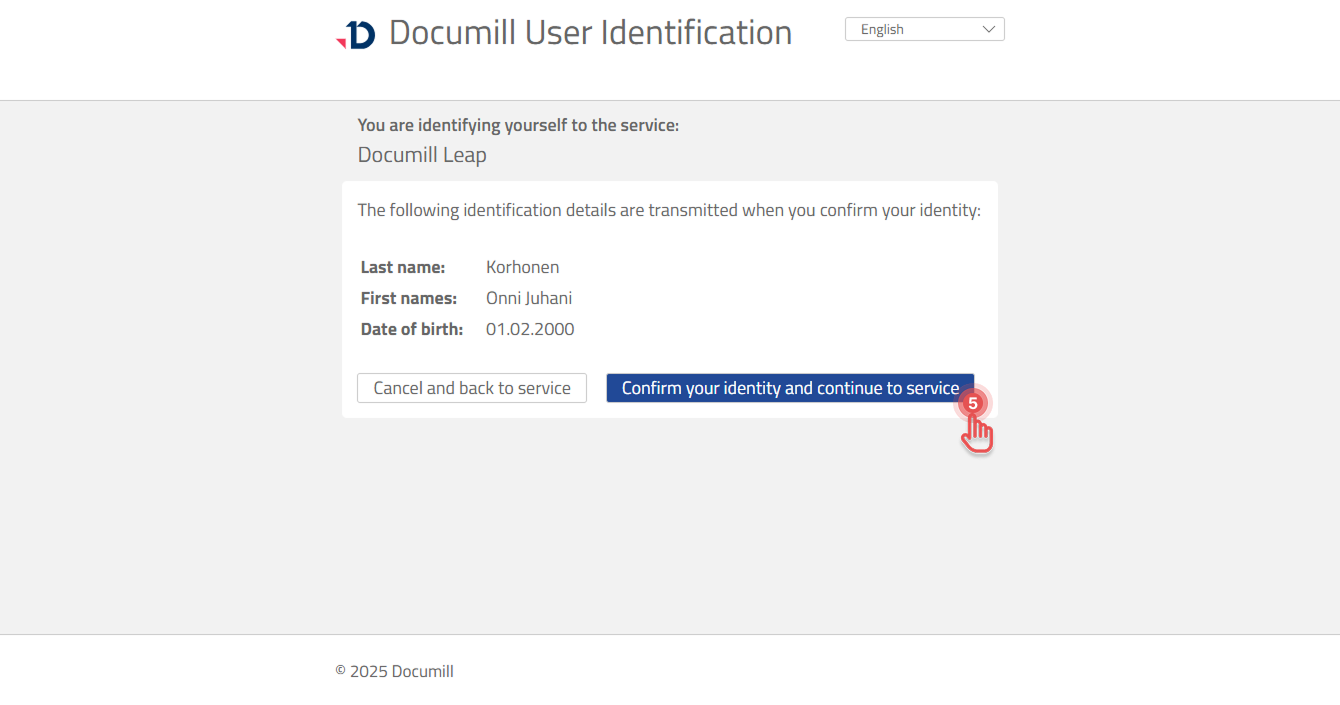
5. Click [Confirm your identity and continue to service].
Preview
Handle issues
If you are unable to perform e-Identification, you can inform the person who requested you to sign the document.
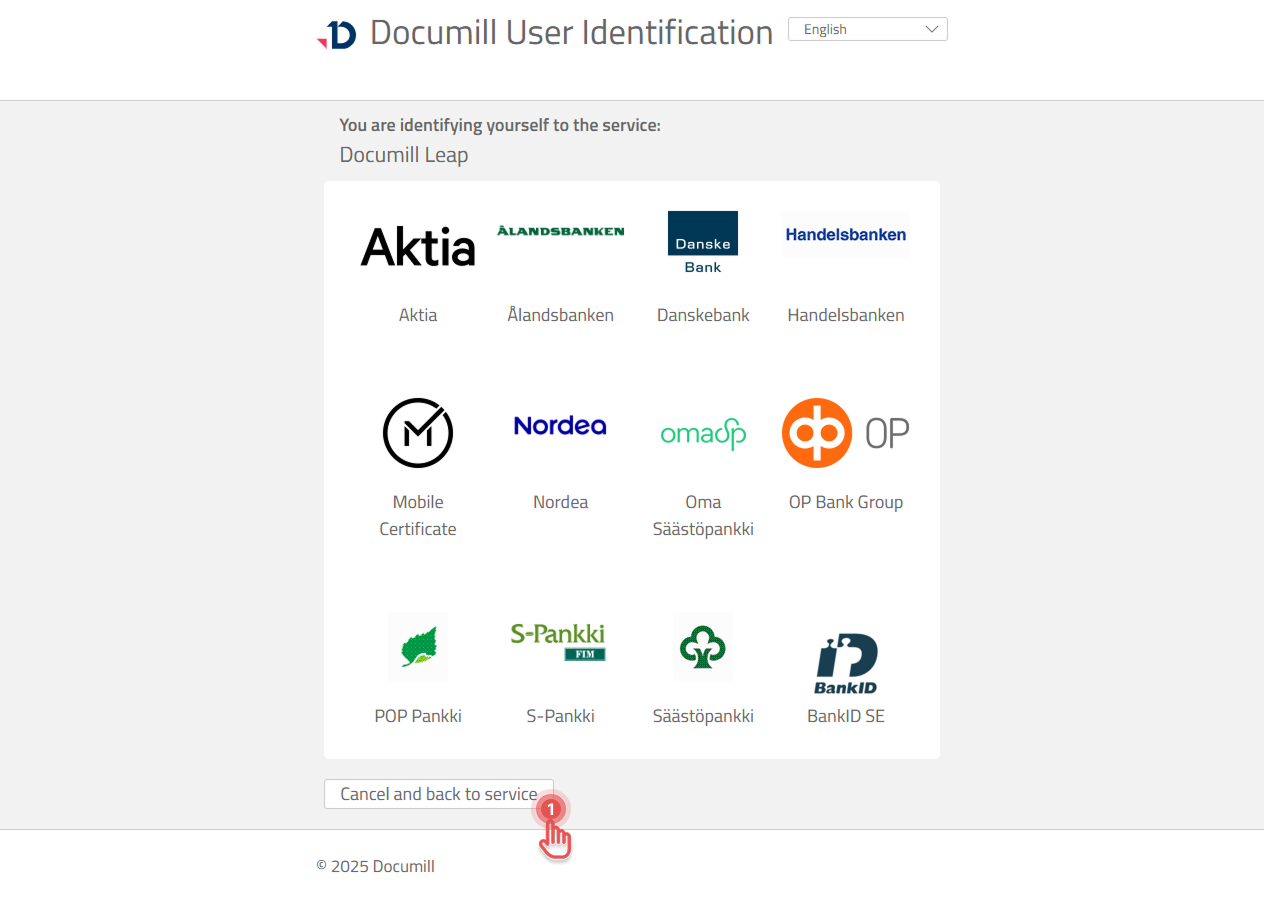
1. Click [Cancel and back to service] button to return to the first screen.
Preview
2. Click [Contact sender].
Preview
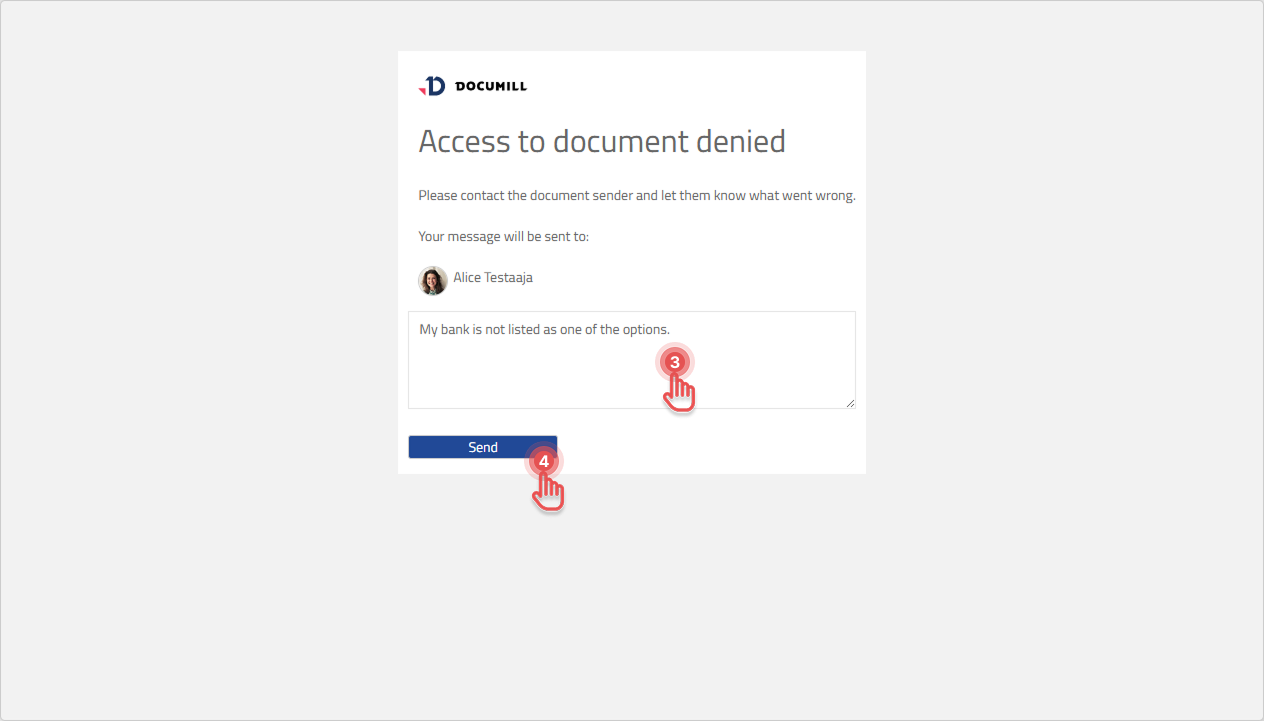
3. Provide an explanation to help the sender resolve your issue.
4. Click [Send].
Preview
5. You have reported the issue and need to wait for the sender to resolve it.