
Available to Project Owner.
If you need the Advanced Team Feature when working in a Project, you can enable it here:
1. Open the Project.
2. Click [Collaborators] tab on the left panel.
3. Click [Advance team features] switch button.
Preview
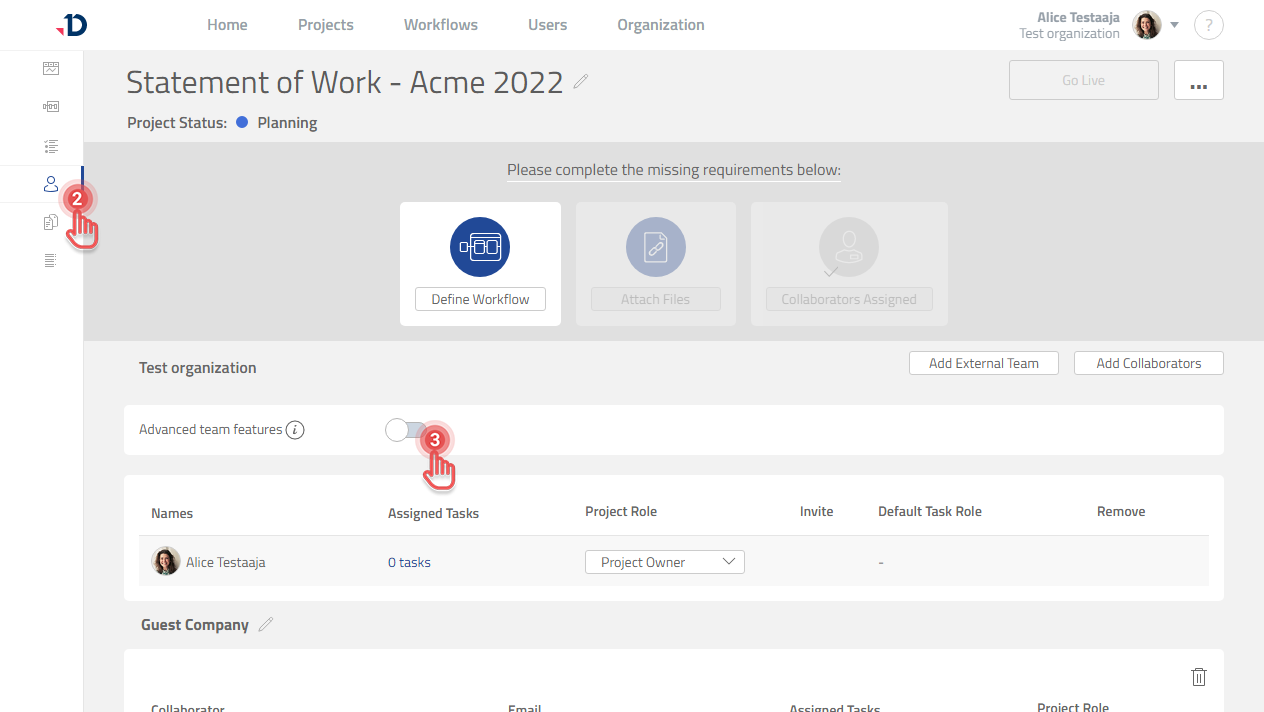
The [Advanced team features] switch button is available only when there is at least one External Team defined.
The [Advanced team features] switch button cannot be changed when the Project is already Live.