
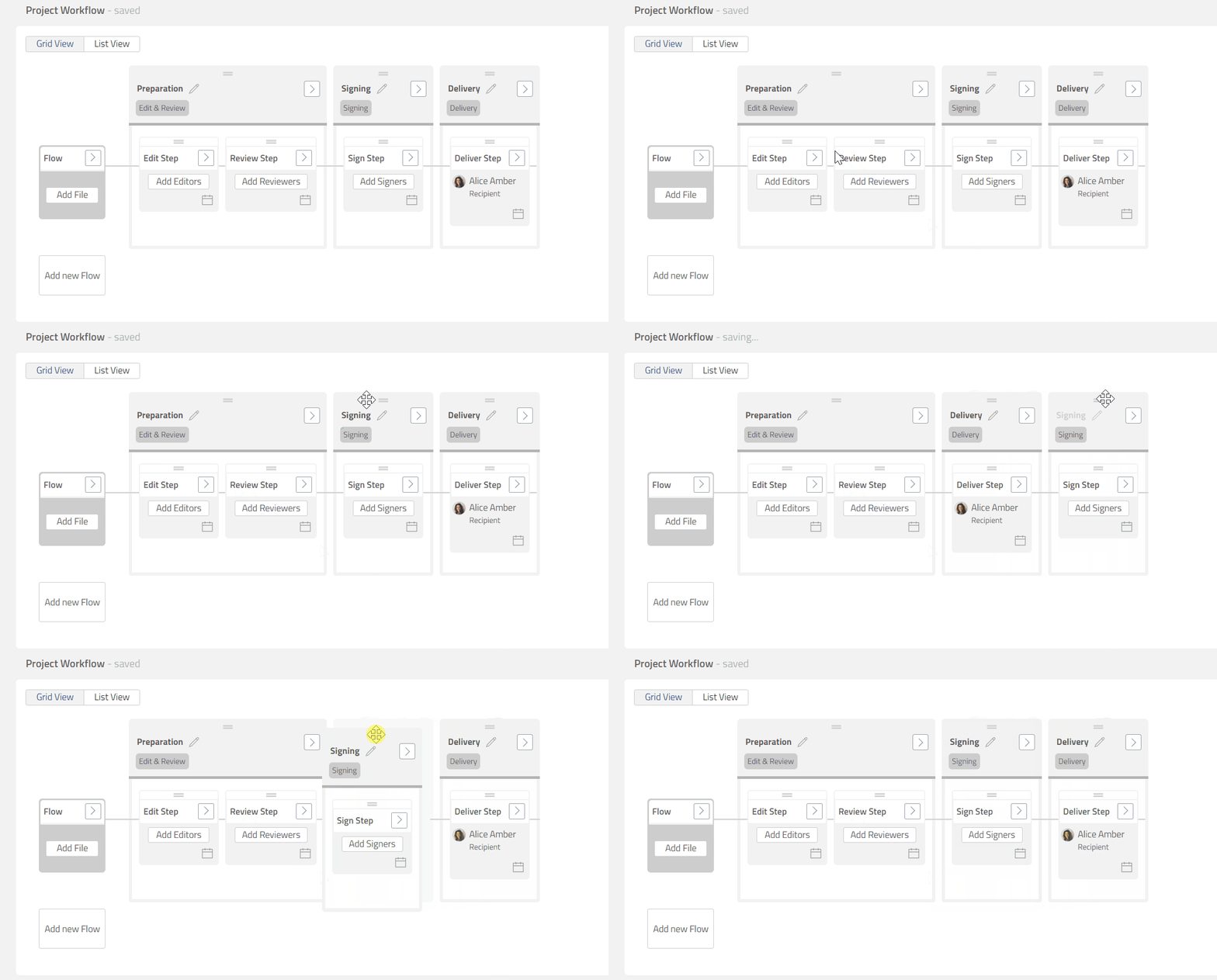
You can rearrange the sequence of different Phases by dragging and dropping Phase boxes.
-
Click and hold [≡] button on Phase box that you want to move.
-
Drag the Phase box and drop it to the proper position.
Preview
-
Phases that are Completed or Active cannot be rearranged.
-
Leap does not limit how Phases can be arranged. However, not all sequences will work well.
For example, having Edit & Review phase after Signing phase will not work well because a document that has been signed is not supposed to be edited anymore.