
Available to Salesforce Admin.
Experience Cloud site users are considered to be external. By default, the custom objects required by Documill Leap custom components are not accessible by external users. Follow below instructions to allow external users to access Documill Leap custom objects.
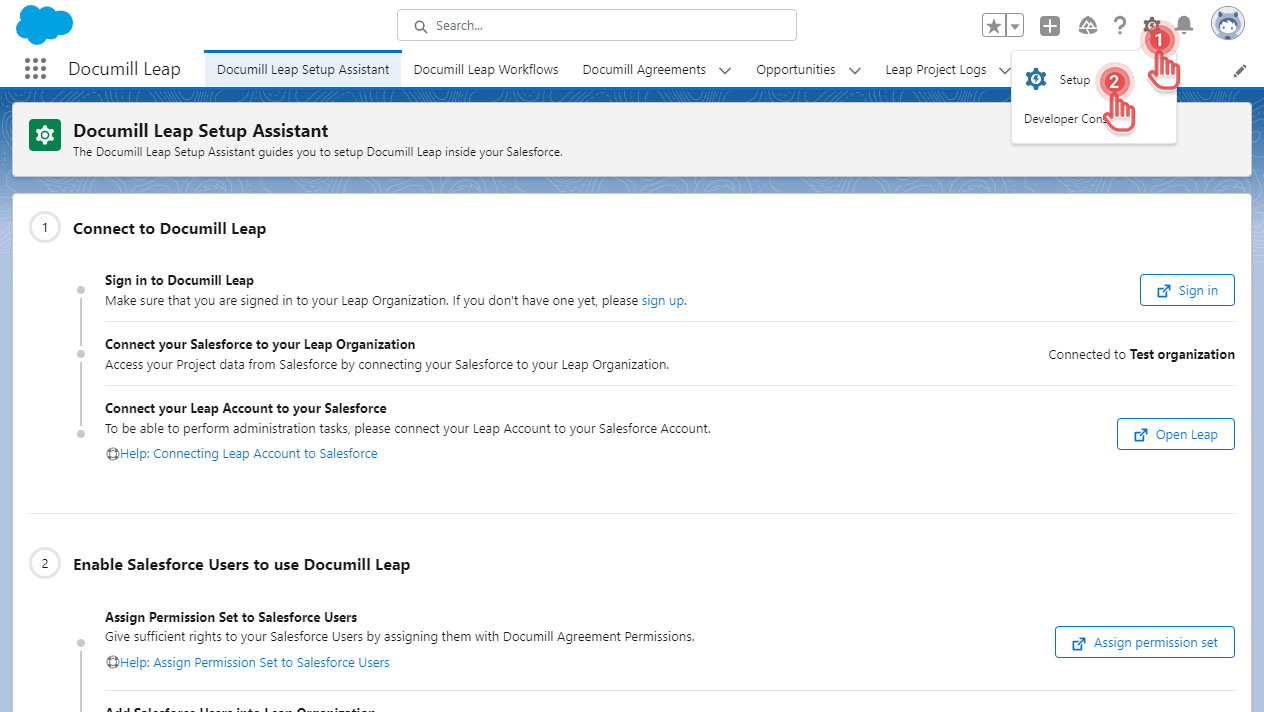
1. Click [⚙] button on the top right corner.
2. Click [Setup] option.
Preview...
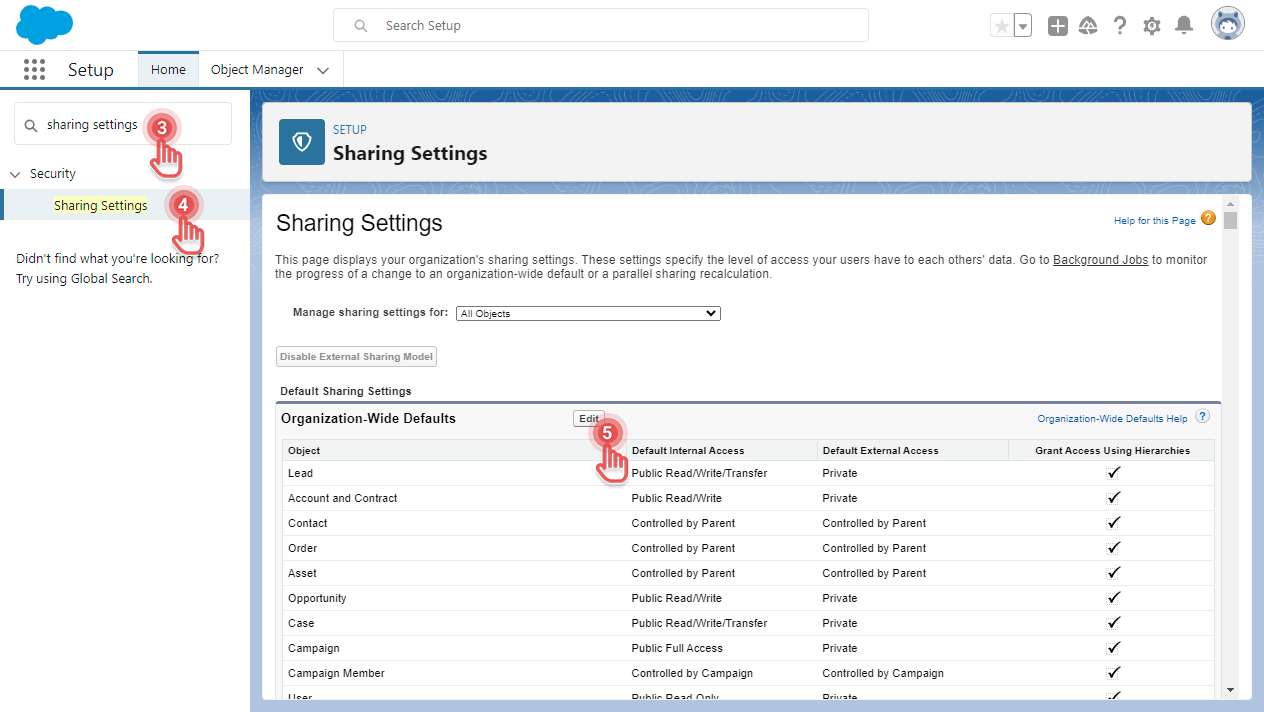
3. In Setup page, search for “sharing settings”.
4. Click the Sharing Settings entry.
5. As an example, let’s modify the Organization-Wide Defaults by clicking its [Edit] button.
Preview...
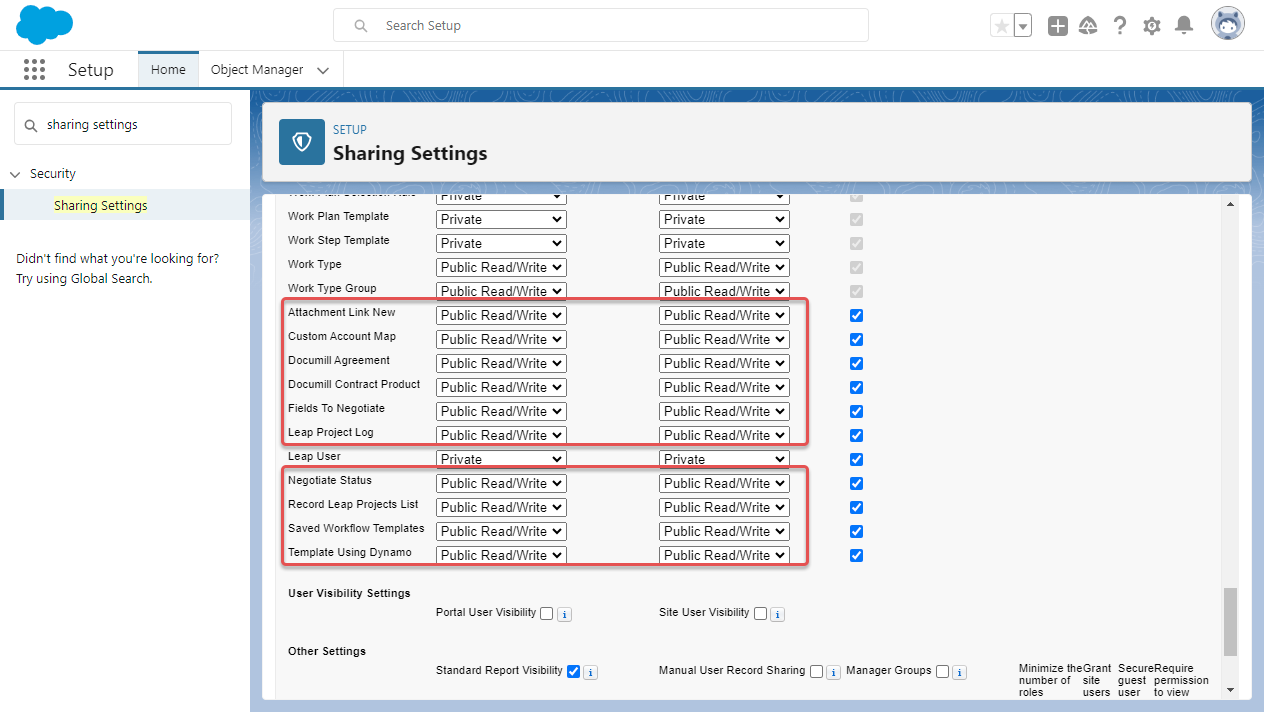
6. Inside Organization-Wide Sharing Defaults Edit page, search for below objects and update their Default External Access to Public Read/Write.
-
Attachment Link New
-
Custom Account Map
-
Documill Agreement
-
Documill Contract Product
-
Fields To Negotiate
-
Leap Project Log
-
Negotiate Status
-
Record Leap Projects List
-
Saved Workflow Templates
-
Template Using Dynamo
Preview...
7. Click [Save] button.