Release date: June-18-2019
Using Release 19-2
Release 19-2 is currently available only from the eu-1 instance.
To use the eu-1 instance, please switch the Dynamo URL to start like this: https://dynamo-eu1.documill.com.
This means, for example, that the full URL of Template Builder is https://dynamo-eu1.documill.com/app/dae/.
To change the Dynamo instance for custom Salesforce buttons, follow the steps outlined in this article: How to filter the template list?. The article describes how to create a custom VisualForce Page where the Dynamo instance can be changed. Simply locate "Documill Dynamo" and replace it with https://dynamo-eu1.documill.com.
Dynamo Salesforce package Spring 2020 uses the eu-1 instance by default.
Please also refer to the release notes for Release 19-1.
Updates
-
Updated the Salesforce API version version to 45.
-
Editable areas can be defined inside groups.
-
The Div element is visible in breadcrumb navigation.
-
Added onTimeout connection for screens with visualization.
-
Added useSignature attribute in mail command.
-
Added UTF-8 encoding for some resources.
Advanced view part tab menu
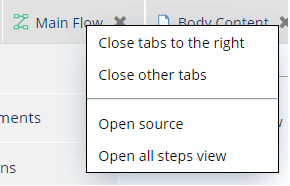
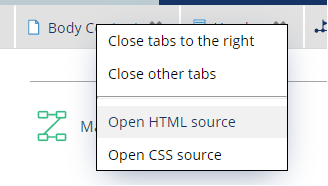
Advanced view part tabs has a new right click menu. Depending on the part type, the menu contains different open source actions.
Content: open HTML source and open CSS source
Flow: open source and open all steps view (previously advanced view)