Available to Project Owner.
To add a File into a Project:
1. Open the Project.
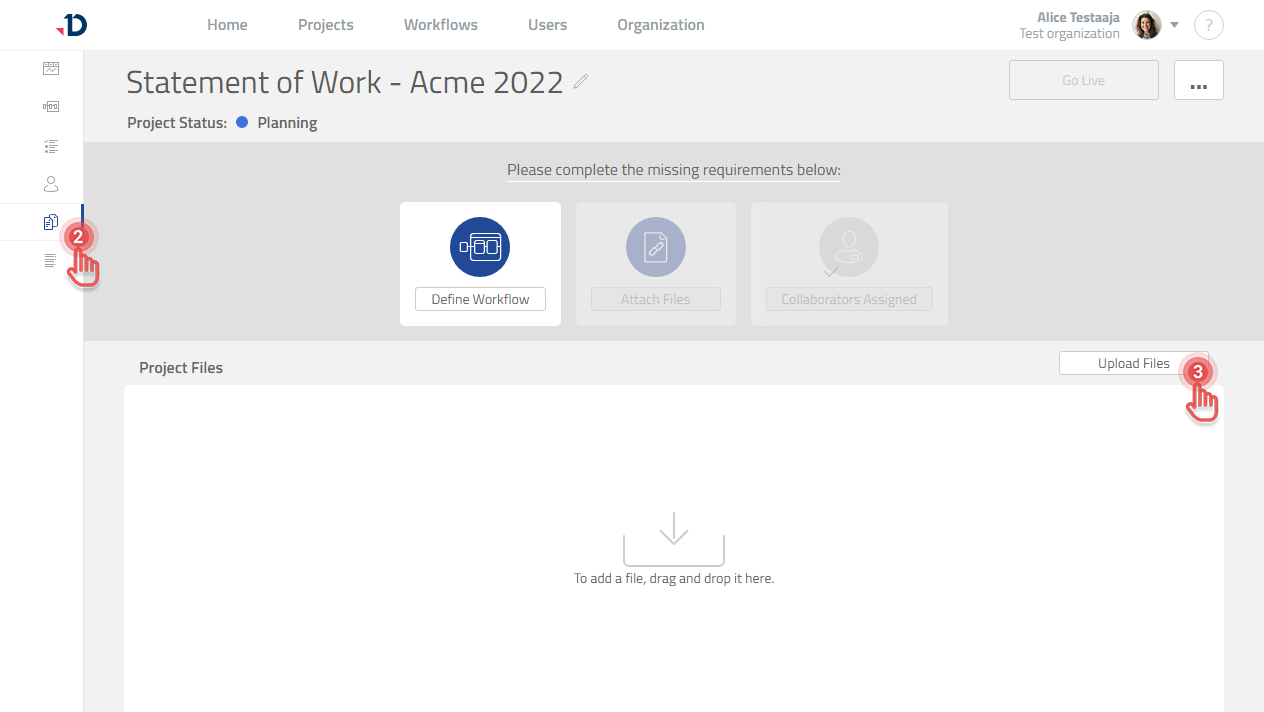
2. Click [Files] tab on the left panel.
3a. Click [Upload Files] button to select the File.
Preview
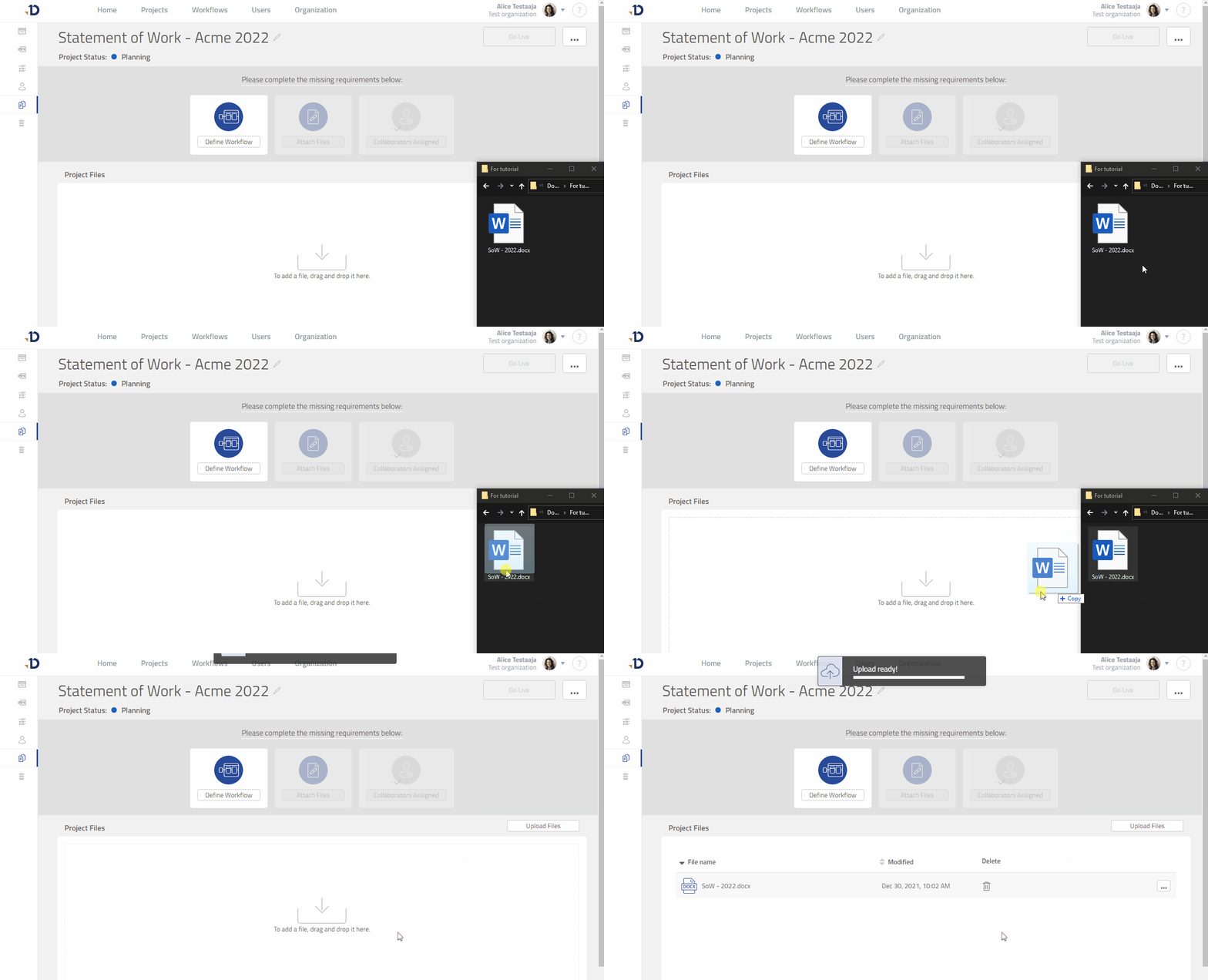
3b. Alternatively, drag the file into the “Project Files” box.
Preview