
Available to Project Owner.
When a Collaborator is not part of the Project anymore, you can remove them from the Project:
1. Open the Project.
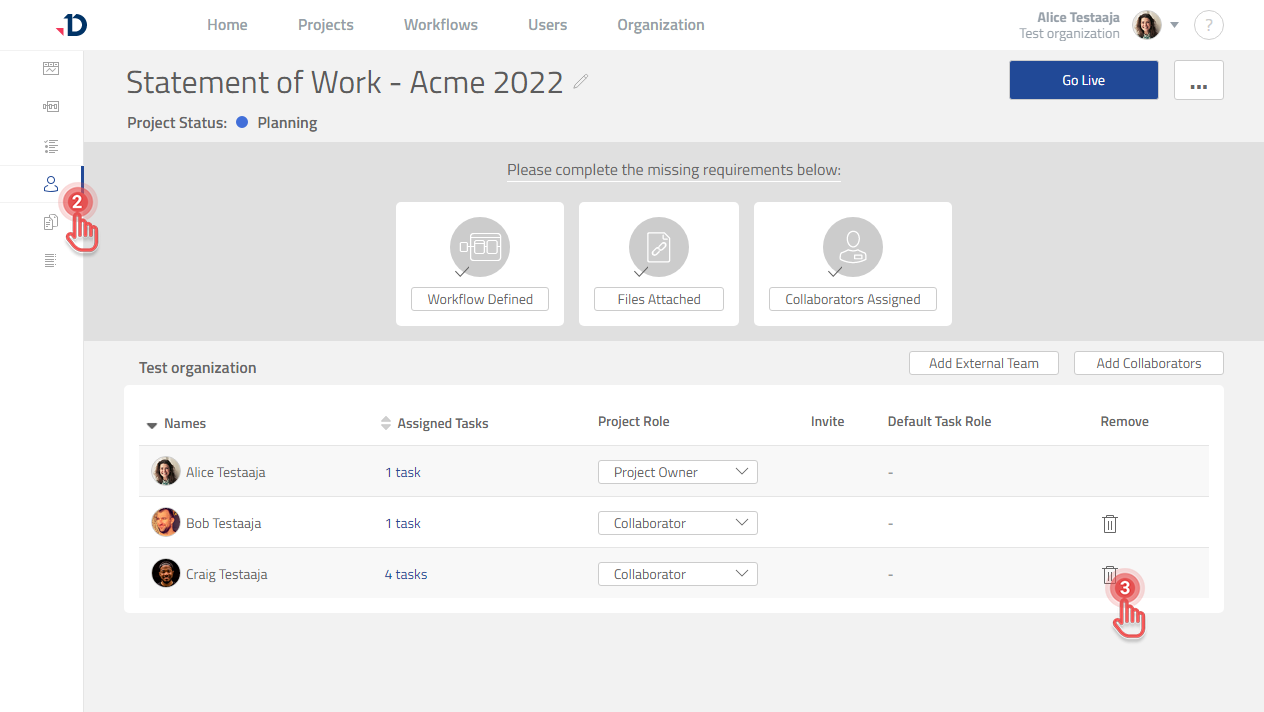
2. Click [Collaborator] tab on the left panel.
3. Click [Trash] button of the Collaborator you would like to remove.
Preview
4. Click [Remove] button in the confirmation dialog.
-
Removing a Collaborator will also remove their tasks.
-
Collaborators cannot be removed if they have completed or in-progress tasks.
-
Project Owner cannot be removed if there is only one Project Owner.