
Available to Salesforce Admin.
Every clause has a language. When authors pick a clause's language, the language list shows your organization's preferred languages first. Typing in the language field searches all supported languages, so authors can still choose a language that isn't on the list.
By default, the preferred languages are English, German and Swedish. You can change them to the languages your organization actually writes clauses in.
Adding a preferred language
-
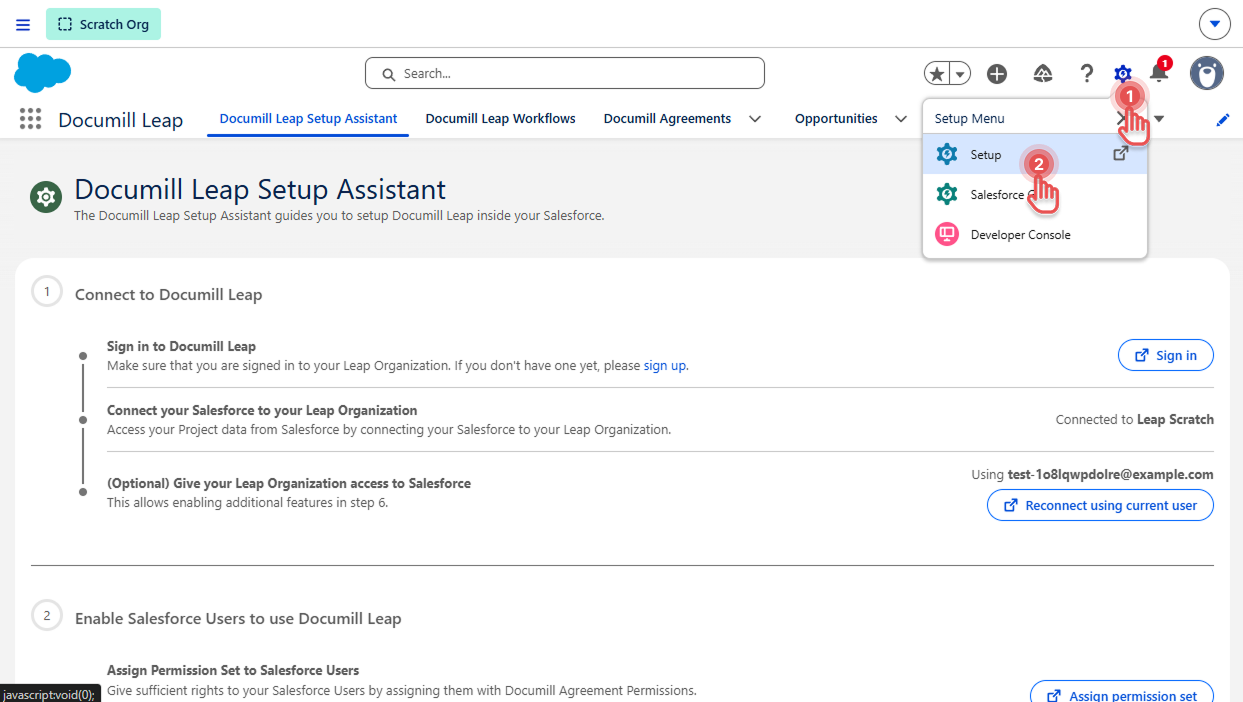
Click [⚙] button on the top right corner.
-
Click [Setup] option.
Preview
-
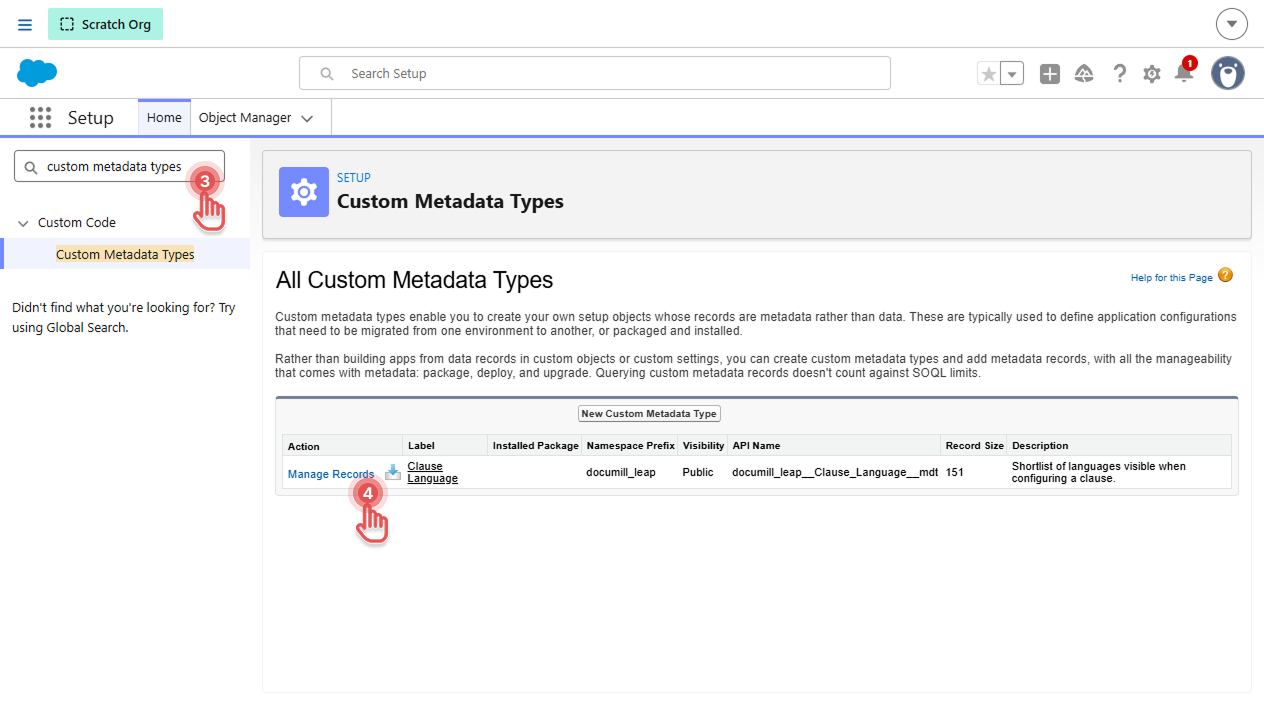
In Setup page, search for “custom metadata types”
-
Next to “Clause Language”, select Manage Records.
Preview
-
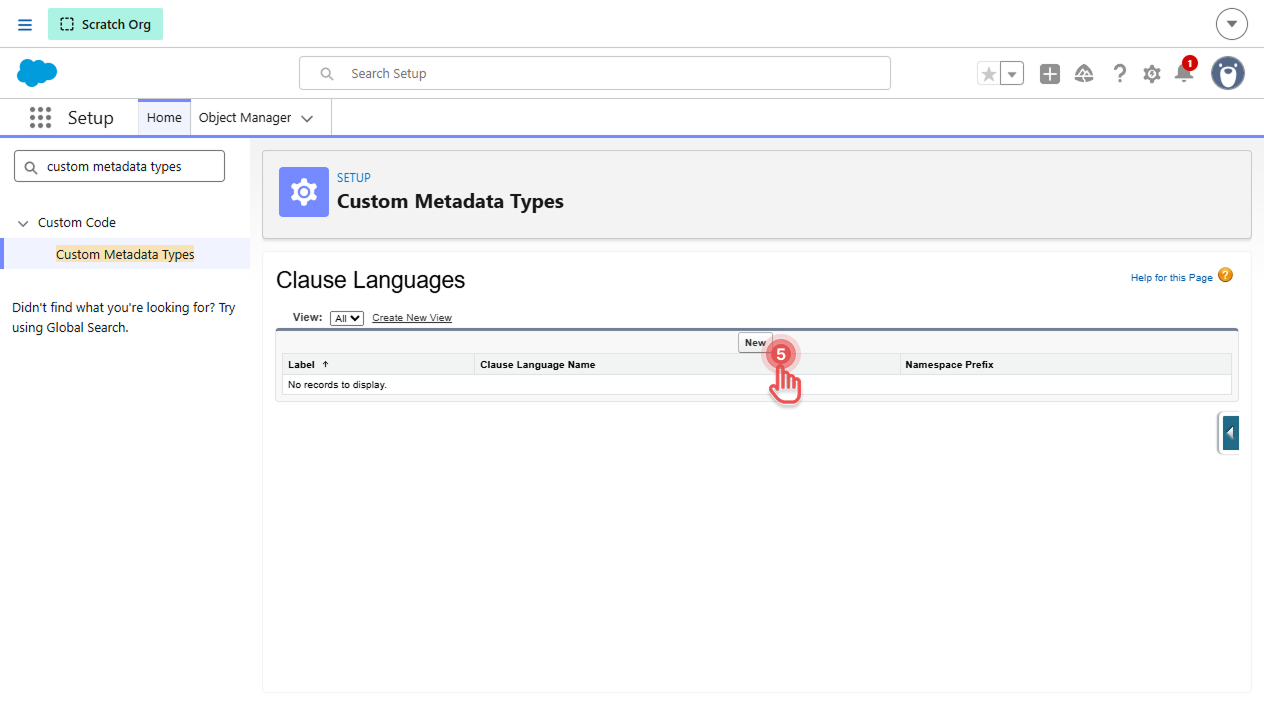
Select New.
Preview
-
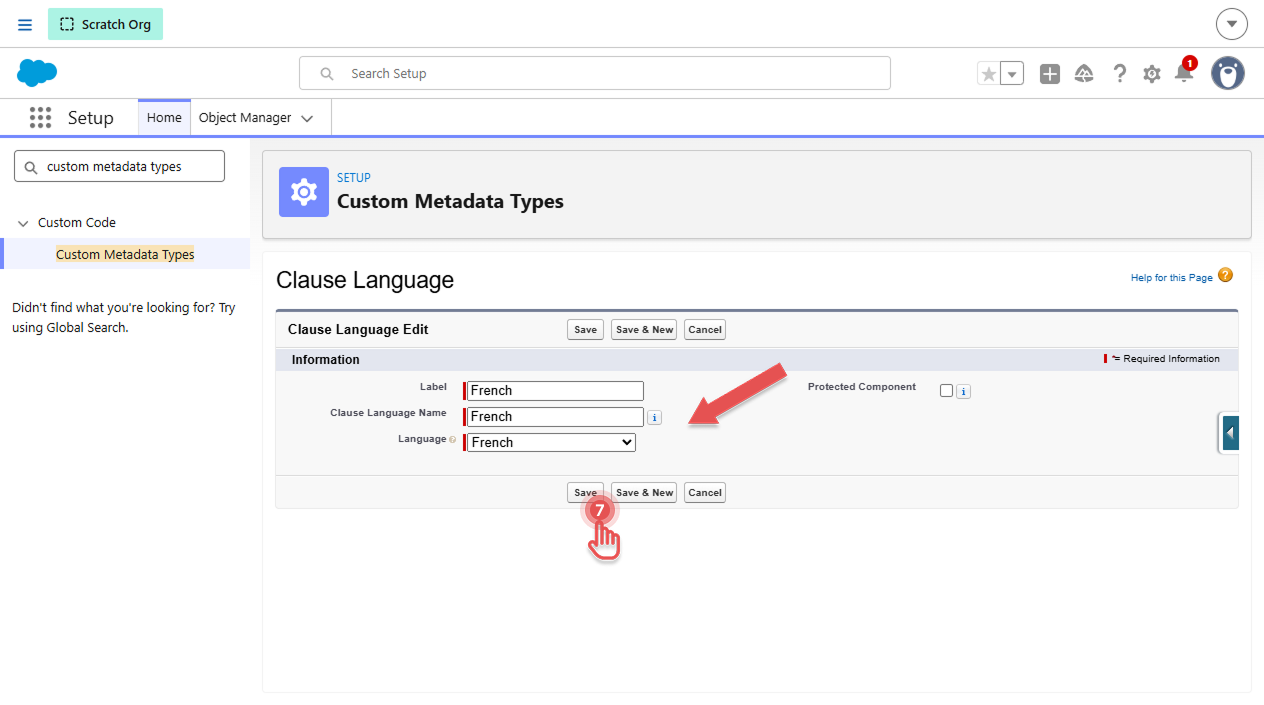
Fill in the fields:
-
Label: a name for the record. Not used anywhere else besides this setup screen.
-
Clause Language Name: filled in automatically from the label.
-
Language: the language to offer.
-
-
Select Save.
Preview
-
Reload the Documill Clause Library tab to see the change.
The default languages are used only while there are no Clause Language records. Once you add your first record, only the languages you've added are shown as preferred. For example, if you still want English, add a record for it too.
Removing a preferred language
-
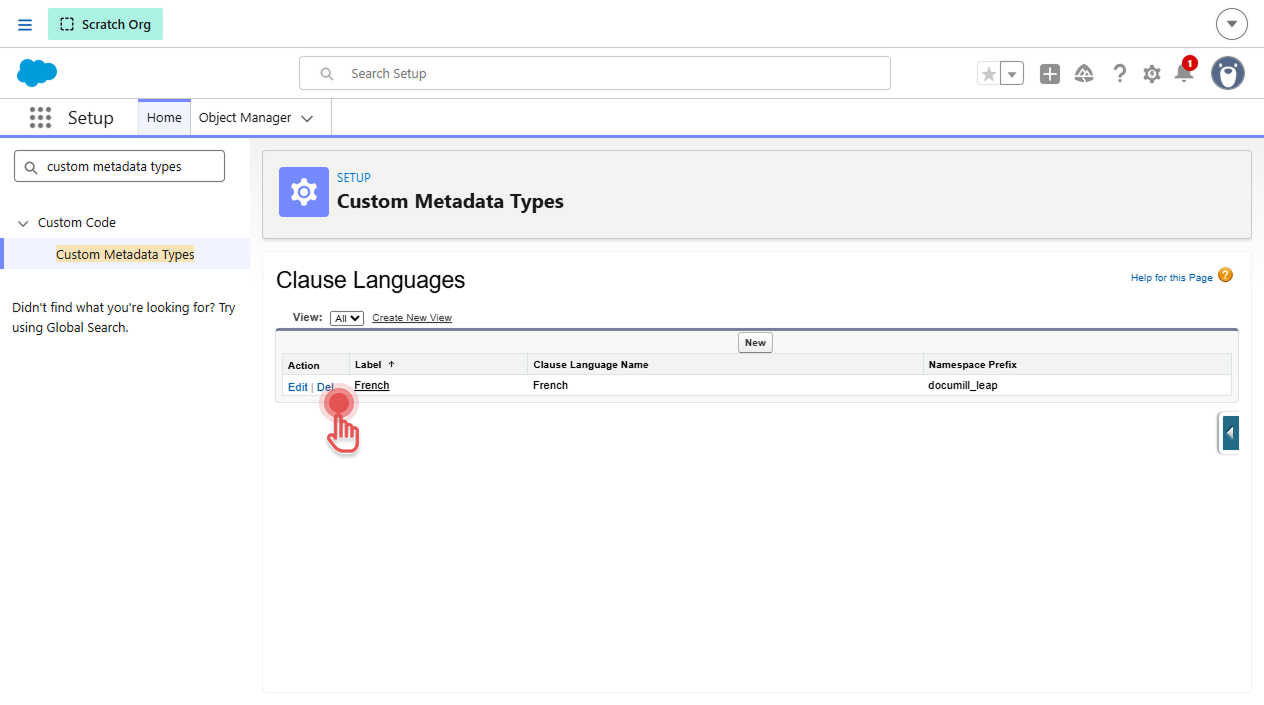
Open Setup → Custom Metadata Types → Clause Language → Manage Records.
-
Select Del next to the language.
Preview
Removing a language from the preferred list doesn't change existing clauses. They keep their language, and authors can still choose that language by typing it in the language field.
The “Any” language
Choose “Any” for a clause that isn't tied to a particular language. “Any” is always offered, whichever languages you configure.