
Available to users with Documill Leap Clause Admin permission set.
Groups are a flat list of labels for clauses that belong together across categories, for example all clauses of a standard contract package. A clause can belong to several groups.
Groups are on the Groups tab of the Documill Clause Library. The list shows each group's name, number of clauses and last-modified date. Use Search groups to find a group.
Adding a group
-
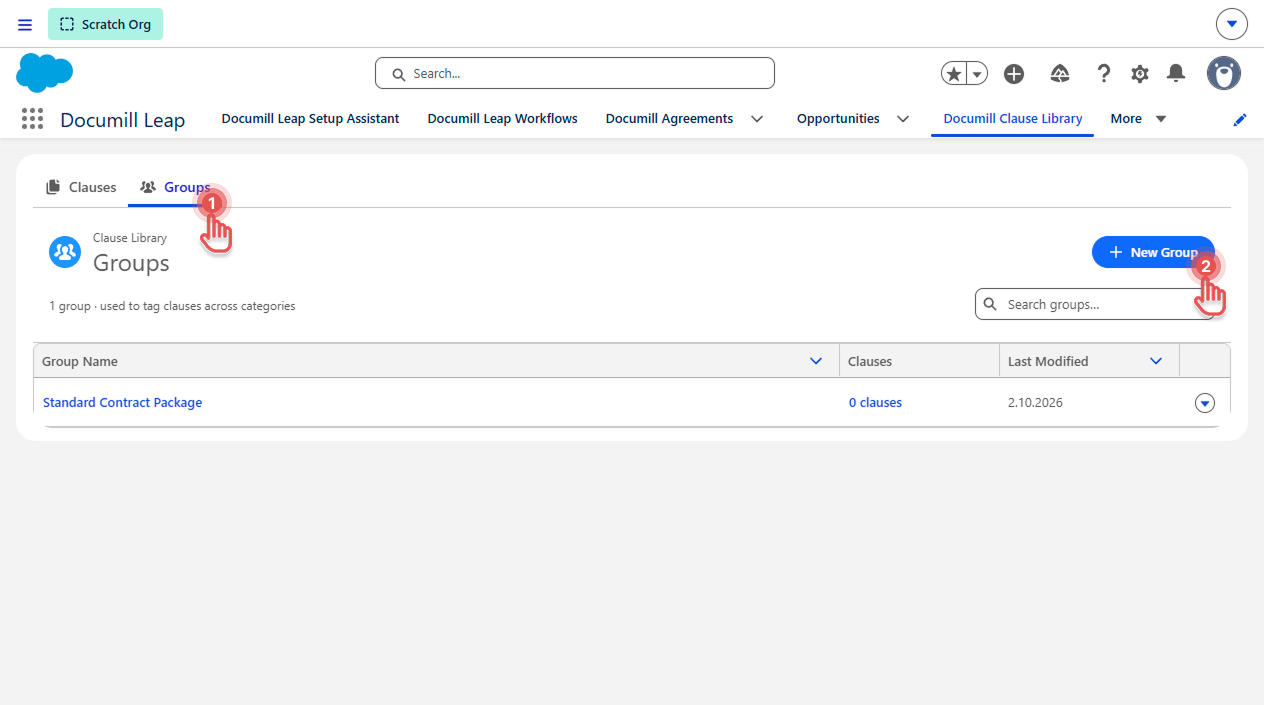
On the Documill Clause Library tab, click [Groups] tab.
-
Click [New Group] button.
Preview
-
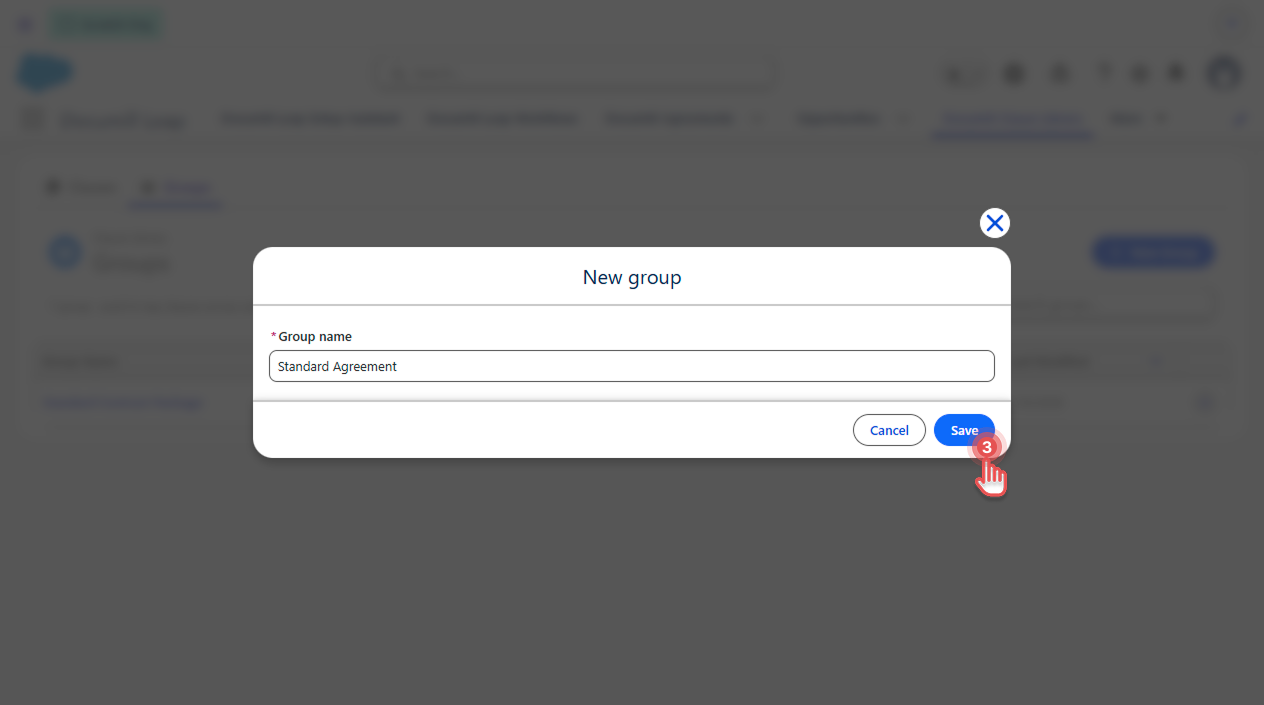
Enter the Group name and click [Save].
Preview
Seeing a group's clauses
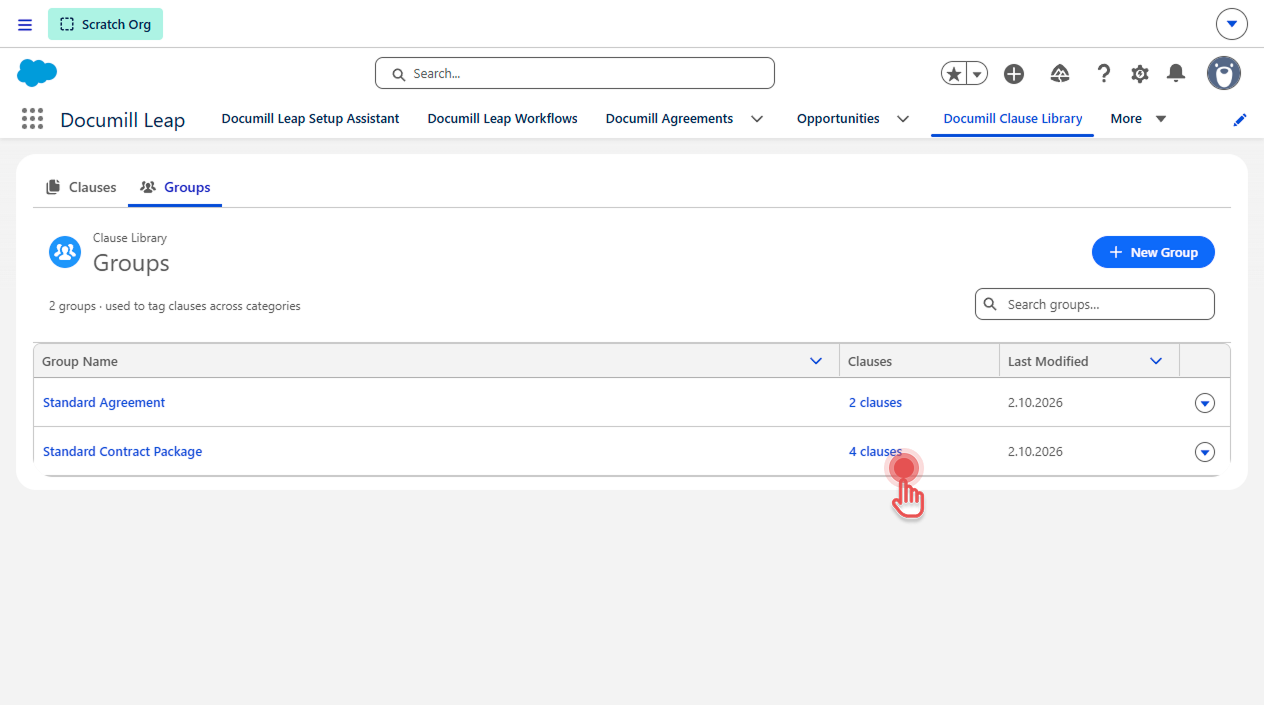
Select the number of clauses in the group's row. The Clauses tab opens, showing only that group's clauses.
Preview
Renaming a group
-
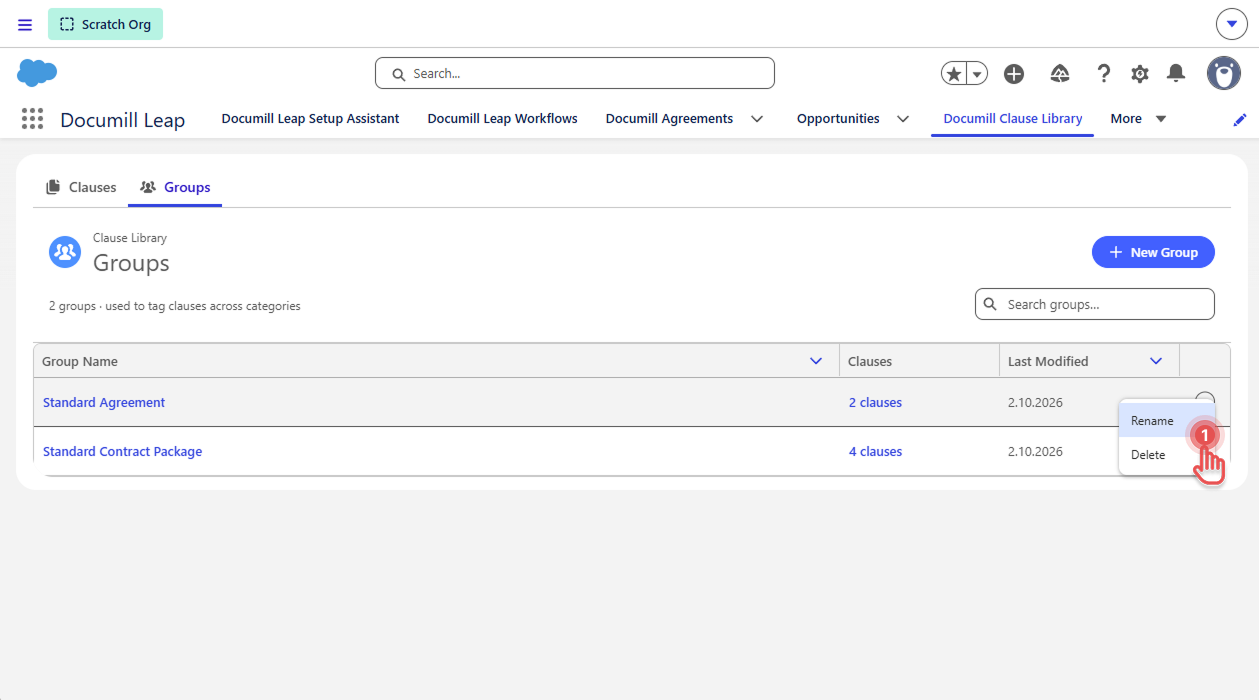
Select the group's name, or open its row menu (▾) and click [Rename].
Preview
-
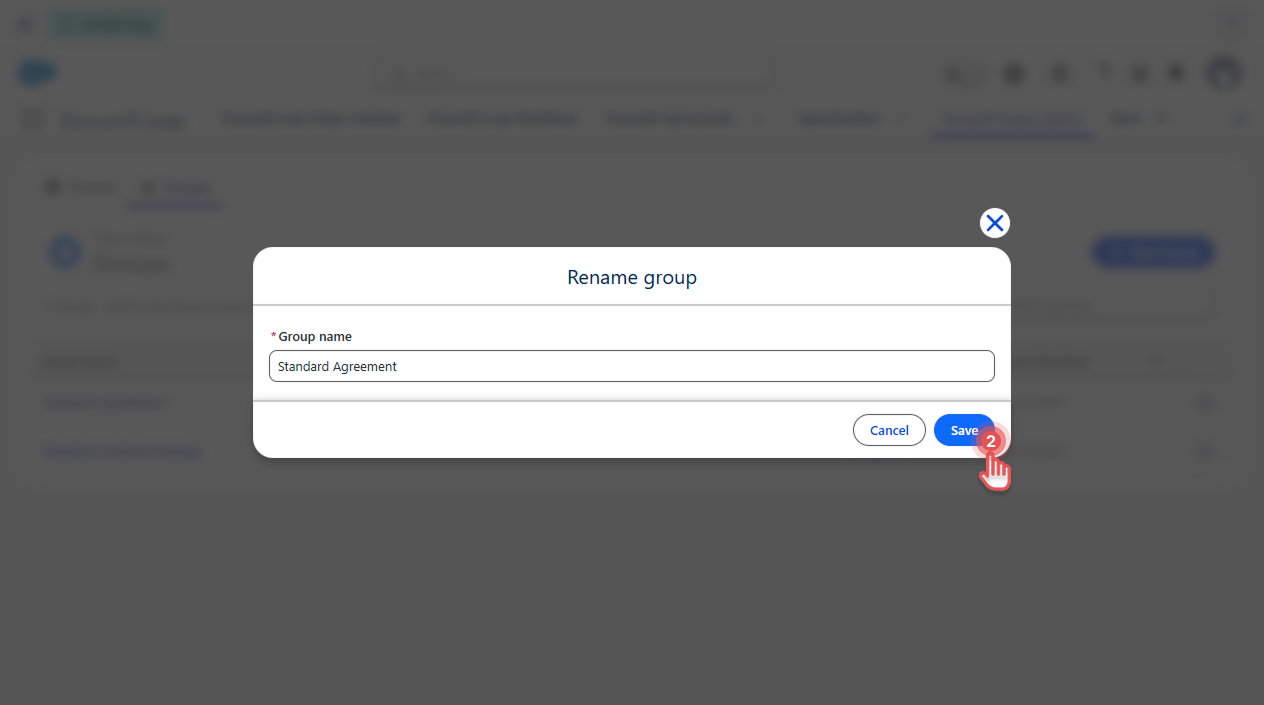
Enter the new name and click [Save].
Preview
Adding clauses to a group
-
For one clause: set the group on the clause page. See Editing a Clause.
-
For several clauses: use Bulk update. See Updating Clauses in bulk.
Deleting a group
Open the group's row menu (▾) and click [Delete].
Preview
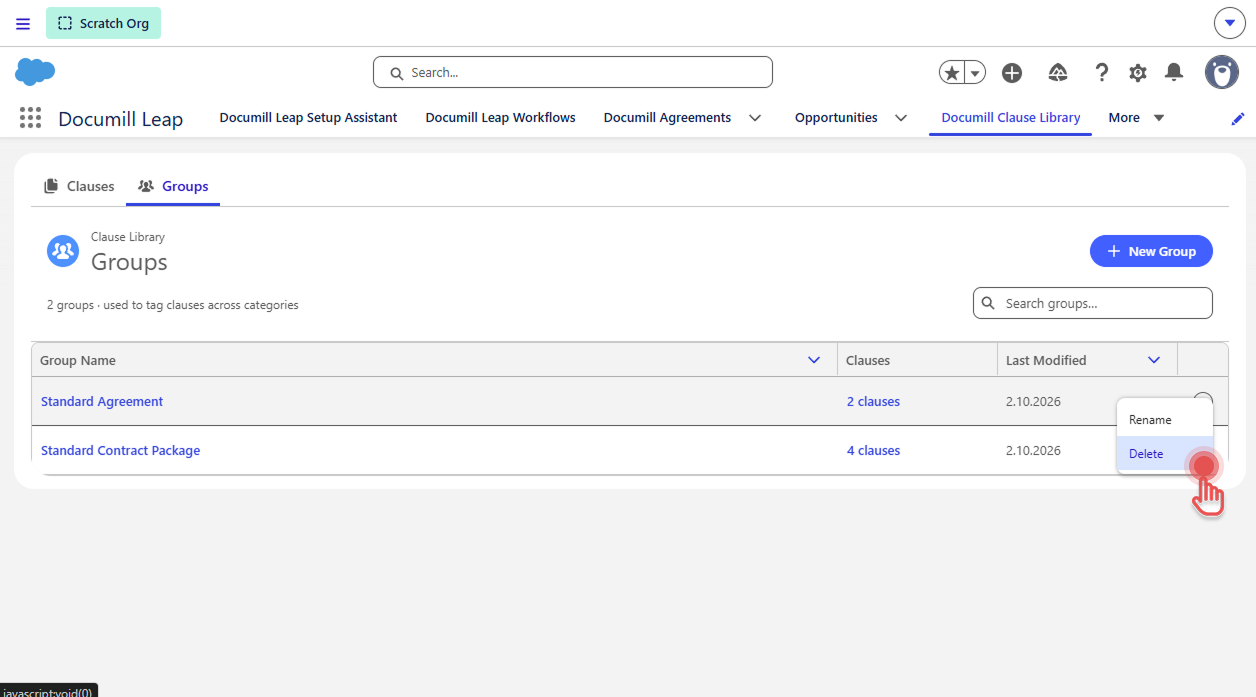
The clauses themselves aren't deleted; they're only removed from the group.