
Available to users with Documill Leap Clause Admin permission set.
Categories organize clauses into a tree of topics, for example Legal → Liability → Indemnification. Categories can be nested to any depth. A clause can belong to several categories, or to none.
The categories are shown in the category panel on the Clauses tab of the Documill Clause Library:
-
“All Clauses” shows every clause.
-
“No categories” shows clauses that aren't in any category.
-
Selecting a category shows its clauses.
-
Use Find a category to search the tree.
You can drag the edge of the panel to make it wider or narrower.
Adding a category
-
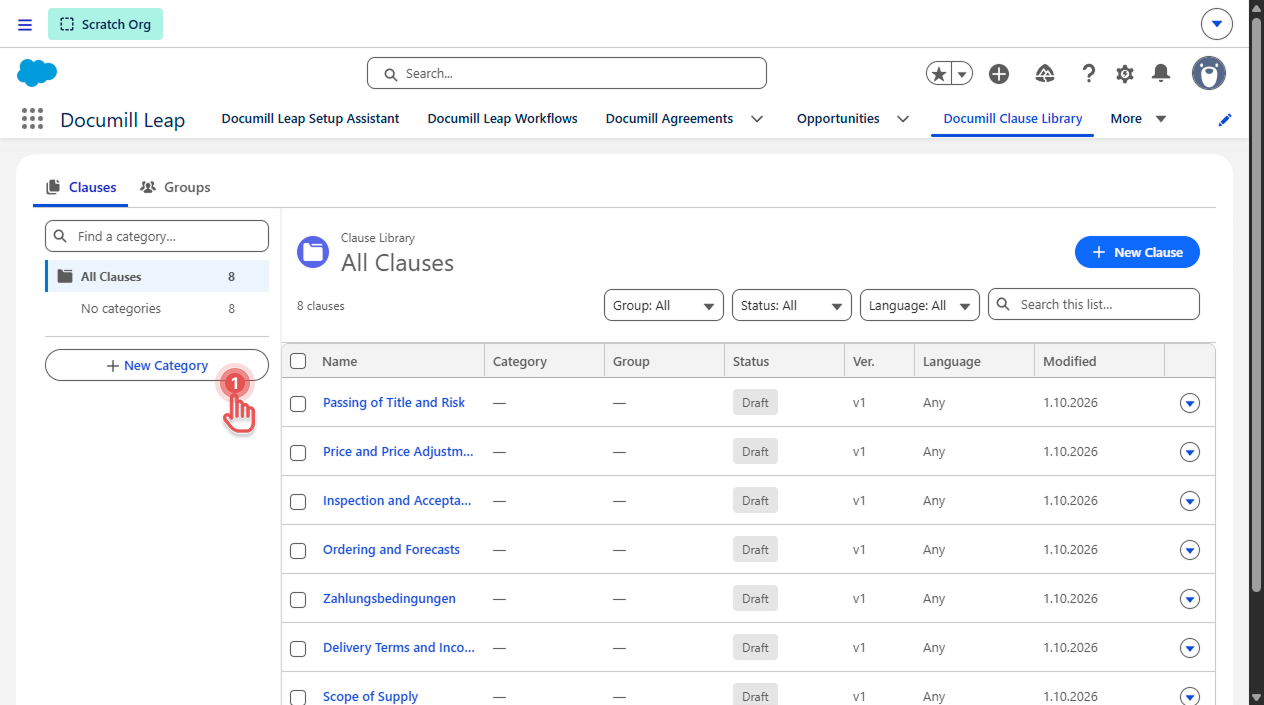
Select New Category at the bottom of the category panel.
Preview
-
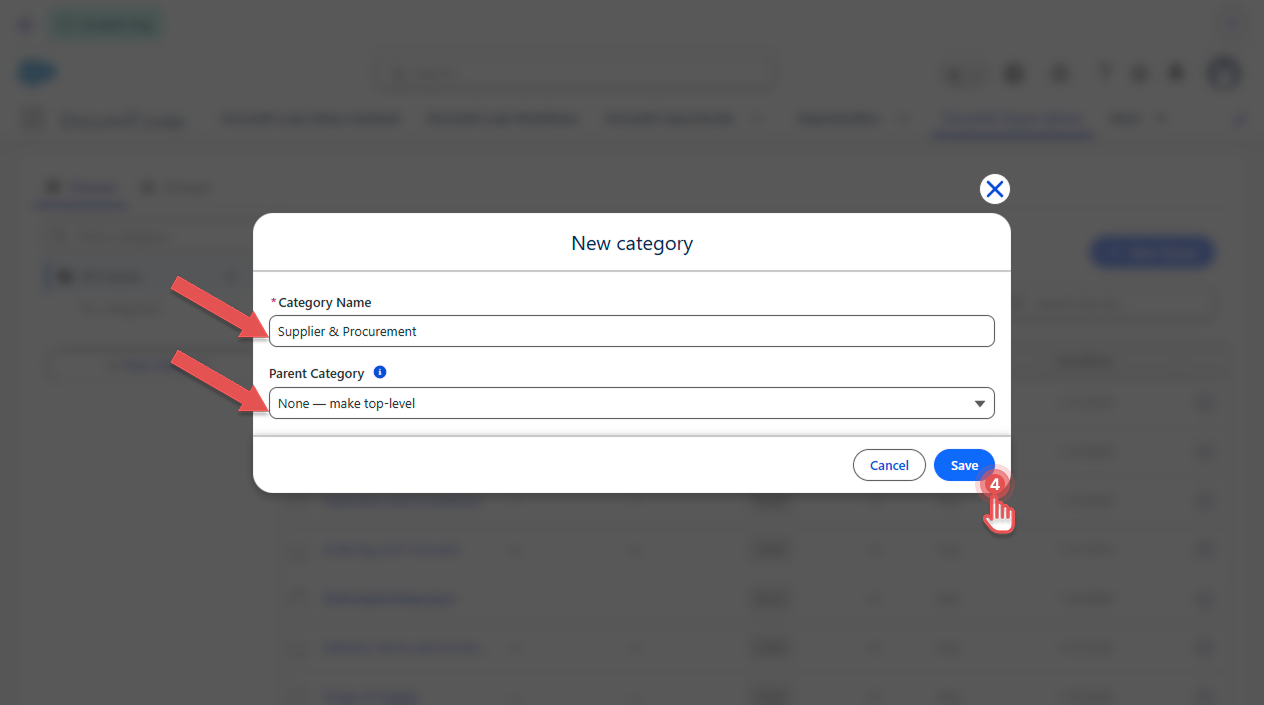
Enter the Category Name.
-
Optional: choose a Parent Category. Leave it at None — make top-level for a top-level category.
-
Select Save.
Preview
To add a category inside an existing one, open the menu (▾) of the category and select New sub-category. The parent is then filled in for you.
Renaming or moving a category
-
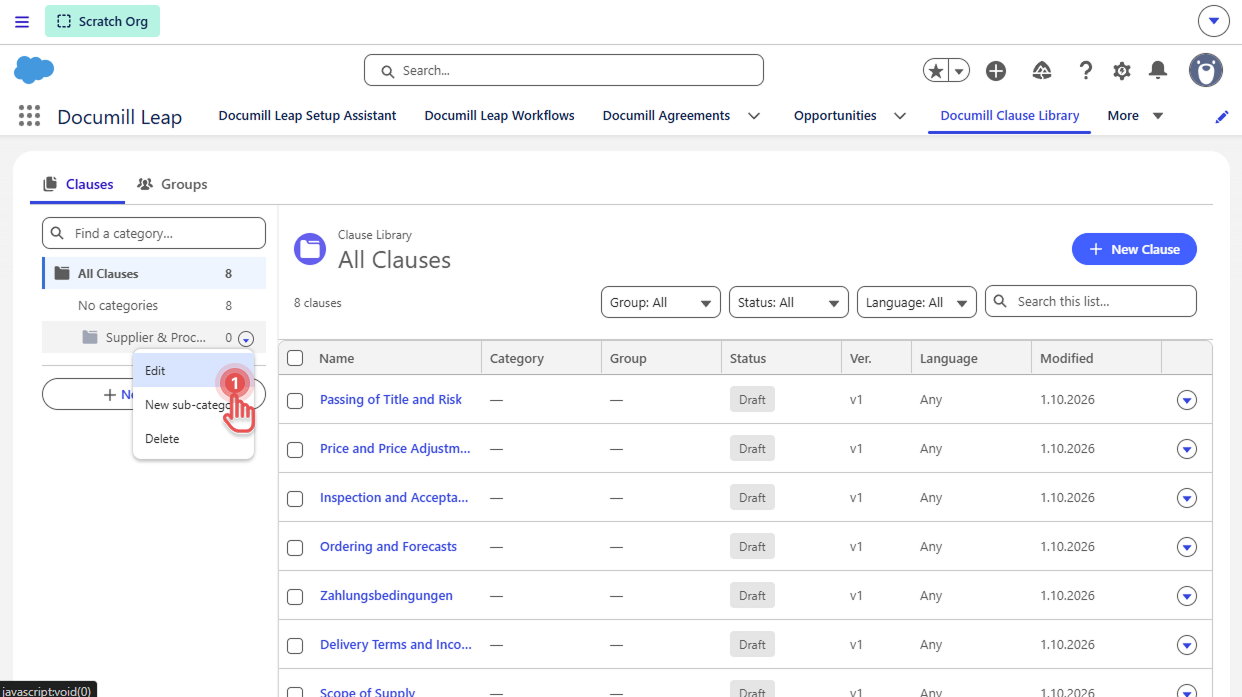
Open the menu (▾) of the category and select Edit.
Preview
-
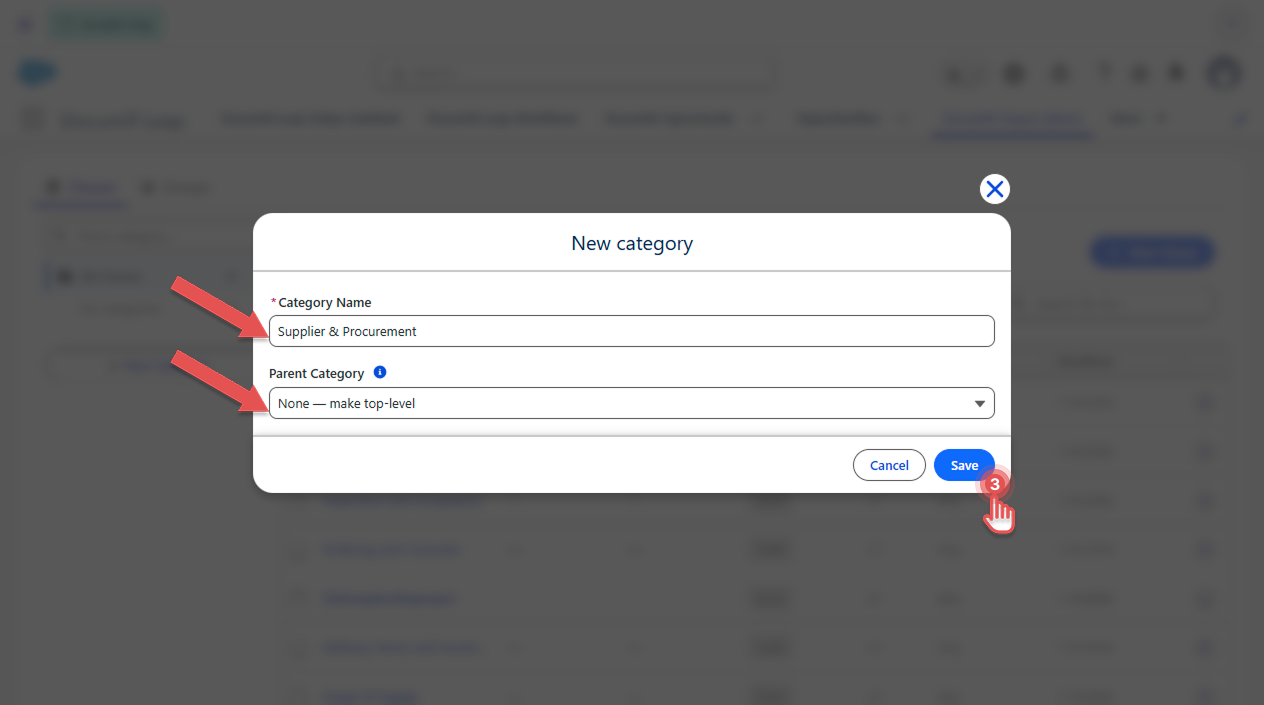
Change the Category Name, or choose a different Parent Category to move it and its sub-categories.
-
Select Save.
Preview
Adding clauses to a category
Do one of the following:
-
For one clause: set the category on the clause page. See Editing a Clause.
-
For several clauses: use Bulk update. See Updating Clauses in bulk.
-
For new clauses: select the category first, then add the clauses. See Adding Clauses.
Deleting a category
Deleting a category never deletes clauses.
-
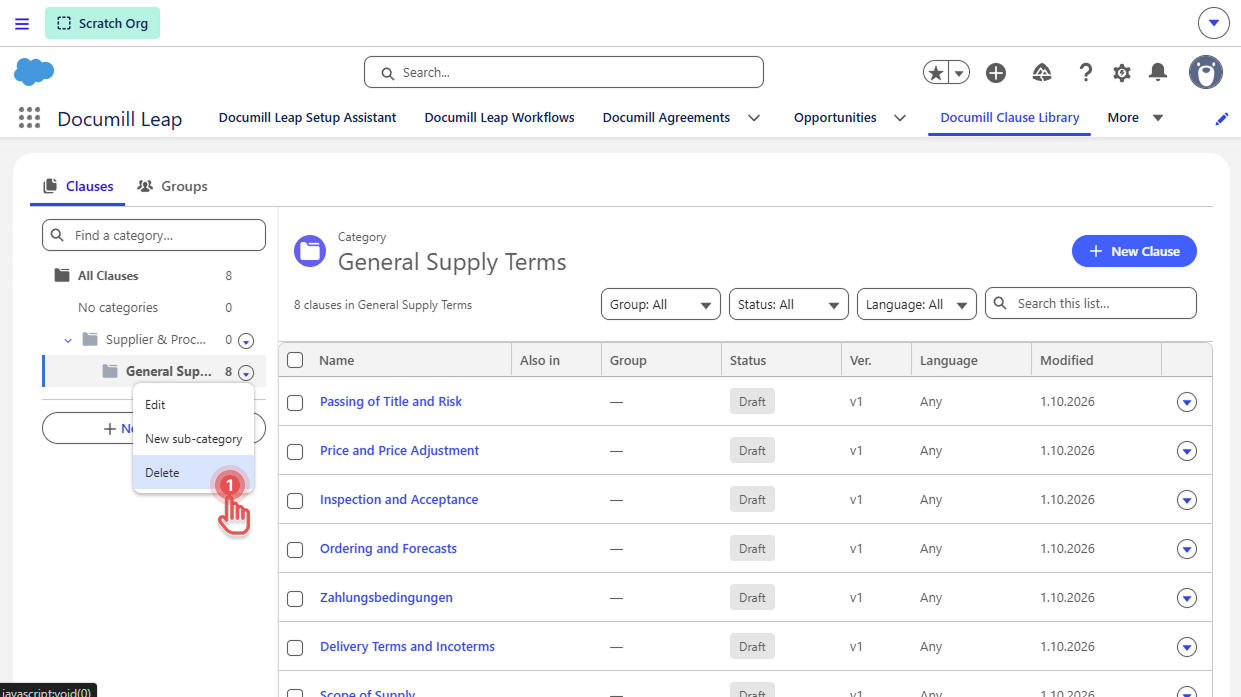
Open the menu (▾) of the category and select Delete.
Preview
-
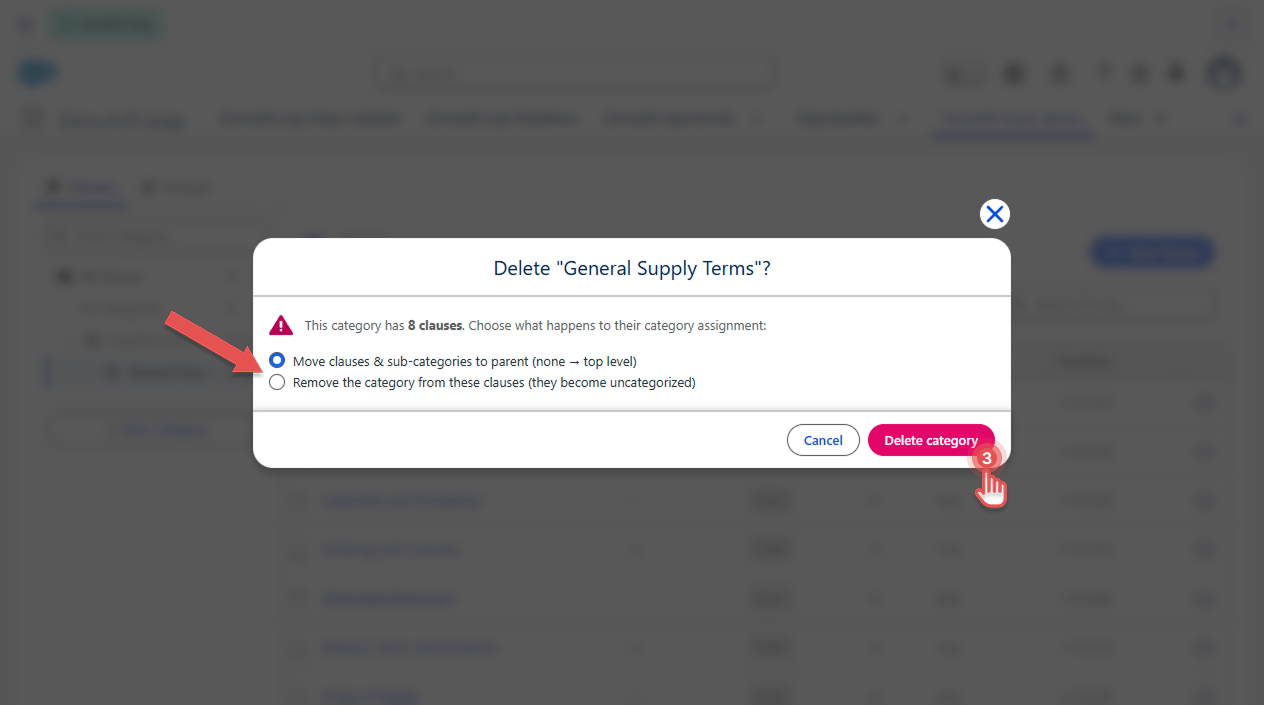
Choose What happens on delete:
-
Move clauses & sub-categories to parent:
The category's clauses and sub-categories move up one level. If the category is top-level, its sub-categories become top-level categories and its clauses become uncategorized, unless they're also in other categories. -
Remove the category from these clauses:
The clauses lose this category, and its sub-categories become top-level categories. Clauses in the sub-categories stay where they are.
-
-
Select Delete category.
Preview
Example: You delete Liability, from this category structure Legal → Liability → Indemnification.
|
Choice |
Clauses in |
|
|---|---|---|
|
Move to parent |
Move to |
Becomes a sub-category of |
|
Remove the category |
Lose |
Becomes a top-level category |