
The Sign Step has extra options to cover different use cases of signing a document. The options can be found inside the Sign Step Properties dialog.
Open Step Properties dialog
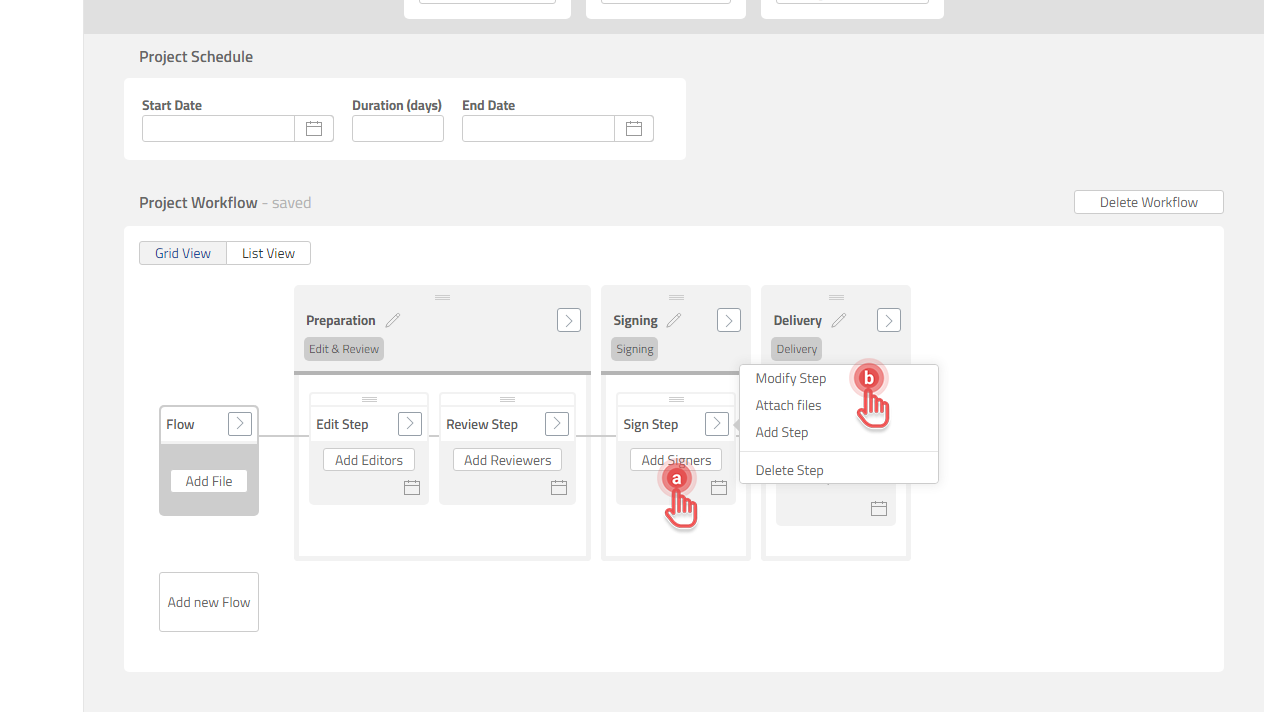
There are two ways to open the Step Properties dialog:
a. Click a Step box.
b. Click [>] button on a Step box and then [Modify Step] option.
Preview
Control the rights to update Signer’s information
By default, Signers can update their information including their name and organization name. If there is a need to define the Signers' information and prevent the Signers from changing it, the option below can be adjusted:
a. OFF: Signers are not allowed to update their information. Project Owner needs to provide Signers' information.
b. ON (default): Signers are allowed to update their information.
Preview
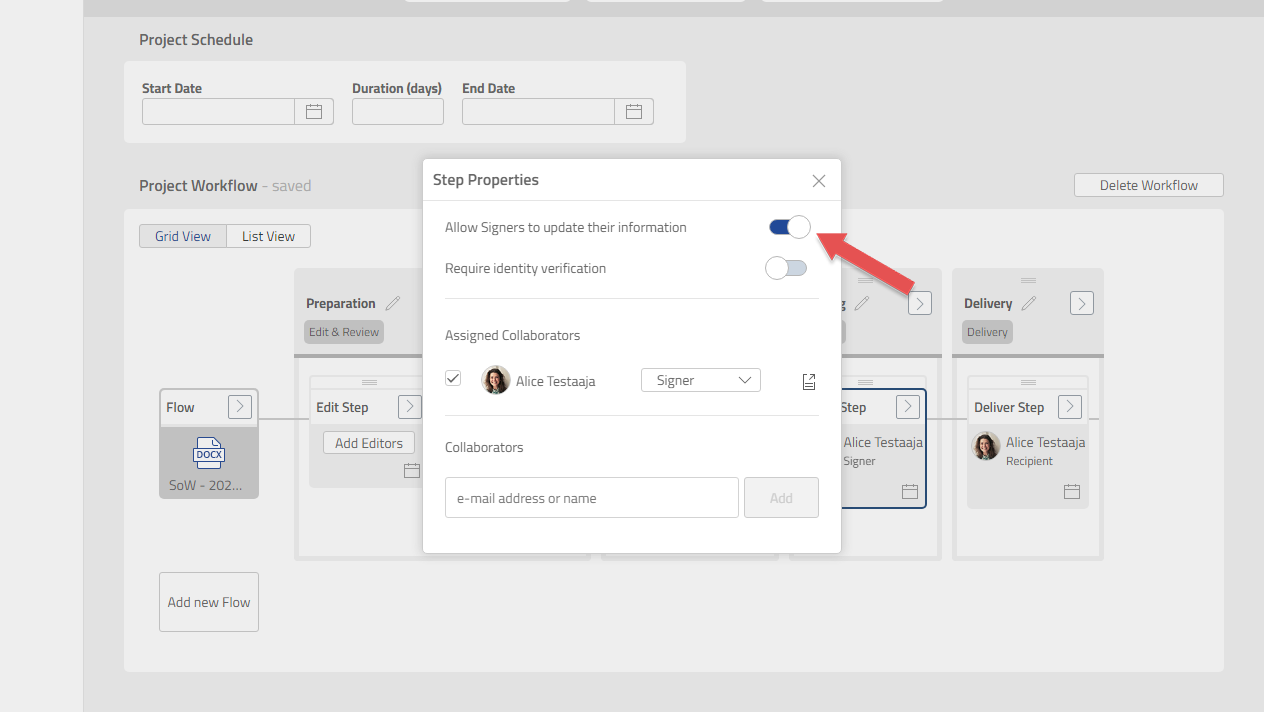
If this option is turned OFF, Project Owner needs to provide Signer's information.